
Vitek VT-3480 GY:
: Vitek VT-3480 GY
Table of contents
-
-
-
- Fastforward/Fastreverse PressagaintheMEMORY/DISPbutton.ID3willoff.
-
-
-
-
-
-
-
-
-
-
2
• ThisunitcandisplayFolderNameorFile
Nameupto32characters.
• Thedisplayplaybacktimemaynotbe
displayedcorrectlywhenplayingbacka
variablebitratefile.
• Timedisplaycannotbechangedbythe
MEMORY/DISPbutton.
• Tracknumber,titlenameandartistname
canbedisplayedbypressingtheMEMORY/
DISPbuttonduringfileplaybackorpause
mode.
• WMAmetatagalsosupportstitle,artistand
albumnamewhicharerecordedinWMA
files.
• CopyrightprotectedWMAfilescannotbe
playedback.
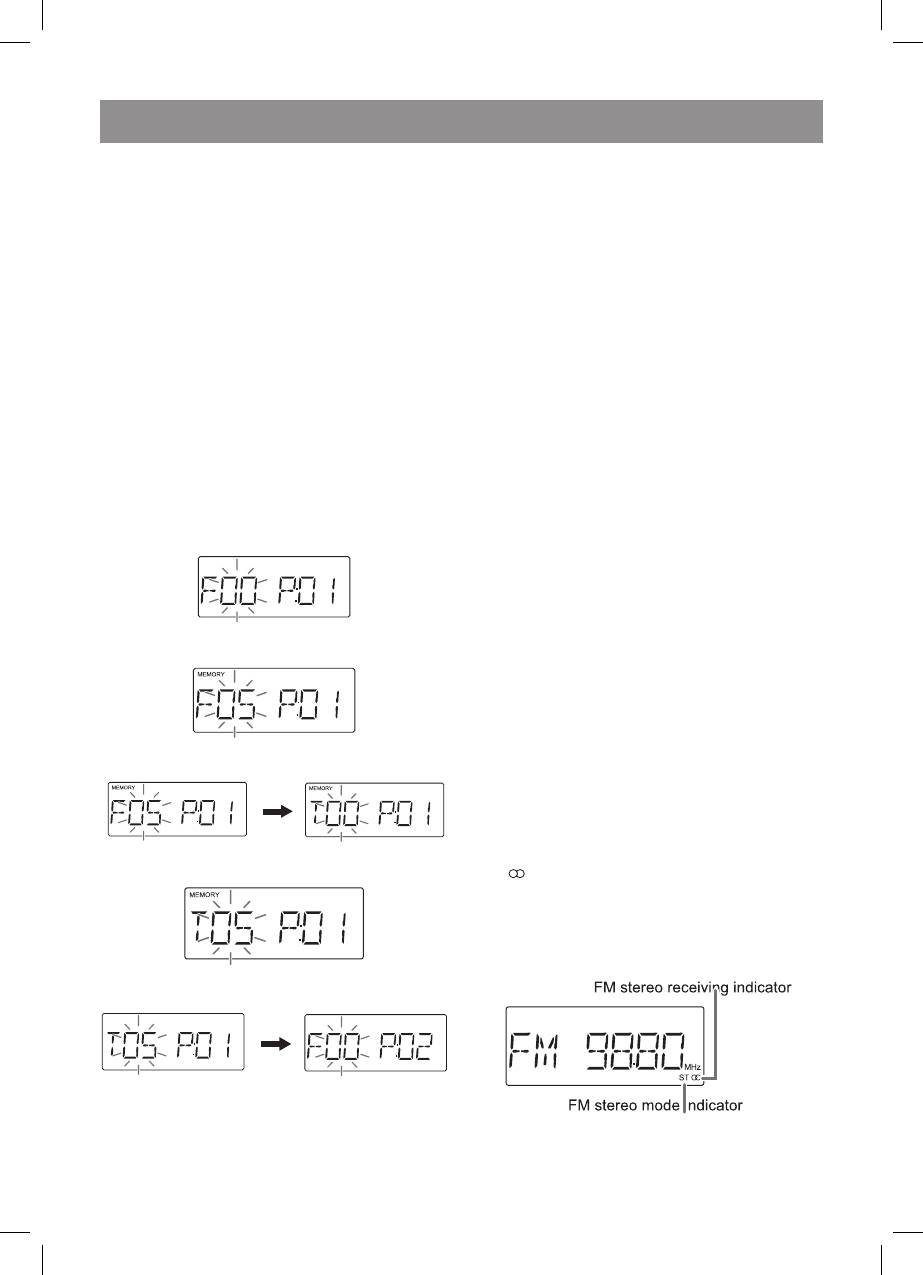
.Whilstinthestopmode,presstheMEMORY/
DISPbuttontoentertheprogrammingsave
mode.
MEMORY
2.PresstheFOLDER(\/or/\)buttontoselect
thedesiredfolder.
3.PresstheMEMORY/DISPbuttontosavethe
foldernumber.
.Pressthe“or”buttontoselectthe
desiredtrack.
5.PresstheMEMORY/DISPbuttontosavethe
tracknumber.
MEMORY
MEMORY
Note
ThisproductcanreceiveFMstereo/FMmono
andMWmonobroadcast.MWstereobroad-
castswillnotbeplayedinstereo.
. PresstheON/STAND-BYbuttontoturnthe
poweron.
2. PresstheTUNER/BANDbuttonrepeatedly
toselectthedesiredfrequencyband(FMor
MW).
3. Pressthe“TUNING(\/or/\)”buttontotune
intothedesiredstation.
PresstheTUNINGbuttonasmanytimesasre-
quiredtogetpropersignalquality.
WhentheTUNINGbuttonispressedformore
than0.5seconds,scanningwillstartautomati-
callyandthetunerwillstopatthefirstreceivable
broadcaststationwithstrongsignal.
• Whenradiointerferenceoccurs,autoscan
tuningmaystopautomaticallyatthatpoint.
• Autoscantuningwillskipweaksignal
stations.
• Tostoptheautotuning,presstheTUNING
buttonagain.
ToreceiveanFMstereotransmission:
PresstheTUNER/BANDbuttontodisplaythe
“ST”indicator.
• “ ”willappearwhenanFMbroadcastisin
stereo.
• IftheFMreceptionisweak,pressthe
TUNER/BANDbuttontoextinguishthe“ST”
indicator.Thereceptionchangestomono,
andthesoundbecomesclearer.
6.Repeatsteps2-5forotherfolder/tracks.Up
to32trackscanbeprogrammed.
7.Pressthe“USB/II”buttontostartplayback.
3480.indd 12 23.04.2007 16:03:00


