
Vitek VT-3480 GY:
: Vitek VT-3480 GY
Table of contents
-
-
-
- Fastforward/Fastreverse PressagaintheMEMORY/DISPbutton.ID3willoff.
-
-
-
-
-
-
-
-
-
-
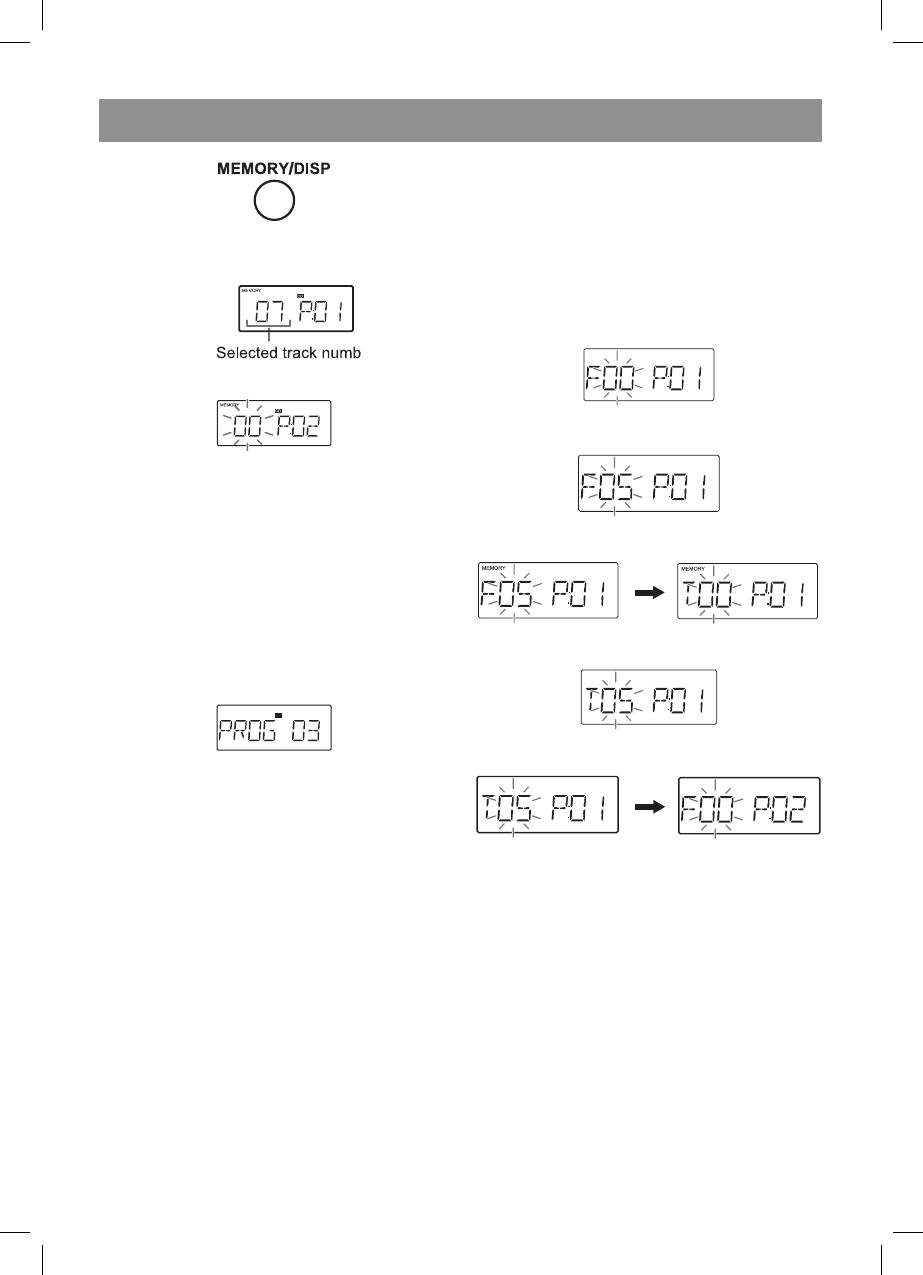
2. Selectatrackbypressingthe“”or
“”button.
3. PresstheMEMORY/DISPbuttontosavethe
tracknumber.
.Repeatsteps2-3forothertracksand
programmednumberwillautomatically
increase.Upto32trackscanbe
programmed.
“PROGFUL”indicatorwilldisplayonLCD
afterprogrammedupto32tracks.
Ifyoumakeamistake,theprogrammed
trackscanbeclearedbypressingthe“”
button.
5. Pressthe“CD/II”buttontostart
playback.
6. Pressthe“”button.
Thetotalnumberofmemorywillappear.
9
MEMORY
CD
• AfteryouchangethefunctionfromCDto
another,theprogrammedselectionswillbe
cleared.
• Duringprogrammeoperation,randomplay
isnotpossible.
.Whilstinthestopmode,presstheMEMORY/
DISPbuttontoentertheprogrammingsave
mode.
7. Pressthe“CD/II”tostartplayback.
Whilstinthestopmodeandthe“MEMORY”
indicatorislit,pressthe“”button.The
"MEMORY"indicatorwilldisappearandallthe
programmedcontentswillbecleared.
Ifaprogrammehasbeenpreviouslystored,the
“MEMORY”indicatorwillbedisplayed.Then
followstep-3toaddtracks.Thenewtrack
willbestoredafterthelasttrackoftheoriginal
programme.
Whilsttheunitisstoppedintheprogrammed
playmode,pressthe“”or“”buttons.
Checkwhichtracksareprogrammed.
• WhenyouopentheCDcompartment,the
programmeisautomaticallycancelled.
MEMORY
2.PresstheTUNING/FOLDER(\/or/\)button
toselectthedesiredfolder.
MEMORY
3.PresstheMEMORY/DISPbuttontosavethe
foldernumber.
.Pressthe“”or“”buttontoselectthe
desiredtrack.
MEMORY
5.PresstheMEMORY/DISPbuttontosavethe
tracknumber.
MEMORY
MEMORY
6.Repeatsteps2-5forotherfolder/tracks.Up
to32trackscanbeprogrammed.
7.Pressthe“CD/II”buttontostartplayback.
MP3/WMAfoldermode(onlyforMP3/WMA
files)
Therearemanymusicsitesontheinternetthat
youcandownloadMP3/WMA(WindowsMedia
Audio)musicFiles.Followtheinstructionsfrom
thewebsiteonhowtodownloadthemusicfiles.
Youcanthenplaybackthesedownloadedmusic
filesbyrecordingthemtoaCD-R/RWdiscorby
connectingaUSBMemoryPlayerdevice.
• Alldownloadedfilesareforpersonaluse
only.Anyotherusageofthesongwithout
owner’spermissionisagainstthelaw.
3480.indd 9 23.04.2007 16:02:56


