
Vitek VT-3549 SR: INTRODUCTION DESCRIPTION
INTRODUCTION DESCRIPTION: Vitek VT-3549 SR
Table of contents
- INTRODUCTION DESCRIPTION
- A DISPLAY
- MAIN FEATURES: REMOTE UNIT A LED INDICATOR BEFORE YOU BEGIN
- BATTERY INSTALLATION: REMOTE UNIT BATTERY INSTALLATION: MAIN UNIT LOW BATTERY WARNING HOW TO USE THE TABLE STAND OR WALL MOUNTING GETTING STARTED
- HOW TO CHECK REMOTE AND INDOOR TEMPERATURES HOW TO READ THE KINETIC WAVE DISPLAY MAXIMUM AND MINIMUM TEMPERATURES AND HUMIDITY
- TEMPERATURE AND HUMIDITY TREND WEATHER FORECAST ATMOSPHERIC PRESSURE COMFORT LEVEL INDICATORS
- HOW TO CHECK THE BAROMETRIC PRESSURE
- HOW TO USE AND SCAN THE MOON PHASE DISCONNECTED SIGNALS TRANSMISSION COLLISION
- HOW TO SET THE RADIO CONTROLLED CLOCK CALENDAR CLOCK DISPLAY MODES HOW TO SET THE CLOCK MANUALLY HOW TO SET AND ARM THE ALARM
- SNOOZE FEATURE HOW TO STOP AN ALARM ALARM FEATURE HOW TO CHANGE THE TEMPERATURE ALARM SETTING PRECAUTIONS
- SPECIFICATIONS
ENGLISH
INTRODUCTION
Congratulations on your purchase of the weather station.
The basic package comes with a main unit, which is the weather forecast station and,
a remote unit, the thermo hygrometer sensor.
The main unit is capable of keeping track of the maximum and minimum temperature
of different sites.
And no wire installation is required and operates at 433MHz.
Apart from temperature shows the indoor and outdoor relative humidity and rates the
comfort level.
It also retains the maximum and minimum relative humidity readings. A remote ther-
mo-hygro sensor is included with the unit. The weather station is able to receive and
display readings from up to 3 remote sensors.
The built-in barometer enables to display the atmospheric pressure with user-se-
lectable altitude adjustment. A bar graph will show the pressure trend of the last 24
hours.
What is more, is equipped with a moon phase scanner, which lets you check the moon
phase of the forward & backward 39 days.
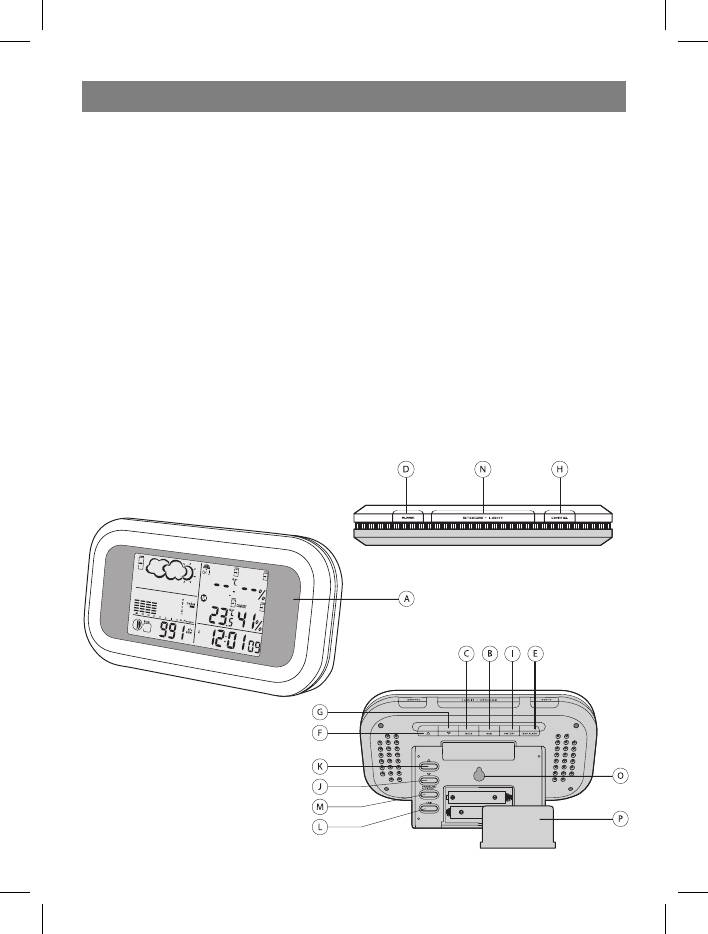
DESCRIPTION
2
3549.indd 249.indd 2 02.06.2006 16:59:3502.06.2006 16:59:35


