
Vitek VT-3473 SR: TAPE HEAD CLEANING CLEANING THE DEVICE
TAPE HEAD CLEANING CLEANING THE DEVICE: Vitek VT-3473 SR
Table of contents
- PRECAUTIONS LASER SAFETY
- SOME DO'S AND DON'TS ON THE SAFE USE OF EQUIPMENT
- LOCATION OF CONTROLS OPERATING INSTRUCTIONS LISTENING TO THE RADIO PLAYING COMPACT DISCS
- MP3 DISC PLAYBACK MP3 PROGRAM PLAYBACK PROGRAM MODE
- CASSETTE TAPE PLAYBACK RECORDING FROM RADIO RECORDING FROM CD/MP3 CARE AND MAINTENANCE COMPACT DISC CARE
- TAPE HEAD CLEANING CLEANING THE DEVICE
- TROUBLESHOOTING GUIDE
- SPECIFICATIONS
ENGLISH
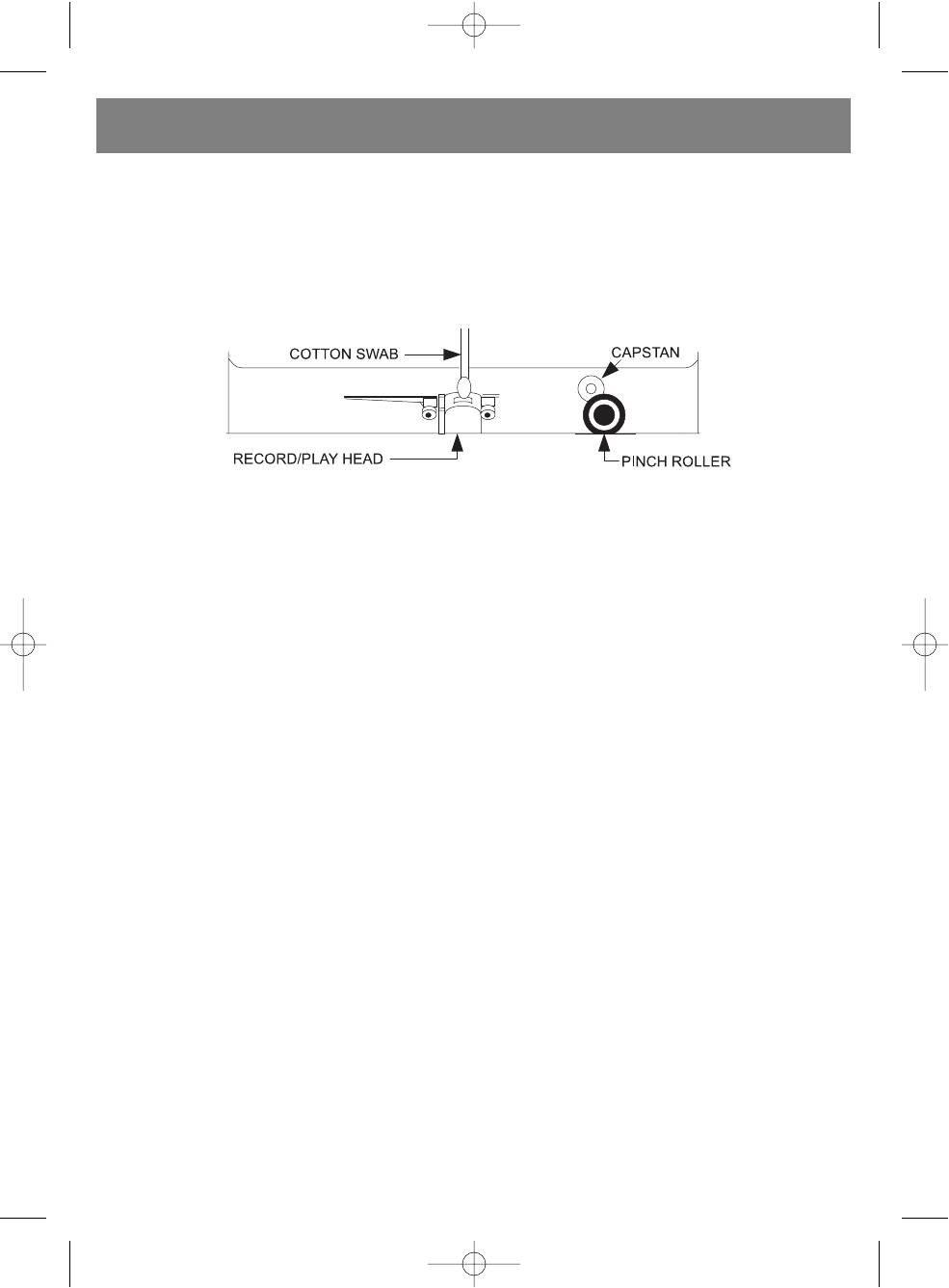
TAPE HEAD CLEANING
The tape heads, pinch roller and capstan require periodic cleaning. This removes particles of the metal oxide
coating that wear off the tape and accumulate on these parts and impair performance. Switch off the power,
press the Stop/Eject Key to open the cassette door, and press the Play Key. Clean the tape heads, pinch roller
and capstan with a soft cloth or cotton swab dampened in isopropyl alcohol or special tape head cleaner.
NOTE: Never use any metal objects on or near the tape heads. Do not allow any cleaning material to fall into
the tape assembly.
CLEANING THE DEVICE
• To prevent fire or electric shock hazard, disconnect the device from the AC outlet before cleaning.
• Clean the unit surfaces with a soft dry cloth. Be careful when cleaning and wiping plastic parts.
• Clean speakers surfaces with a soft dry cloth. Do not apply wax or other polishing spray for cleaning the speakers.
• If the front panel becomes dirty, wipe it with a soft cloth slightly moistened with warm soap water. Never use for cleaning
any abrasives or polishing agents, as they can damage the unit surfaces.
CAUTION: During cleaning, do not allow water or other liquids to get inside the unit.
8
3473.qxd 26.07.05 11:13 Page 8


