
Siemens TE502206RW: Switching off the appliance
Switching off the appliance: Siemens TE502206RW
Table of contents
- Safety instructions
- Table of Contents Included in delivery
- Overview Controls
- Display messages Before using for the rst time
- Switching off the appliance
- Water lter
- Menu settings
- Adjusting the Preparation using grinding unit coffee beans
- Preparation using Preparing milk froth ground coffee Dispensing hot water
- Maintenance and daily cleaning
- Cleaning the milk system
- Cleaning the brewing unit
- Tips on energy saving Service Programmes
- Descaling
- Cleaning Calc‘n‘Clean
- Frost protection
- Accessories Disposal Guarantee Technical data
- Simple troubleshooting Problem Cause Solution
- Problem Cause Solution
deen
3� Pull the power cord out of the storage
12� Press the start button (10). The
compartment (20) and plug in. Adjust
language you selected is saved. The
the length of the cable by pushing it
display shows
Pull milk frother�
back in or pulling it out. The easiest way
13� Place a receptacle under outlet.
to do this is to place the appliance so
14� Carefully pull out the milk frother (6) to
that its back is ush with the edge of the
open it. The appliance rinses out the
counter and either pull the cable down-
milk frother (6) with water. The display
ward or push it upward�
shows
Push milk frother�
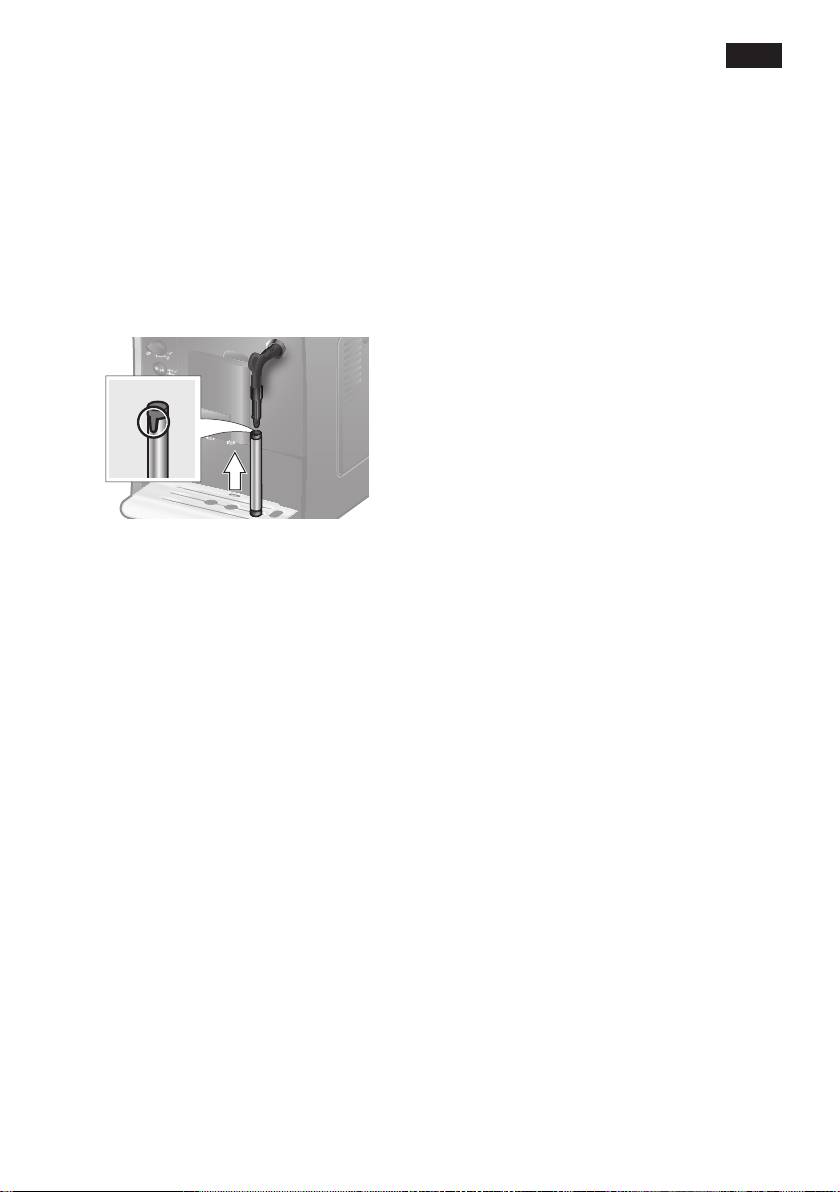
4� Install the milk frother� Operate the
15� Push the milk frother (6) in to close it.
machine only after the milk frother (6)
The appliance heats up and rinses. Some
has been fully assembled and installed.
water will run out of the coffee outlet.
When the drink selection menu is shown in
the display, the appliance is ready for use.
Switching off the appliance
If the appliance has not been used for
an hour, it rinses automatically and
then switches off (time span can be
programmed, see “Menu settings”
Shutoff
on page 9)�
5� Lift the lid of the water tank (17)�
6� Remove and rinse the water tank (16)
Exception: The appliance switches off
and ll it with fresh cold water.
without rinsing if only hot water or steam
Do not ll above the max mark�
were dispensed�
7� Replace the water tank (16) and push it
rmly downward into place.
To switch the appliance off manually before
8� Close the lid of the water tank (17)
this, press the e off / j button (12). The
again�
appliance rinses and switches off�
9� Fill the bean container (1) with coffee
beans. (For preparation using ground
N.B.: If the appliance is being used for the
coffee, see “Preparation using
rst time, a service program has been run,
ground coffee” on page 11.)
or the appliance has not been operated
10� Press the power switch O / I (9). The
for a long period, the rst beverage will
display (15) shows the menu for setting
not have the full aroma and should not be
the display language.
consumed.
11� Select the required display language
with the upper rotary knob (14). The
When using the espresso machine for the
following languages are available:
rst time, you will achieve a suitably thick
English Nederlands
and stable “crema” only after the rst few
Français Italiano
cups have been dispensed.
Svenska Español
Polski Magyar
After extended use, water droplets may
Türkçe Dansk
form on the ventilation slots. This is normal.
Norsk Suomi
Português Čeština
ελληνικα български
русский
7
