
Siemens TE502206RW: Overview Controls
Overview Controls: Siemens TE502206RW
Table of contents
- Safety instructions
- Table of Contents Included in delivery
- Overview Controls
- Display messages Before using for the rst time
- Switching off the appliance
- Water lter
- Menu settings
- Adjusting the Preparation using grinding unit coffee beans
- Preparation using Preparing milk froth ground coffee Dispensing hot water
- Maintenance and daily cleaning
- Cleaning the milk system
- Cleaning the brewing unit
- Tips on energy saving Service Programmes
- Descaling
- Cleaning Calc‘n‘Clean
- Frost protection
- Accessories Disposal Guarantee Technical data
- Simple troubleshooting Problem Cause Solution
- Problem Cause Solution
deen
Overview
Controls
Figures A, B, C, D and E
Power on/off switch O / I
The power switch O / I (9) is used to switch
1 Bean container
the appliance on or to switch it off fully
2 Aroma cover
(power supply off).
3 Selector for grind setting
Important: Before switching off, run the
4 Drawer
cleaning programme or use the e off / j
(ground coffee/cleaning tablet)
button (12) to switch off.
5 Brewing unit (Fig. E)
a) Brewing unit
e off / j button
b) Door
When the e off / j button (12) is pressed
c) Eject lever for brewing unit
briey, the appliance rinses and switches
d) Lock
off� Pressing and holding down the e off / j
6 Milk frother (Fig. C)
button (12) displays the user settings or
a) Steam valve
starts the descaling and cleaning function.
b) Metal sleeve
c) Frothing tube
h button
d) Steam nozzle
Press the h button (11) to generate steam
e) Air hole
for preparing milk froth�
7 Coffee outlet, height-adjustable
8 Drip tray (Fig. D)
start button
a) Drip tray panel
Press the start button (10) to begin drink
b) Coffee grounds container
preparation or to start a service programme�
c) Drip tray for coffee outlet
Press the start button (10) again during
d) Grate for coffee outlet
drink preparation to cut the dispensing
e) Float
process short�
9 Power on/off switch O / I
10 start button
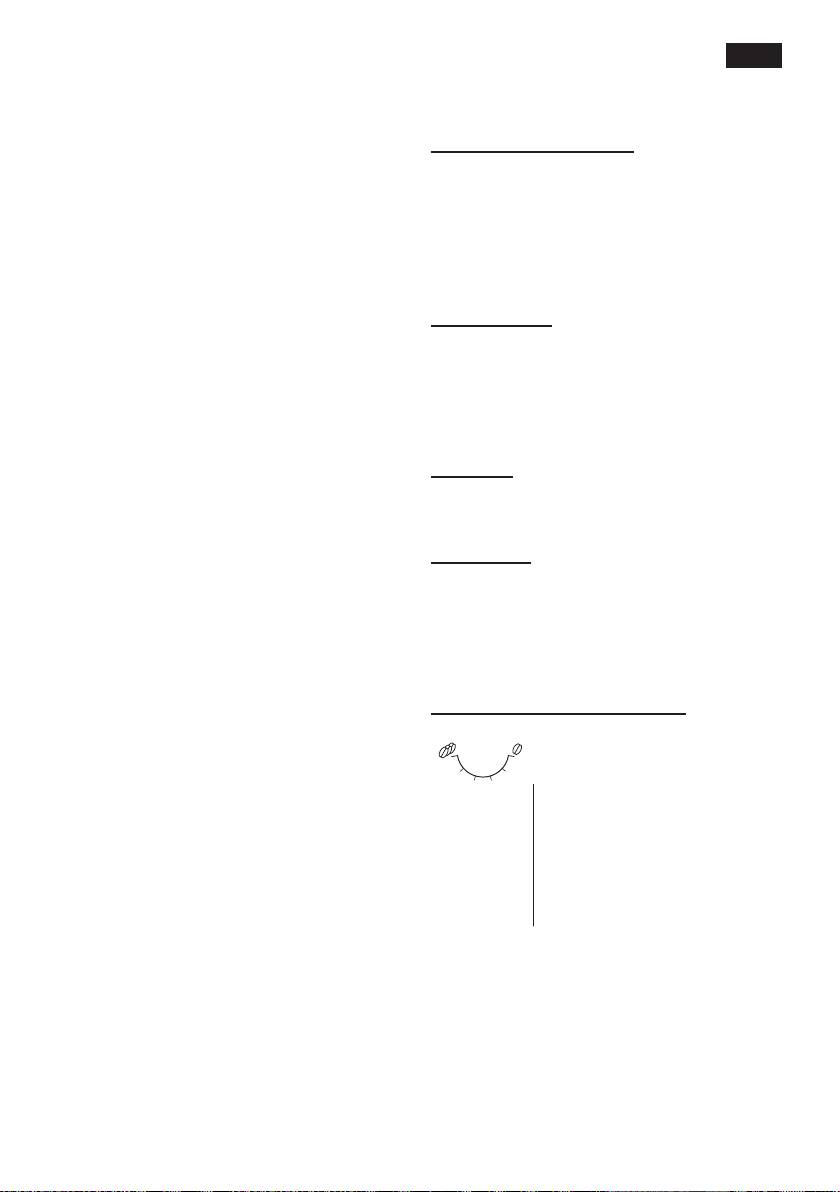
“Coffee strength” rotary knob
11 h button
12 e off / j button
This rotary knob (13) is used
13 “Coffee strength” rotary knob
to set the coffee strength�
14 “Drink selection” rotary knob
Very mild
h
15 Display
Mild
16 Removable water tank
Mild +
17 Lid for water tank
to
Normal
18 Measuring spoon
Normal +
(insertion aid for water lter)
g
Strong
19 Storage compartment for
measuring spoon
20 Power cable with storage compartment
5
