
Yamaha RX-497: Switching the remote control ID
Switching the remote control ID: Yamaha RX-497
Table of contents
- CAUTION: READ THIS BEFORE OPERATING YOUR UNIT.
- CONTENTS
- FEATURES SUPPLIED ACCESSORIES
- CONTROLS AND FUNCTIONS
- CONTROLS AND FUNCTIONS
- Front panel display
- Rear panel
- Remote control
- CONTROLS AND FUNCTIONS
- Installing batteries in the remote control Using the remote control
- CONNECTIONS
- Connecting speakers
- Connecting the AM and FM antennas
- Connecting the AM loop antenna
- Connecting the power supply cord Turning on and off this unit
- PLAYING AND RECORDING Playing a source
- Adjusting the tonal quality
- Recording a source
- Using the sleep timer
- Muting the sound output
- FM/AM TUNING Automatic tuning
- Manual tuning
- Automatic preset tuning
- Customized automatic preset tuning
- Manual preset tuning
- Selecting preset stations Exchanging preset stations
- RADIO DATA SYSTEM (EUROPE MODEL ONLY) Receiving Radio Data System stations Changing the Radio Data System mode
- PTY SEEK function
- EON function
- ADVANCED SETUP Changing the ADVANCED SETUP menu parameters
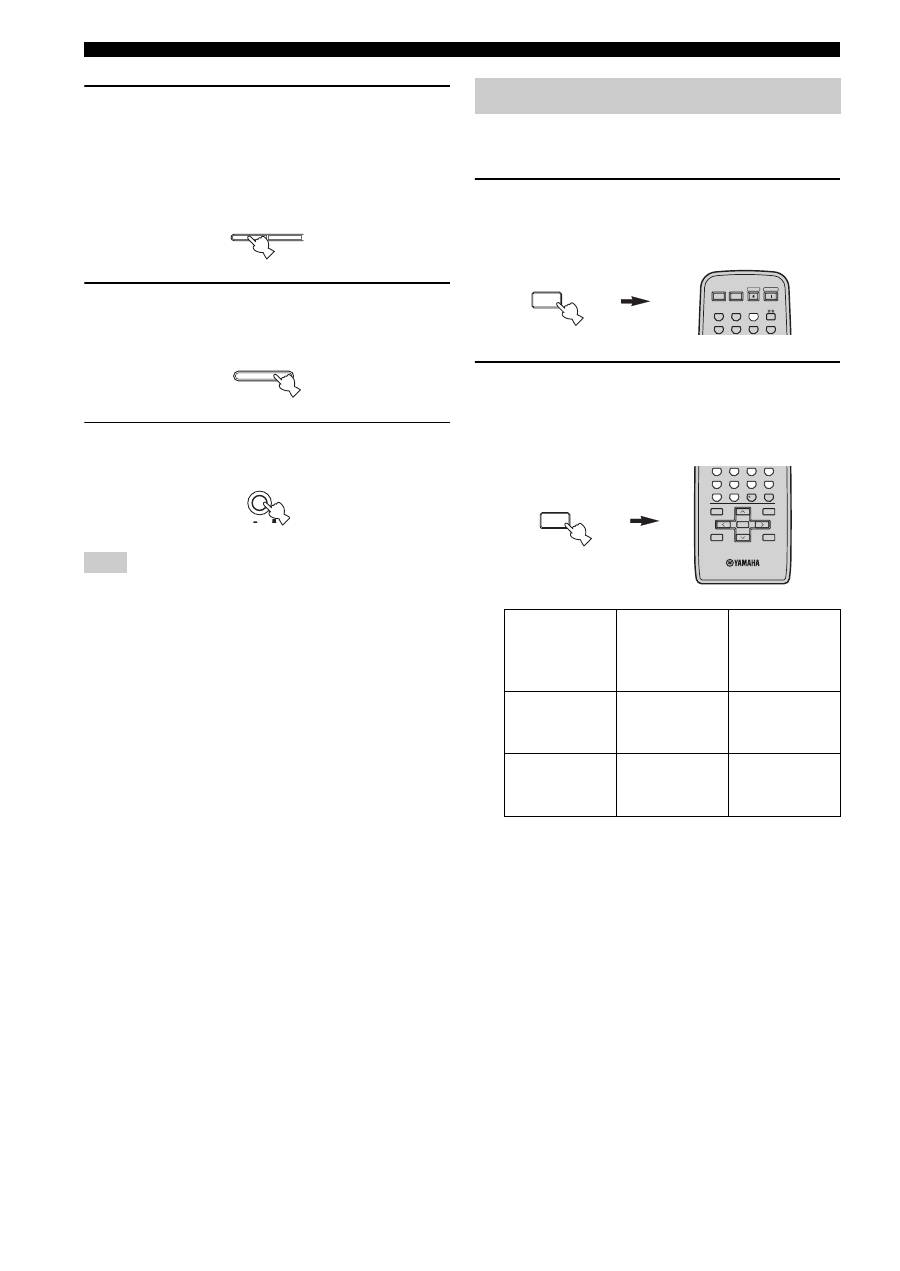
- Switching the remote control ID
- ZONE 2 Connecting the Zone 2 components
- Controlling Zone 2
- REMOTE CONTROL FEATURES Control area
- Controlling other components
- Setting remote control codes
- General TROUBLESHOOTING
- Tuner
- Remote control
- SPECIFICATIONS
30
ADVANCED SETUP
3
Press the preset station number buttons (1
and 2) on the front panel repeatedly to move
through the menu and select the parameter
you want to adjust.
See page 29 for a complete list of available
parameters.
4
Press A/B/C/D/E on the front panel
repeatedly to toggle between the available
parameters.
5
Press MASTER ON/OFF to release it outward
to the OFF position to confirm your setting.
The settings you made are reflected next time you turn on the
power of this unit.
You can select the unit you want to operate with the
remote control by switching the remote control ID.
1
Press and hold CODE SET on the remote
control and then press TUNER on the remote
control.
2
While holding down CODE SET on the
remote control, use the numeric buttons on
the remote control to enter the three-digit
code number listed in the table below.
*
When you change the remote control ID, you must switch
the remote control ID of this unit (see page 29).
When using multiple YAMAHA receivers or
amplifiers with the same default code setting, you
may unwantedly operate those components
simultaneously. In this case, set one of the alternative
codes for this unit to operate this unit separately.
Note
1
2
A/B/C/D/E
MASTER
ON
OFF
Switching the remote control ID
Remote
control ID
*
(this unit’s
setting)
Function
Code number
ID1
To operate this
unit using an
alternative code.
801
ID2
(default setting)
To operate this
unit using the
default code.
802
MENU
CODE SET
STANDBY
POWER
CD
MD/TAPE
TUNER
PHONO
DVD
POWER
POWER
AV
TV
VCR
DTV/CBL
MENU
CODE SET
MENU
TITLE
BAND
A/B/C/D/E
A/B/C/D/E
PRESET/CH
4
3
2
1
8
10
7
0
9
6
5
ENT.
DISPLAY
RETURN
ENTER
