
Yamaha RX-497: Controlling Zone 2
Controlling Zone 2: Yamaha RX-497
Table of contents
- CAUTION: READ THIS BEFORE OPERATING YOUR UNIT.
- CONTENTS
- FEATURES SUPPLIED ACCESSORIES
- CONTROLS AND FUNCTIONS
- CONTROLS AND FUNCTIONS
- Front panel display
- Rear panel
- Remote control
- CONTROLS AND FUNCTIONS
- Installing batteries in the remote control Using the remote control
- CONNECTIONS
- Connecting speakers
- Connecting the AM and FM antennas
- Connecting the AM loop antenna
- Connecting the power supply cord Turning on and off this unit
- PLAYING AND RECORDING Playing a source
- Adjusting the tonal quality
- Recording a source
- Using the sleep timer
- Muting the sound output
- FM/AM TUNING Automatic tuning
- Manual tuning
- Automatic preset tuning
- Customized automatic preset tuning
- Manual preset tuning
- Selecting preset stations Exchanging preset stations
- RADIO DATA SYSTEM (EUROPE MODEL ONLY) Receiving Radio Data System stations Changing the Radio Data System mode
- PTY SEEK function
- EON function
- ADVANCED SETUP Changing the ADVANCED SETUP menu parameters
- Switching the remote control ID
- ZONE 2 Connecting the Zone 2 components
- Controlling Zone 2
- REMOTE CONTROL FEATURES Control area
- Controlling other components
- Setting remote control codes
- General TROUBLESHOOTING
- Tuner
- Remote control
- SPECIFICATIONS
32
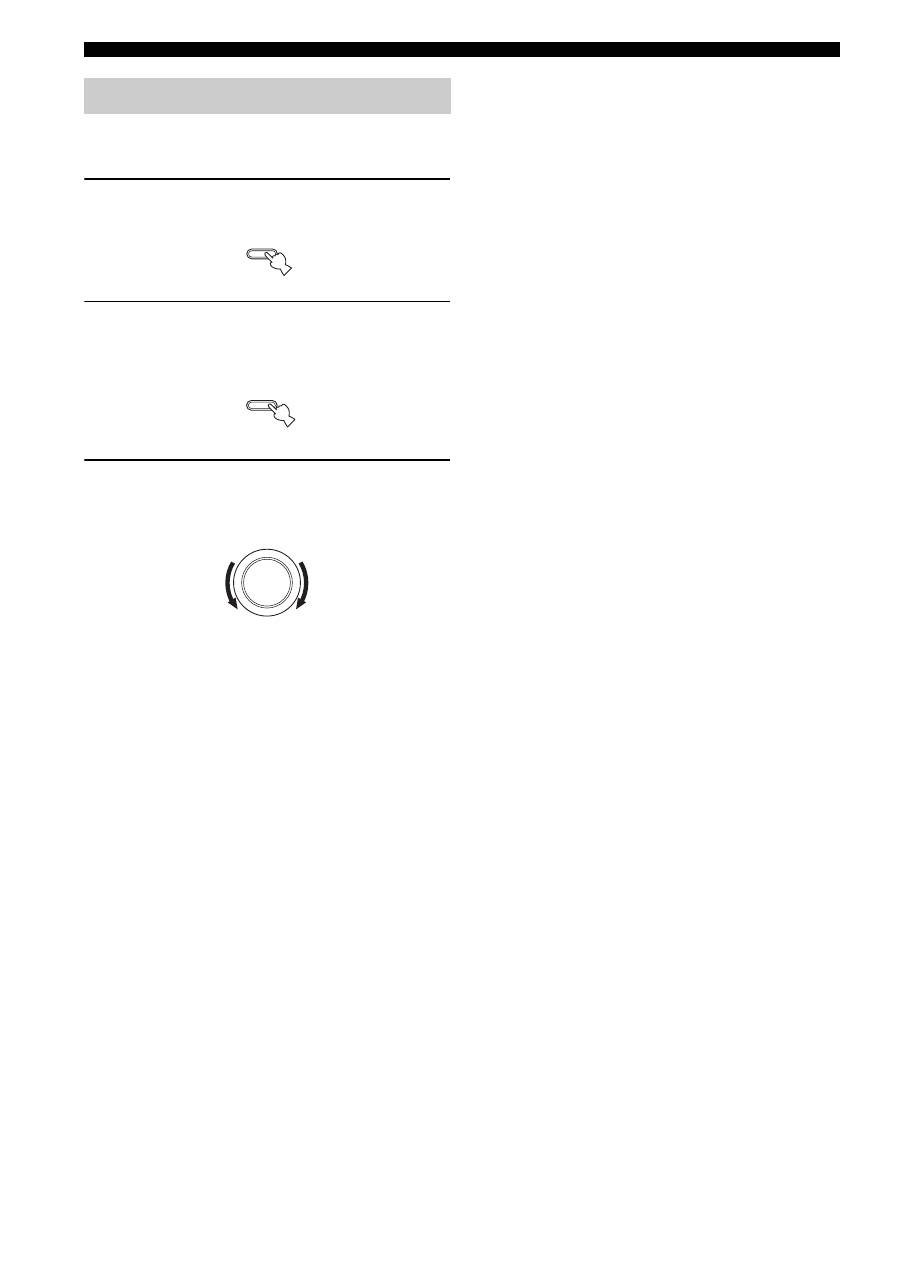
ZONE 2
You can control the input source of Zone 2 independently
of the listening conditions in the main room.
1
Press ZONE 2 ON/OFF on the front panel to
turn on Zone 2.
2
Press ZONE 2 CONTROL on the front panel
The ZONE 2 indicator flashes in the front panel
display.
3
While the ZONE 2 indicator is flashing, rotate
the INPUT selector on the front panel to
select the input source of Zone 2.
y
• You can also select the input source by using the Zone 2 remote
control (sold separately). Press POWER on the Zone 2 remote
control to turn on Zone 2, and then press one of the input
selector buttons to select the input source.
• You can mute the sound output to Zone 2 by pressing MUTE on
the ZONE 2 remote control. Press again to restore the sound
output.
Controlling Zone 2
ZONE 2 ON/OFF
ZONE CONTROL
INPUT
