
Yamaha RX-497: EON function
EON function: Yamaha RX-497
Table of contents
- CAUTION: READ THIS BEFORE OPERATING YOUR UNIT.
- CONTENTS
- FEATURES SUPPLIED ACCESSORIES
- CONTROLS AND FUNCTIONS
- CONTROLS AND FUNCTIONS
- Front panel display
- Rear panel
- Remote control
- CONTROLS AND FUNCTIONS
- Installing batteries in the remote control Using the remote control
- CONNECTIONS
- Connecting speakers
- Connecting the AM and FM antennas
- Connecting the AM loop antenna
- Connecting the power supply cord Turning on and off this unit
- PLAYING AND RECORDING Playing a source
- Adjusting the tonal quality
- Recording a source
- Using the sleep timer
- Muting the sound output
- FM/AM TUNING Automatic tuning
- Manual tuning
- Automatic preset tuning
- Customized automatic preset tuning
- Manual preset tuning
- Selecting preset stations Exchanging preset stations
- RADIO DATA SYSTEM (EUROPE MODEL ONLY) Receiving Radio Data System stations Changing the Radio Data System mode
- PTY SEEK function
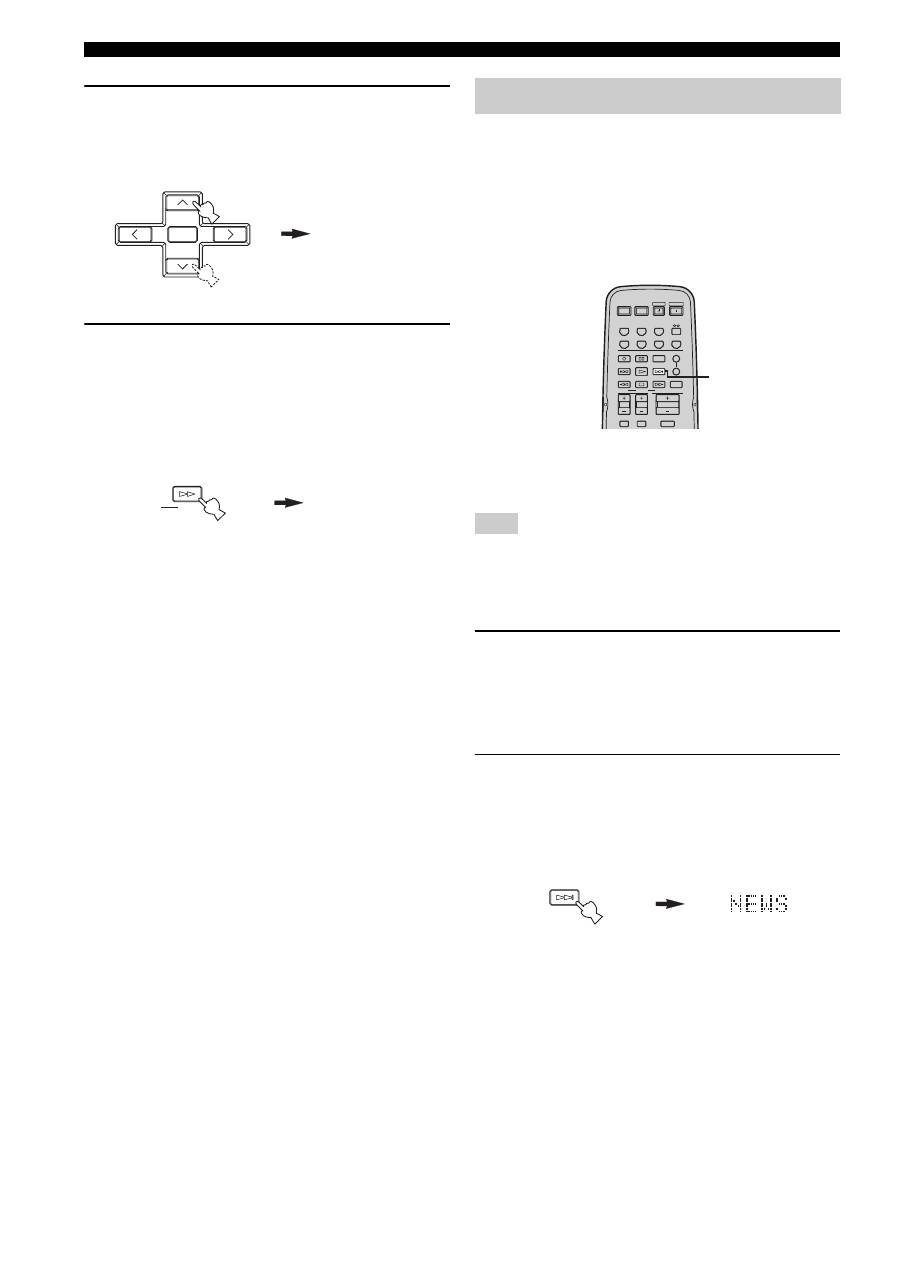
- EON function
- ADVANCED SETUP Changing the ADVANCED SETUP menu parameters
- Switching the remote control ID
- ZONE 2 Connecting the Zone 2 components
- Controlling Zone 2
- REMOTE CONTROL FEATURES Control area
- Controlling other components
- Setting remote control codes
- General TROUBLESHOOTING
- Tuner
- Remote control
- SPECIFICATIONS
28
RADIO DATA SYSTEM (EUROPE MODEL ONLY)
2
Press PRESET/CH
u
/
d
on the remote
control to select the desired program type.
The selected program type appears in the front panel
display.
3
Press PTY SEEK START on the remote
control to begin searching all preset Radio
Data System stations.
The selected program type flashes and the PTY
HOLD indicator lights up in the front panel display
while searching for stations.
To cancel searching, press PTY SEEK START again.
• The unit stops searching when it finds a station
broadcasting the selected type of program.
• If the found station is not the one you desire, press
PTY SEEK START again. This unit resumes
searching for another station broadcasting the same
type of program.
This function uses the EON data service on the Radio
Data System station network. If you select the desired
program type (NEWS, INFO, AFFAIRS or SPORT), this
unit automatically searches for all preset Radio Data
System stations that are scheduled to broadcast the
selected type of program and switches from the station
currently being received to the new station when the
broadcast starts.
y
When performing this operation with the remote control, first
press TUNER to set the remote to tuner mode.
This function can only be used when a Radio Data System station
that offers the EON data service is being received. When such a
station is being received, the EON indicator lights up in the front
panel display.
1
Check that the EON indicator is lit in the front
panel display.
If the EON indicator is not lit up, tune into another
Radio Data System station so that the EON indicator
lights up.
2
Press EON repeatedly on the remote control
to select the desired program type (NEWS,
INFO, AFFAIRS or SPORT).
The selected program type name appears in the front
panel display.
• If a preset Radio Data System station type starts
broadcasting the selected type of program, the unit
automatically switches from the program being
received to that program. (The EON indicator
flashes.)
• When broadcasting of the selected program ends,
the unit returns to the previous station (or another
program on the same station).
■
To cancel this function
Press EON repeatedly until no program type name is
shown in the front panel display.
POP M
A/B/C/D/E
A/B/C/D/E
PRESET/CH
ENTER
START
PTY SEEK
PTY HOLD
Remote control
Lights up
EON function
Note
STANDBY
POWER
CD
MD/TAPE
TUNER
PHONO
DVD
SLEEP
A
B
POWER
POWER
REC
CODE SET
MUTE
VOLUME
DISC SKIP
EON
FREQ/TEXT
START
MODE
PTY SEEK
TV MUTE
TV INPUT
AV
TV
VCR
DTV/CBL
SPEAKERS
TV VOL
TV CH
2
EON
Remote control
