
Yamaha RX-497: FM/AM TUNING Automatic tuning
FM/AM TUNING Automatic tuning: Yamaha RX-497
Table of contents
- CAUTION: READ THIS BEFORE OPERATING YOUR UNIT.
- CONTENTS
- FEATURES SUPPLIED ACCESSORIES
- CONTROLS AND FUNCTIONS
- CONTROLS AND FUNCTIONS
- Front panel display
- Rear panel
- Remote control
- CONTROLS AND FUNCTIONS
- Installing batteries in the remote control Using the remote control
- CONNECTIONS
- Connecting speakers
- Connecting the AM and FM antennas
- Connecting the AM loop antenna
- Connecting the power supply cord Turning on and off this unit
- PLAYING AND RECORDING Playing a source
- Adjusting the tonal quality
- Recording a source
- Using the sleep timer
- Muting the sound output
- FM/AM TUNING Automatic tuning
- Manual tuning
- Automatic preset tuning
- Customized automatic preset tuning
- Manual preset tuning
- Selecting preset stations Exchanging preset stations
- RADIO DATA SYSTEM (EUROPE MODEL ONLY) Receiving Radio Data System stations Changing the Radio Data System mode
- PTY SEEK function
- EON function
- ADVANCED SETUP Changing the ADVANCED SETUP menu parameters
- Switching the remote control ID
- ZONE 2 Connecting the Zone 2 components
- Controlling Zone 2
- REMOTE CONTROL FEATURES Control area
- Controlling other components
- Setting remote control codes
- General TROUBLESHOOTING
- Tuner
- Remote control
- SPECIFICATIONS
FM/AM TUNING
20
There are 2 tuning methods; automatic and manual. Select either method according to your preference and the strength of
station signals.
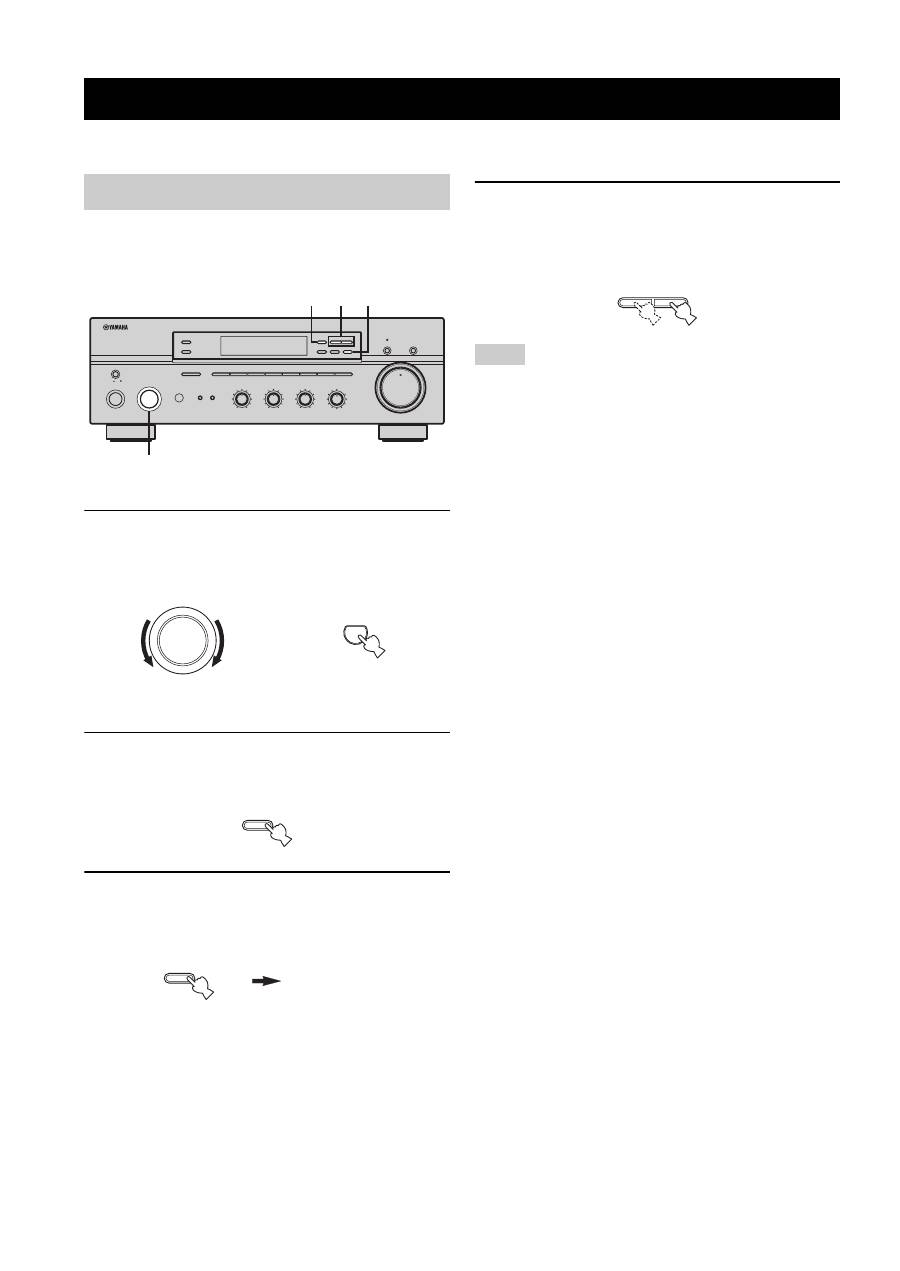
Automatic tuning is effective when station signals are
strong and there is no interference.
1
Rotate the INPUT selector (or press TUNER
on the remote control) to select TUNER as
the input source.
2
Press FM/AM on the front panel to select the
reception band (FM or AM).
FM or AM appears in the front panel display.
3
Press TUNING MODE on the front panel so
that the AUTO indicator lights up in the front
panel display.
4
Press TUNING
l
/
h
once to begin
automatic tuning.
Press
h
to tune into a higher frequency.
Press
l
to tune into a lower frequency.
• When you tune into a station, the frequency of the received
station is shown in the front panel display.
• To search for another station, press TUNING
l
/
h
once more.
• If the tuning search does not stop at the desired station because
the station signals are weak, try using the manual tuning
method.
FM/AM TUNING
Automatic tuning
ON/OFF
INPUT
MAIN ZONE
BASS
MASTER
ON
OFF
MD/TAPE MONITOR
PURE DIRECT
5
5
1
0
1
4
4
2
2
3
3
+
–
VOLUME
l
TUNING
h
ZONE 2 ON/OFF
ZONE CONTROL
FM/AM
EDIT
A/B/C/D/E
1
2
3
4
5
6
7
8
MEMORY
MAN'L/AUTO FM
TUNING MODE
AUTO/MAN'L
TREBLE
5
5
1
0
1
4
4
2
2
3
3
+
–
BALANCE
5
5
1
0
1
4
4
2
2
3
3
R
L
LOUDNESS
5
7
1
FLAT
6
4
8
2
10
–30dB
3
9
SPEAKERS
B
A
2 4 3
1
0
12
12
2
8
4
∞
20
20
60
60
26
26
40
40
16
16
-dB
-dB
INPUT
TUNER
or
Front panel
Remote control
FM/AM
TUNING MODE
AUTO/MAN'L
AUTO
Lights up
Notes
l
TUNING
h
