
Canon pixma pro-1: My Image Garden 6 Application Software
My Image Garden 6 Application Software: Canon pixma pro-1
Table of contents
- Contents■
- Printer Installation Flow■ Printer Preparation Software Installation Installation Complete
- Symbols Used in This Document
- Printed Manual■ On-screen Manual and Online Manual■ Getting Started (this manual)
- Devices Required for Wired Connection■ When using the printer over a wired connection, a commercial network device (router, etc.) and Ethernet cable are required.
- Preparation
- 1 2
- 3 4 5 6
- 7 When it is necessary to turn off the printer
- 1 2 Install the Ink Tanks
- 3 4
- 5 6
- 1 2 Install the Print Head
- 3 4
- 5
- 6
- 7 8
- 9
- Software Installation
- For Windows XP/Windows XP SP1/Windows XP SP2/Windows Vista
- For Windows XP/Windows XP SP1/Windows XP SP2/Windows Vista If you prefer not to apply a Windows service pack, install the printer driver and IJ Network Tool by following the procedure below.
- For Mac OS X v10.6 to v10.6.7 Do you prefer to apply a Mac OS software update?
- For Mac OS X v10.4.11 to v10.5 Perform the installation by following one of the methods below.
- For Mac OS X v10.4.11 to v10.5 Install the software (the printer driver and IJ Network Tool) stored on the Setup CD-ROM by following 1 to 3 below.
- Do not connect the USB Easy-WebPrint EX cable yet.
- 1 1. Make sure that the POWER lamp (white) (A) is lit. 2. Press the ON button (B) to TURN OFF THE PRINTER.
- 2 1. Make sure that the printer has turned off. 2. Turn on the computer. 3. Insert the Setup CD-ROM into the CD-ROM drive.
- 3 3
- 4
- When the second page of the pattern is printed, Print Head Alignment is At the end of the installation, Quick Menu starts up. You can open the Online complete. Manual and On-screen Manual from here when you want to know about the details of the functions and operations or when need arises.
- 5 Load Paper
- My Image Garden 6 Application Software
- CREATIVE PARK PREMIUM Print Studio Pro
Various application software are installed
My Image Garden
on the computer along with the drivers.
You can print creative items by correcting/
6
enhancing photos using the application
My Image Garden is an application that allows you to utilize photos taken with digital cameras and other images
saved on your computer, in many ways for various purposes. You can organize a vast number of images easily, or
software.
create collages, cards, and other items from your favorite photos and print them.
For details on how to use the application
software and the printer, refer to the
Online Manual.
My Image Garden est une application qui vous permet d’utiliser des photos prises avec des appareils photo
numériques et d’autres images enregistrées sur votre ordinateur, et ce de plusieurs façons et à diverses ns. Vous
pouvez organiser facilement de nombreuses images ou créer des collages, des cartes et autres éléments à partir
de vos photos préférées et les imprimer.
Différentes applications sont installées sur
l’ordinateur en même temps que les
My Image Garden ist eine Anwendung, mit der Sie mit Digitalkameras aufgenommene Fotos und andere auf dem
Computer gespeicherte Bilder auf verschiedene Art und für verschiedene Zwecke nutzen können. Sie können eine
pilotes. Vous pouvez réaliser des
große Anzahl von Bildern organisieren oder Collagen, Karten und andere Dinge aus Ihren Lieblingsfotos erstellen
impressions créatives en corrigeant/
und drucken.
améliorant vos photos à l’aide de ces
logiciels d’application.
My Image Garden è un’applicazione che consente di utilizzare le foto scattate con fotocamere digitali e altre
Pour plus d’informations sur l’utilisation
immagini salvate sul computer, in molti modi per vari scopi. È possibile organizzare in modo semplice un elevato
numero di immagini o creare composizioni, schede e altri elementi dalle foto preferite e stamparli.
des logiciels et de l’imprimante, reportez-
vous au Manuel en ligne.
Auf dem Computer werden zusammen mit
Application Software
Anwendungssoftware
Applicazioni software
den Treibern verschiedene Anwendungen
Logiciels d’application
installiert. Sie können kreative Objekte
drucken, indem Sie Fotos mithilfe der
Anwendungssoftware korrigieren/
optimieren.
Informationen zur Verwendung der
Anwendungssoftware und des Druckers
nden Sie im Online-Handbuch.
Insieme ai driver vengono installate nel
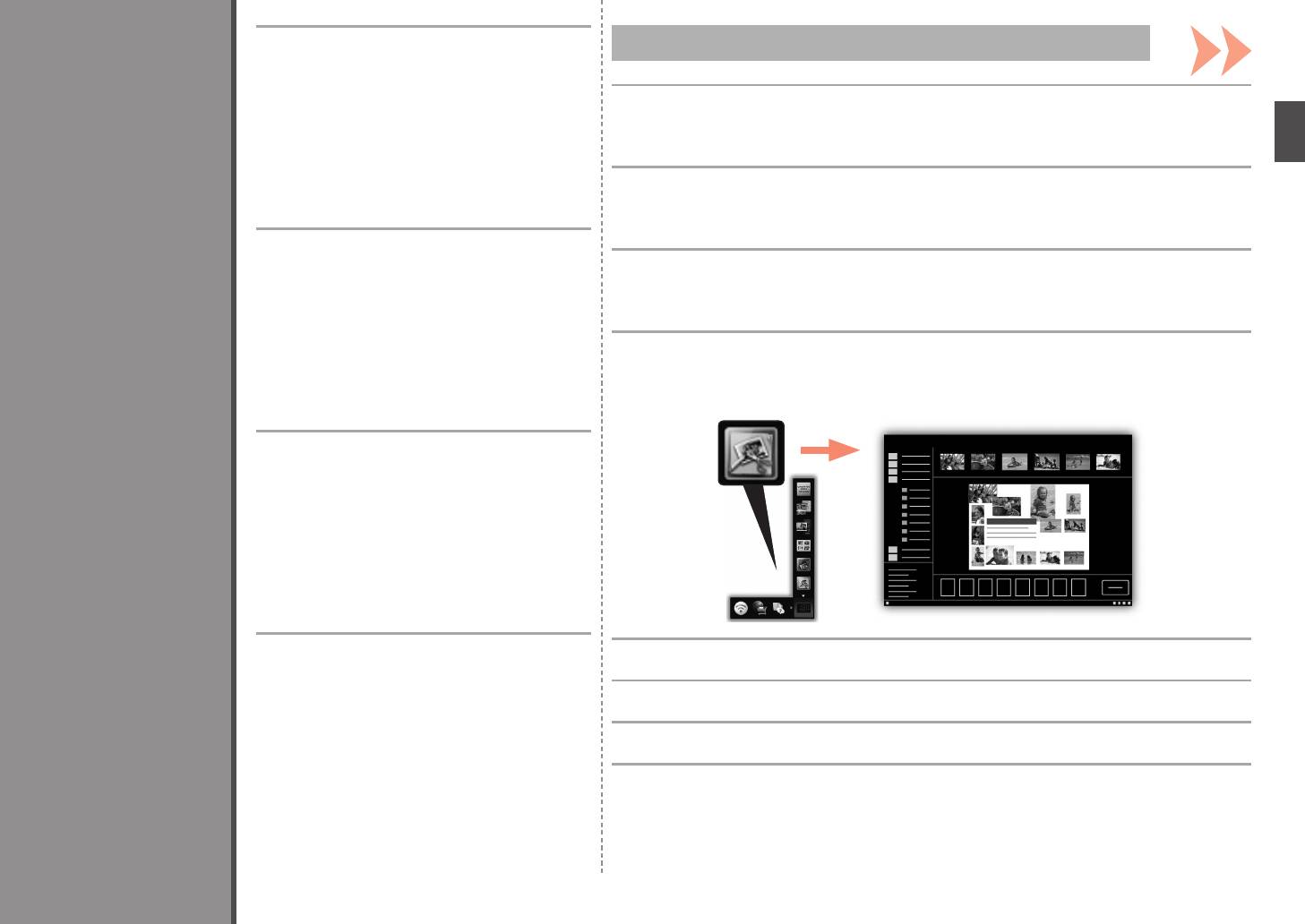
To start My Image Garden, click the icon in Quick Menu on the desktop.
computer diverse applicazioni software.
Tali applicazioni consentono di stampare
Pour démarrer My Image Garden, cliquez sur l’icône dans Quick Menu sur le bureau.
materiali creativi con correzione/
ottimizzazione delle foto.
Um My Image Garden zu starten, Klicken Sie auf das Symbol im Quick Menu auf dem Desktop.
Per informazioni sull’utilizzo delle
applicazioni software e della stampante,
consultare il Manuale online.
Per avviare My Image Garden, fare clic sull’icona in Quick Menu sul desktop.
31


