
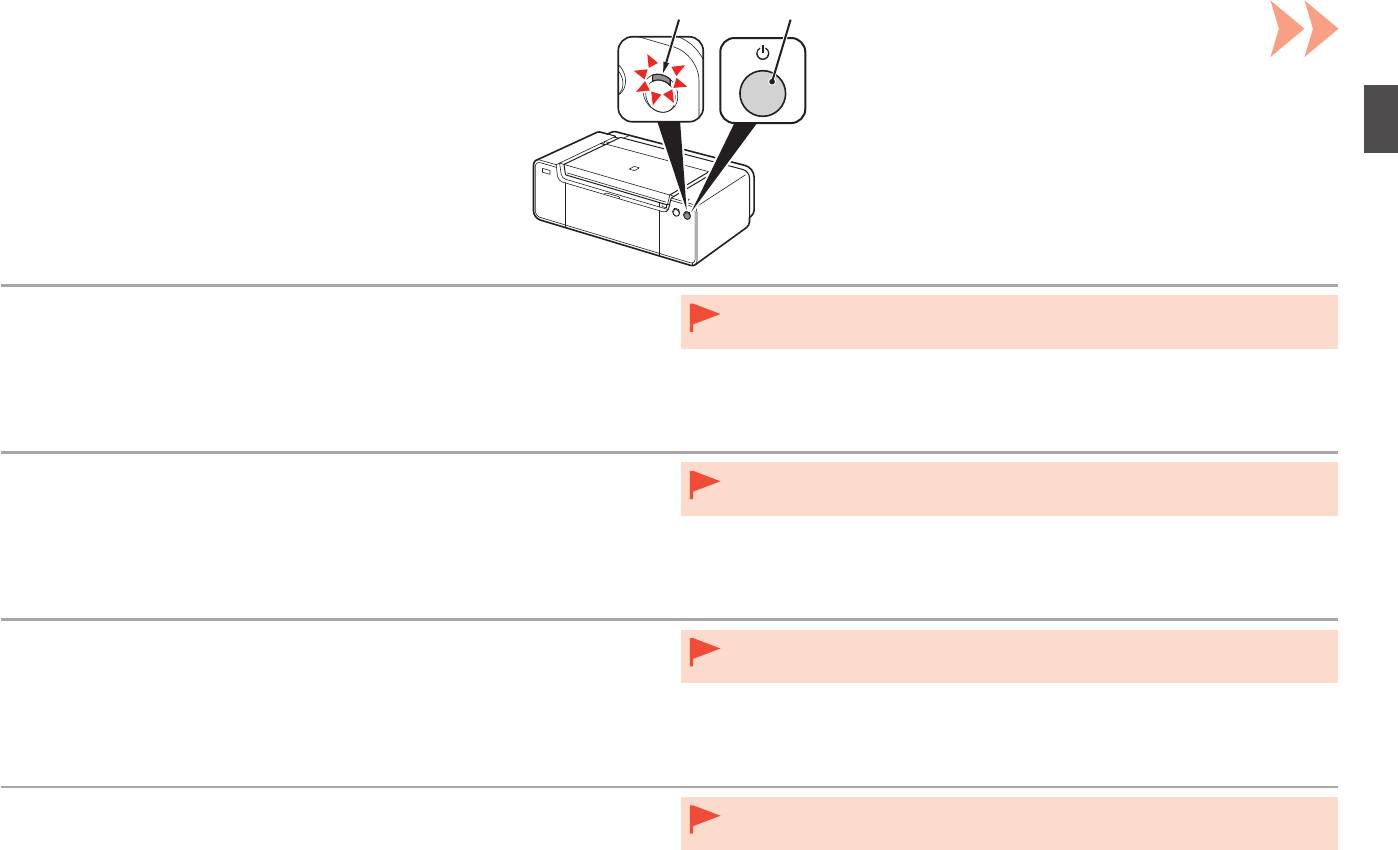
Canon pixma pro-1: 1 1. Make sure that the POWER lamp (white) (A) is lit. 2. Press the ON button (B) to TURN OFF THE PRINTER.
1 1. Make sure that the POWER lamp (white) (A) is lit. 2. Press the ON button (B) to TURN OFF THE PRINTER.: Canon pixma pro-1
Table of contents
- Contents■
- Printer Installation Flow■ Printer Preparation Software Installation Installation Complete
- Symbols Used in This Document
- Printed Manual■ On-screen Manual and Online Manual■ Getting Started (this manual)
- Devices Required for Wired Connection■ When using the printer over a wired connection, a commercial network device (router, etc.) and Ethernet cable are required.
- Preparation
- 1 2
- 3 4 5 6
- 7 When it is necessary to turn off the printer
- 1 2 Install the Ink Tanks
- 3 4
- 5 6
- 1 2 Install the Print Head
- 3 4
- 5
- 6
- 7 8
- 9
- Software Installation
- For Windows XP/Windows XP SP1/Windows XP SP2/Windows Vista
- For Windows XP/Windows XP SP1/Windows XP SP2/Windows Vista If you prefer not to apply a Windows service pack, install the printer driver and IJ Network Tool by following the procedure below.
- For Mac OS X v10.6 to v10.6.7 Do you prefer to apply a Mac OS software update?
- For Mac OS X v10.4.11 to v10.5 Perform the installation by following one of the methods below.
- For Mac OS X v10.4.11 to v10.5 Install the software (the printer driver and IJ Network Tool) stored on the Setup CD-ROM by following 1 to 3 below.
- Do not connect the USB Easy-WebPrint EX cable yet.
- 1 1. Make sure that the POWER lamp (white) (A) is lit. 2. Press the ON button (B) to TURN OFF THE PRINTER.
- 2 1. Make sure that the printer has turned off. 2. Turn on the computer. 3. Insert the Setup CD-ROM into the CD-ROM drive.
- 3 3
- 4
- When the second page of the pattern is printed, Print Head Alignment is At the end of the installation, Quick Menu starts up. You can open the Online complete. Manual and On-screen Manual from here when you want to know about the details of the functions and operations or when need arises.
- 5 Load Paper
- My Image Garden 6 Application Software
- CREATIVE PARK PREMIUM Print Studio Pro
BA
1
1. Make sure that the POWER lamp (white) (A) is lit.
•
Do not connect the printer to the computer with the USB cable yet. If it is already connected,
2. Press the ON button (B) to TURN OFF THE PRINTER.
disconnect the USB cable from the computer.
Operating noise may continue for up to 60 seconds until the printer turns off.
1. Vérifiez que le voyant ALIMENTATION (POWER) (blanc) (A) est allumé.
•
Ne branchez pas encore l’imprimante à l’ordinateur à l’aide du câble USB. S’il est déjà
2. Appuyez sur le bouton MARCHE (ON) (B) POUR METTRE L’IMPRIMANTE
branché, déconnectez le câble USB de l’ordinateur.
HORS TENSION.
Le bruit de fonctionnement peut rester audible pendant 60 secondes, jusqu’à ce que l’imprimante
soit hors tension.
1. Stellen Sie sicher, dass die POWER-Anzeige (weiß) (A) leuchtet.
•
Schließen Sie den Drucker noch nicht mit dem USB-Kabel an den Computer an. Wenn Sie das
2. Drücken Sie die Taste EIN (ON) (B), um DEN DRUCKER AUSZUSCHALTEN.
USB-Kabel bereits angeschlossen haben, ziehen Sie es vom Computer ab.
Die Betriebsgeräusche können bis zu 60 Sekunden andauern, bis sich der Drucker ausschaltet.
1. Assicurarsi che la spia ALIMENTAZIONE (POWER) (bianca) (A) sia accesa.
•
Non collegare ancora la stampante al computer con il cavo USB. Se è già collegato, scollegare
2. Premere il pulsante ON (B) per SPEGNERE LA STAMPANTE.
il cavo USB dal computer.
La stampante potrebbe continuare a emettere i rumori di funzionamento per un massimo di
60 secondi, fino allo spegnimento.
25


