
Canon pixma pro-1: CREATIVE PARK PREMIUM Print Studio Pro
CREATIVE PARK PREMIUM Print Studio Pro: Canon pixma pro-1
Table of contents
- Contents■
- Printer Installation Flow■ Printer Preparation Software Installation Installation Complete
- Symbols Used in This Document
- Printed Manual■ On-screen Manual and Online Manual■ Getting Started (this manual)
- Devices Required for Wired Connection■ When using the printer over a wired connection, a commercial network device (router, etc.) and Ethernet cable are required.
- Preparation
- 1 2
- 3 4 5 6
- 7 When it is necessary to turn off the printer
- 1 2 Install the Ink Tanks
- 3 4
- 5 6
- 1 2 Install the Print Head
- 3 4
- 5
- 6
- 7 8
- 9
- Software Installation
- For Windows XP/Windows XP SP1/Windows XP SP2/Windows Vista
- For Windows XP/Windows XP SP1/Windows XP SP2/Windows Vista If you prefer not to apply a Windows service pack, install the printer driver and IJ Network Tool by following the procedure below.
- For Mac OS X v10.6 to v10.6.7 Do you prefer to apply a Mac OS software update?
- For Mac OS X v10.4.11 to v10.5 Perform the installation by following one of the methods below.
- For Mac OS X v10.4.11 to v10.5 Install the software (the printer driver and IJ Network Tool) stored on the Setup CD-ROM by following 1 to 3 below.
- Do not connect the USB Easy-WebPrint EX cable yet.
- 1 1. Make sure that the POWER lamp (white) (A) is lit. 2. Press the ON button (B) to TURN OFF THE PRINTER.
- 2 1. Make sure that the printer has turned off. 2. Turn on the computer. 3. Insert the Setup CD-ROM into the CD-ROM drive.
- 3 3
- 4
- When the second page of the pattern is printed, Print Head Alignment is At the end of the installation, Quick Menu starts up. You can open the Online complete. Manual and On-screen Manual from here when you want to know about the details of the functions and operations or when need arises.
- 5 Load Paper
- My Image Garden 6 Application Software
- CREATIVE PARK PREMIUM Print Studio Pro
CREATIVE PARK PREMIUM
Print Studio Pro
A service where customers using models that support
PREMIUM Contents can download exclusive printing
materials.
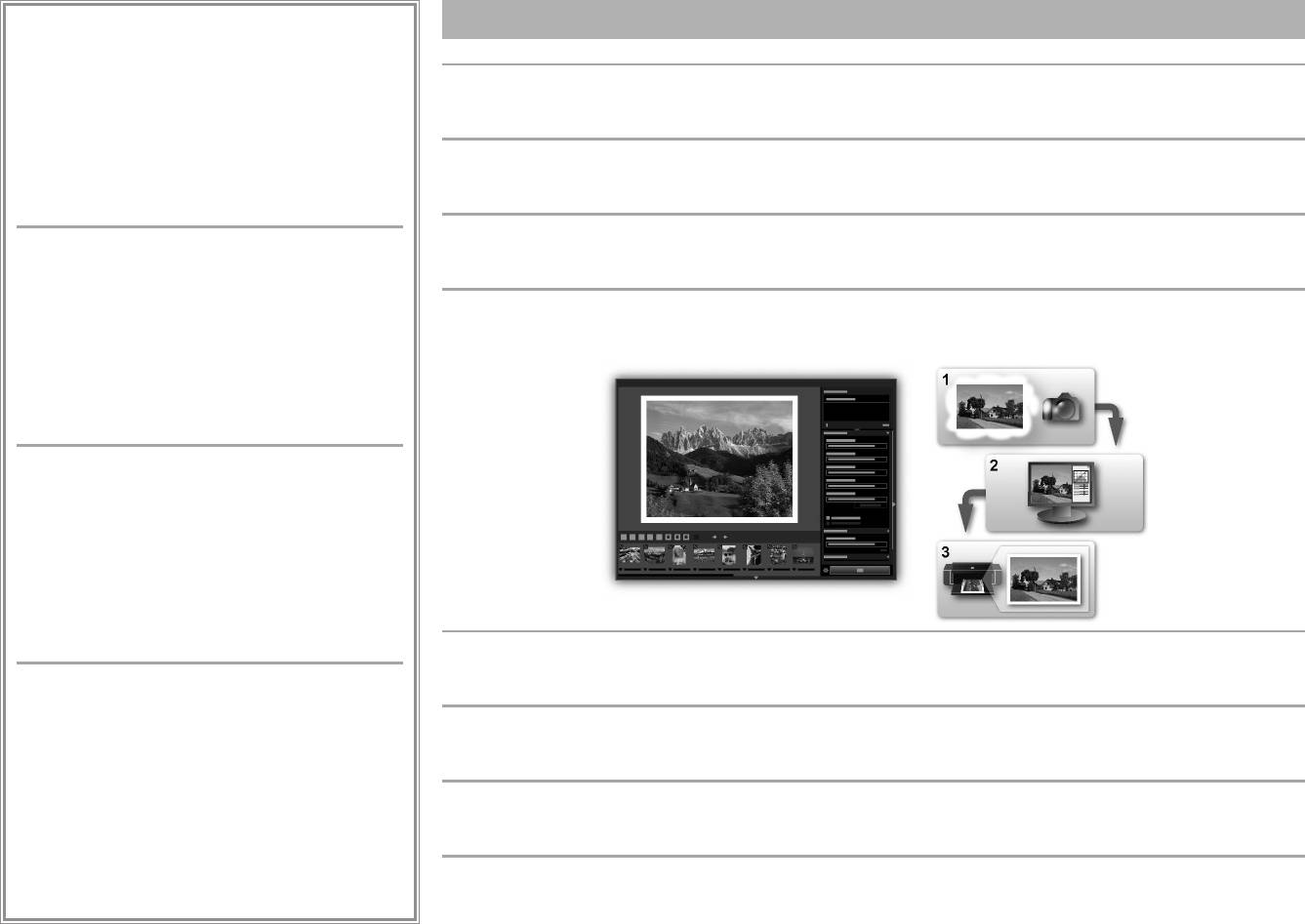
Print Studio Pro is a plug-in that makes professional photo printing easier and more convenient. In addition to printing bordered photos and
PREMIUM Contents can be downloaded easily via My
borderless photos, you can perform various printing tasks such as index printing, grayscale printing, and printing using ICC proles. Y
ou can
Image Garden. Downloaded PREMIUM Contents can be
also adjust the margins or add text.
printed directly with My Image Garden. To print downloaded
PREMIUM Contents, genuine Canon ink tanks/ink cartridges
must be installed for all colors on a supported printer.
Print Studio Pro est un plug-in qui facilite l’impression de photos professionnelles. Outre l’impression de photos avec ou sans bordure, vous
pouvez effectuer différentes tâches comme l’impression d’index, de niveaux de gris et au moyen de prols ICC. Vous pouvez également
ajuster les marges ou ajouter du texte.
Print Studio Pro ist ein Plug-in, mit dem professioneller Fotodruck erleichtert und verbessert wird. Zusätzlich zum Drucken von Fotos mit und
CREATIVE PARK PREMIUM
ohne Rand können Sie verschiedene Druckaufgaben durchführen, wie Indexdruck, Graustufendruck und Druck mithilfe von ICC-Prolen. Sie
können ebenfalls Ränder anpassen oder Text hinzufügen.
Ce service permet aux clients qui utilisent des modèles
prenant en charge le contenu PREMIUM de télécharger des
contenus d’impression exclusifs.
Print Studio Pro è un plugin che consente di rendere la stampa fotograca professionale più semplice e conveniente. Oltre alla stampa di foto
Vous pouvez télécharger facilement des contenus PREMIUM
con bordi e senza bordi, è anche possibile eseguire diverse attività di stampa, ad esempio stampa indice, stampa in scala di grigi e stampa
via My Image Garden. Les contenus PREMIUM téléchargés
utilizzando proli ICC. È anche possibile regolare i margini o aggiungere testo.
peuvent être imprimés directement via My Image Garden.
Pour imprimer les contenus PREMIUM téléchargés, vous
devez installer des réservoirs d’encre/cartouches d’encre de
marque Canon pour toutes les couleurs sur une imprimante
prise en charge.
CREATIVE PARK PREMIUM
Ein Dienst, bei dem Kunden, die Modelle verwenden, die
PREMIUM-Inhalte unterstützen, exklusive Druckmaterialien
herunterladen können.
PREMIUM-Inhalte können einfach über My Image Garden
heruntergeladen werden. Heruntergeladene PREMIUM-
Inhalte können direkt mit My Image Garden gedruckt
werden. Für das Drucken heruntergeladener PREMIUM-
Inhalte müssen Original-Tintenpatronen von Canon für alle
vom Computer unterstützten Farben installiert sein.
By using Print Studio Pro, you can print images developed/corrected in "Digital Photo Professional" (RAW image editing software provided
by Canon), Adobe Photoshop, Adobe Photoshop Elements, or Adobe Photoshop Lightroom easily and in high quality. For details, refer to the
CREATIVE PARK PREMIUM
Online Manual: Digital Photo Printing Guide.
Un servizio che consente ai clienti che utilizzano modelli che
supportano contenuto PREMIUM di scaricare materiali di
Print Studio Pro vous permet d’imprimer facilement des images de haute qualité développées/corrigées dans «
Digital Photo Professional »
stampa esclusivi.
(logiciel de retouche d’images RAW fourni par Canon), Adobe Photoshop, Adobe Photoshop Elements ou Adobe Photoshop Lightroom. Pour
Il contenuto PREMIUM può essere scaricato in maniera
plus d’informations, reportez-vous au Manuel en ligne
: Guide d’impression de photographies numériques.
semplice tramite My Image Garden. Il contenuto PREMIUM
scaricato può essere stampato direttamente con My Image
Garden. Per stampare contenuto PREMIUM scaricato, è
Mit Print Studio Pro können Sie Bilder, die in “Digital Photo Professional” (von Canon bereitgestellte RAW-Bildbearbeitungssoftware), Adobe
necessario installare serbatoi d’inchiostro / cartucce
Photoshop, Adobe Photoshop Elements oder Adobe Photoshop Lightroom erstellt oder korrigiert wurden, einfach und in hoher Qualität
d’inchiostro Canon originali per tutti i colori in una stampante
drucken. Details nden Sie im Online-Handbuch: Handbuch zum digitalen Fotodruck.
supportata.
Se si utilizza Print Studio Pro, è possibile stampare immagini sviluppate/corrette in “Digital Photo Professional” (software di modica di
immagini RAW fornito da Canon), Adobe Photoshop, Adobe Photoshop Elements o Adobe Photoshop Lightroom in modo semplice e in alta
qualità. Per ulteriori informazioni, consultare il Manuale online: Guida alla stampa fotograca digitale.
32


