
Yamaha RX-797: FEATURES SUPPLIED ACCESSORIES
FEATURES SUPPLIED ACCESSORIES: Yamaha RX-797
Table of contents
- CAUTION: READ THIS BEFORE OPERATING YOUR UNIT.
- CONTENTS
- FEATURES SUPPLIED ACCESSORIES
- CONTROLS AND FUNCTIONS Front panel
- CONTROLS AND FUNCTIONS
- Front panel display
- CONTROLS AND FUNCTIONS Rear panel
- CONTROLS AND FUNCTIONS Remote control
- CONTROLS AND FUNCTIONS
- Zone 2 remote control
- Installing batteries in the remote controls Using the remote controls
- CONNECTIONS Connecting speakers
- Connecting audio and video components
- Connecting the AM and FM antennas
- ■ Connecting the AM loop antenna
- Connecting the power supply cord
- Turning on and off this unit
- PLAYING AND RECORDING Playing a source
- PLAYING AND RECORDING
- Adjusting the tonal quality
- Recording a source
- Using the sleep timer
- Muting the sound output
- FM/AM TUNING Automatic tuning
- Manual tuning
- Automatic preset tuning
- FM/AM TUNING
- FM/AM TUNING Manual preset tuning
- FM/AM TUNING Selecting preset stations Exchanging preset stations
- RADIO DATA SYSTEM (EUROPE MODEL ONLY) Receiving Radio Data System Changing the Radio Data System stations mode
- PTY SEEK function
- EON function
- ADVANCED SETUP Changing the ADVANCED SETUP menu parameters
- Switching the remote control ID
- ZONE 2 Connecting the Zone 2 components
- Controlling Zone 2
- REMOTE CONTROL FEATURES Control area
- Controlling other components
- Setting remote control codes
- TROUBLESHOOTING ■ General
- ■ Tuner
- ■ Remote control
- SPECIFICATIONS
- LIST OF REMOTE CONTROL CODES
FEATURES
FEATURES
Built-in 2-channel power amplifier
Other features
◆ Minimum RMS output power
◆ PURE DIRECT button used to reproduce the purest
100 W + 100 W (8 Ω), 0.019% THD, 20 Hz to 20 kHz
source sound
◆ Highly dynamic power, low impedance drive
◆ CD DIRECT AMP button used to reproduce the purest
capability
CD sound
◆ REC OUT selector independent of input source
Sophisticated AM/FM tuner
selection
◆ 40-station random access preset tuning
◆ Continuously variable loudness control
◆ Automatic preset tuning
◆ Sleep timer
◆ Preset station exchanging capability
◆ Remote control capability
◆ Radio Data System tuning capability
◆ Zone 2 remote control supplied
(Europe model only)
◆ Zone 2 custom installation facility
• y indicates a tip for your operation.
• Some operations can be performed by using either the buttons on the front panel of this unit or those on the remote controls. In case
the button names differ between this unit and the remote controls, the names of the buttons on the remote controls are given in
parentheses.
• In case the buttons on the remote control and the Zone 2 remote control have certain functions in common, the illustrations of the
buttons on the remote control are used for explanation throughout the manual.
• This manual is printed prior to production. Design and specifications are subject to change in part as a result of improvements, etc. In
case of differences between the manual and the product, the product has priority.
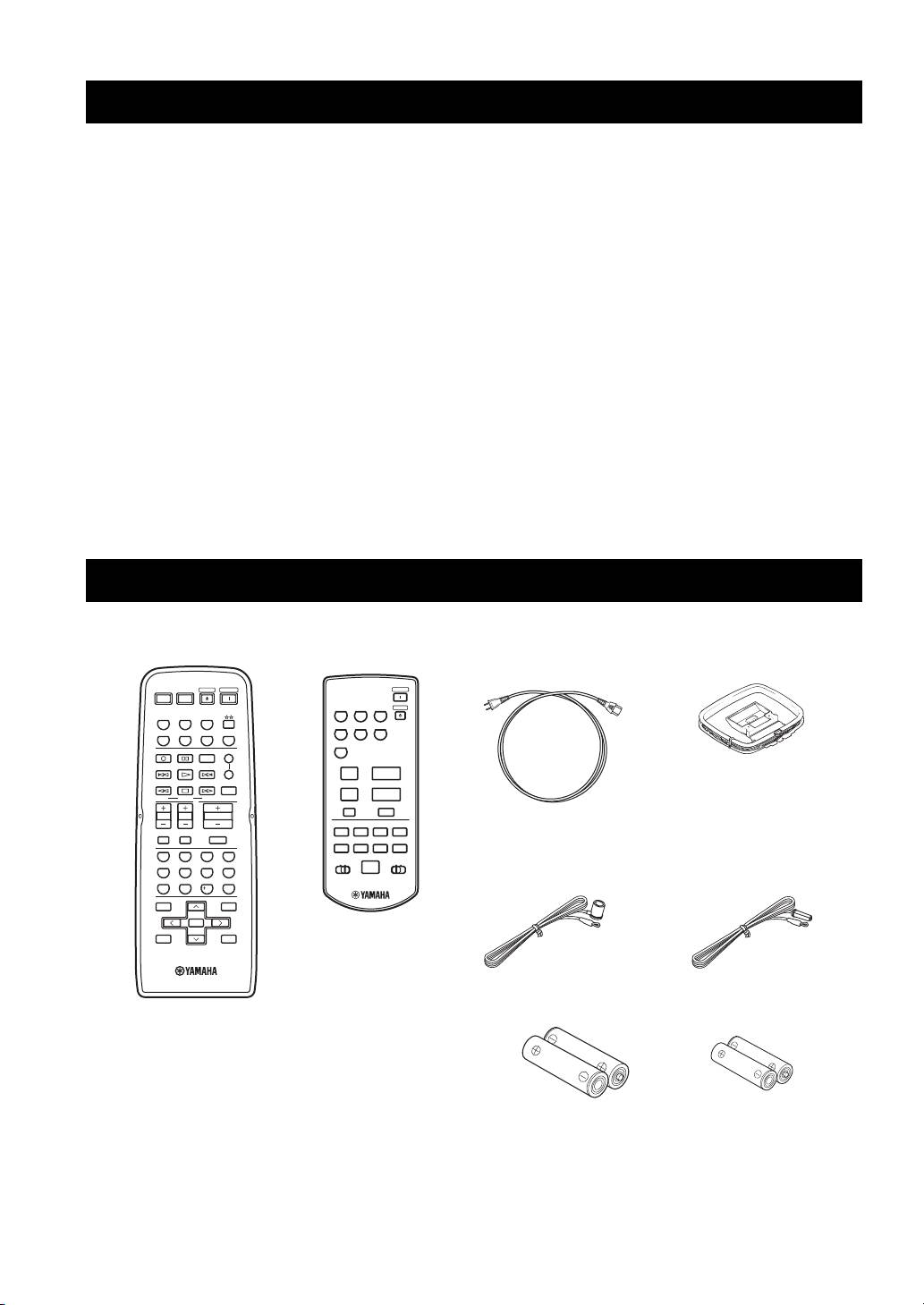
SUPPLIED ACCESSORIES
Please check that you received all of the following parts.
Remote control
Zone 2 remote control Power cable
AM loop antenna
(Two for Asia model)
POWER POWER
STANDBY
POWER
POWER
AVTV
ZONE 2
CD PHONO
TUNER
STANDBY
CD
MD/TAPE
TUNER
MD/TAPE VCR DTV/CBL
DTV/CBL
VCR
PHONODVD
DVD
REC
CODE SET
SPEAKERS
A
DISC SKIP
B
u
+
FREQ/TEXT
EON
SLEEP
PRESET
VOLUME
MODE PTY SEEK
START
d
–
A/B/C/D/E
MUTE
TV VOL
TV CH
VOLUME
A/B
TV MUTE TV INPUT
w
e
f
DISPLAY
MUTE
DIR BDIR A
REC
b
s
a
DISC
Indoor FM antenna
Indoor FM antenna
4321
TAPECDID2ID1
(U.S.A., Canada and
(Europe and Australia
p
65
7
8
General models)
models)
09
10
ENT.
MENUTITLE
BAND
ENTER
A/B/C/D/E A/B/C/D/E
DISPLAYRETURN
PRESET/CH
Batteries (x2)
Batteries (x2)
(AA, R6, UM-3)
(AAA, R03, UM-4)
2
