
Yamaha DV-C6860: Disc Operations Zooming in On-screen display (OSD) DVD Resuming playback from the last stopped point VCD/SVCD
Disc Operations Zooming in On-screen display (OSD) DVD Resuming playback from the last stopped point VCD/SVCD: Yamaha DV-C6860
Table of contents
- Important notes for users in the U.K.
- DANGER CAUTION LASER SAFETY
- CAUTION: READ THIS BEFORE OPERATING THIS UNIT.
- Introduction Region codes Cleaning discs Supplied accessories Patent information Notes on discs
- Functional Overview Front panel
- Rear panel
- Remote control
- Connections General notes on connections Audio connections
- Video connections
- Getting Started Step 1: Inserting batteries into the remote control
- Getting Started Step 2: Turning on the power Step 3: Setting a TV type and display
- Getting Started
- Step 4: Setting a language preference
- Disc Operations Basic playback General operation
- Selecting the various repeat/ shuffle functions
- Disc Operations Operations for video playback (DVD/VCD/SVCD)
- Disc Operations Zooming in On-screen display (OSD) DVD Resuming playback from the last stopped point VCD/SVCD
- Disc Operations Special DVD features
- Audio CDs Special VCD & SVCD features Playing MP3/JPEG/Kodak picture CDs
- Disc Operations Special picture disc features
- Scan effect Playing MP3 music and JPEG pictures simultaneously
- Setup Menu UNLOCK General setup menu
- Setup Menu
- Setup Menu Audio setup menu
- Setup Menu
- Setup Menu Video setup menu
- Setup Menu
- Setup Menu
- Setup Menu Preference setup menu
- Setup Menu
- Setup Menu
- Language Code
- Language Code
- Troubleshooting
- Troubleshooting
- Glossary
- Specifications
Disc Operations
English
Zooming in
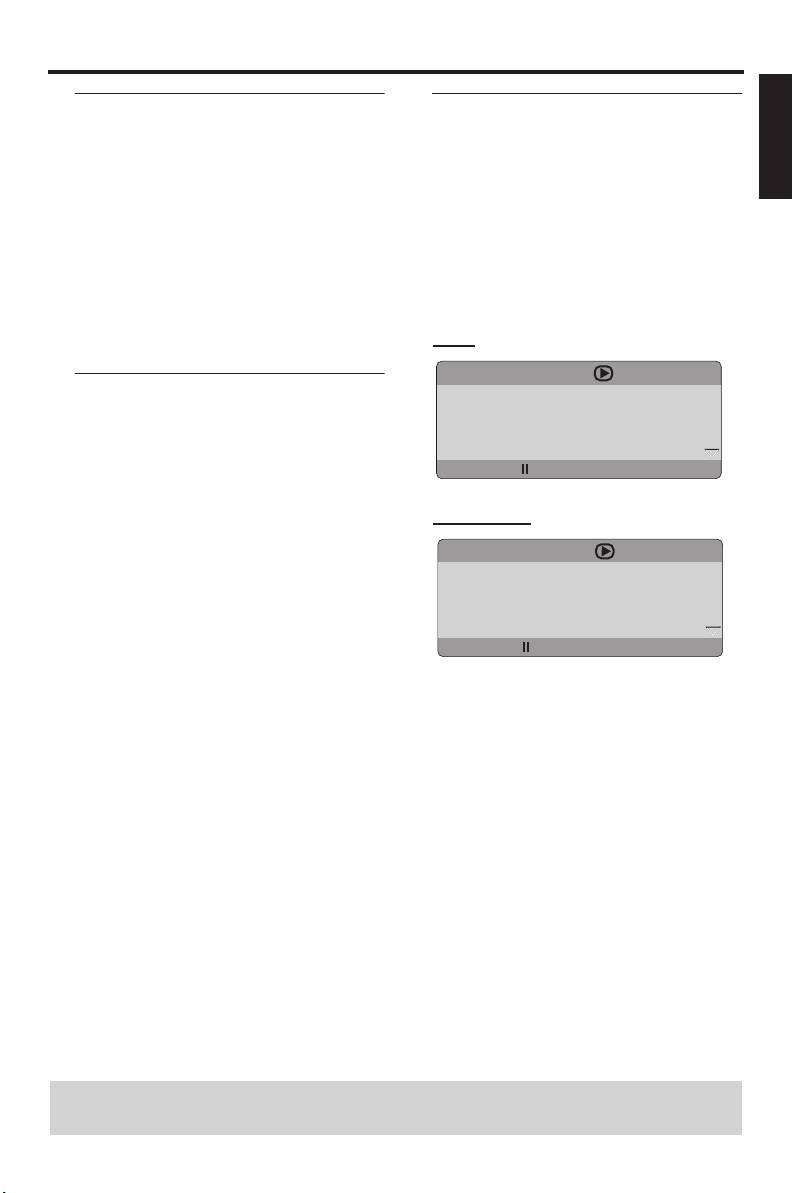
On-screen display (OSD)
This function allows you to enlarge or
The OSD menu shows disc playback
lessen the picture on the TV screen and
information (e.g., the title or chapter
pan through the enlarged picture.
number, elapsed playing time or audio/
subtitle language). A number of operations
1 During playback, press ZOOM repeatedly
are possible without interrupting disc
to display the picture at different scales.
playback.
• Use
1 / 2/3 / 4 to pan through the
enlarged picture.
1 During playback, press ON SCREEN.
➜ Playback continues.
➜ A list of available disc information
appears on the TV screen.
2 Press ZOOM repeatedly to return to the
original size.
DVD
MENU
Resuming playback from the last
TITLE 02/14
stopped point
CHAPTER 02/14
AUDIO 5.1CH
You can resume playback of the last 10
SUBTITLE ENG
discs, even if the discs were ejected or the
BITRATE 16 TITLE ELAPSED 0:02:25
power of this unit was turned off.
1 Load one of the last 10 discs.
VCD/SVCD
➜ “LOADING #” (#: the disc tray number
(1-5)) appears on the TV screen.
MENU
TRACK 02/14
2 Press PLAY (B) while “LOADING #” is
DISC TIME 0:49:17
displayed on the TV screen.
TRACK TIME 0:03:43
➜ “RESUME PLAY” appears on the TV
REPEAT OFF
screen and the disc is played back from
BITRATE 16 TOTAL ELAPSED 0:02:25
the last point.
To cancel the resume mode
2 Press 3 / 4 to view the information, and
then press ENTER/OK to access the
• When playback is stopped, press
selected item.
STOP (9) again.
3 Use the numeric buttons (0-9) to input
the number/time or press 3
/ 4 to make a
selection, and then press ENTER/OK to
confirm the selection.
➜ Playback changes to the selected time
or to the selected title/chapter/track.
TIPS: The operating features described here might not be possible for certain discs.
Always refer to the instructions supplied with the disc.
15 En


