
Siemens DE2427555: Starting wellness program 2 Ending wellness program 1 or 2 Changing the wellness program temperature
Starting wellness program 2 Ending wellness program 1 or 2 Changing the wellness program temperature: Siemens DE2427555
Table of contents
- Safety information Your new appliance Operating the continuous-flow heater
- Desired temperature Changing the desired temperature Wellness program Starting wellness program 1
- Starting wellness program 2 Ending wellness program 1 or 2 Changing the wellness program temperature
- Child protection Activating child protection Deactivating child protection
- Conserving energy and water at the touch of a button
- The meaning of display indications
- Using the appliance after switching off the water supply Start-up after power failure Cleaning Customer Service
- A fault, what to do? Fault Cause Solution Who
- Fault Cause Solution Who
- Disposal Guarantee
en
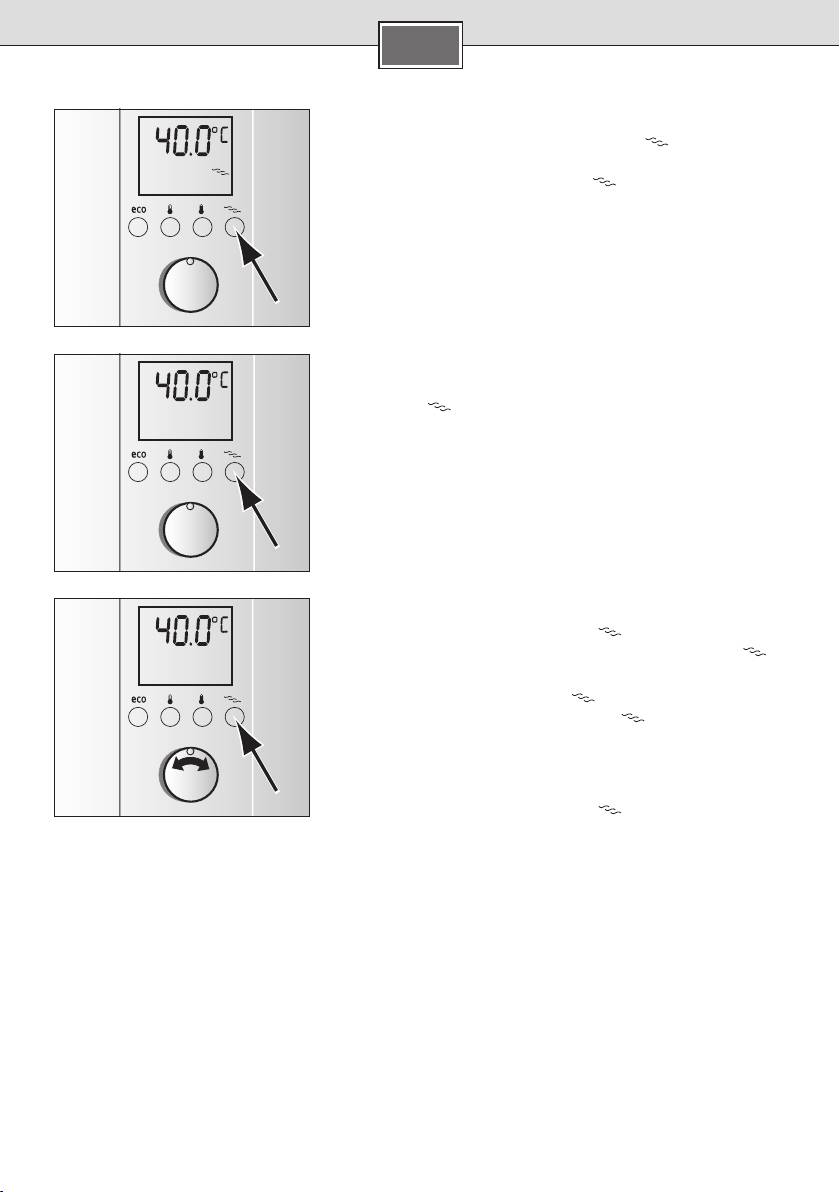
Starting wellness program 2
Briefly press the wellness program button ■ twice in succes-
sion. The display lights up in colour, the stored shower tempera-
ture appears in °C and the symbol
flashes.
Now turn on the tap within 2 minutes and wellness program ■
2 commences. At first, warm water will run for 1 minute (water
temperature depends on your setting) and then 30 °C warm
water will be dispensed for 30 seconds.
Tip: Wellness program 2 should be applied for several shower cy-
2x
cles. They can be repeated as often as required.
Ending wellness program 1 or 2
Both programs will repeat until either the selected wellness pro-
gram button
is pressed once or the tap is shut off for more
than 1 minute. The temperature set before the program start in
now reactivated.
The programs can also be activated while the water is running.
Changing the wellness program temperature
The preset temperature for the warm phase is 39 °C. This can be
1x
modified in a range from 30 °C to 42 °C.
■ once to select wellness
Press the wellness program button
program 1. The saved shower temperature in °C and the
symbol appears.
■ pressed for 3 seconds to
Keep wellness program button
select the programming function. The
symbol starts to
flash rapidly.
■
Use the rotary knob to set the desired temperature between
30 °C and 42 °C.
1x
Press the wellness program button ■ for 3 seconds to store
the new value.
The selected temperature is now saved in wellness program 1.
14
