
Siemens DE2427555: Desired temperature Changing the desired temperature Wellness program Starting wellness program 1
Desired temperature Changing the desired temperature Wellness program Starting wellness program 1: Siemens DE2427555
Table of contents
- Safety information Your new appliance Operating the continuous-flow heater
- Desired temperature Changing the desired temperature Wellness program Starting wellness program 1
- Starting wellness program 2 Ending wellness program 1 or 2 Changing the wellness program temperature
- Child protection Activating child protection Deactivating child protection
- Conserving energy and water at the touch of a button
- The meaning of display indications
- Using the appliance after switching off the water supply Start-up after power failure Cleaning Customer Service
- A fault, what to do? Fault Cause Solution Who
- Fault Cause Solution Who
- Disposal Guarantee
en
Desired temperature
You may also simply select your personally programmed shower temperature at the touch of a button. You
have two storage options.
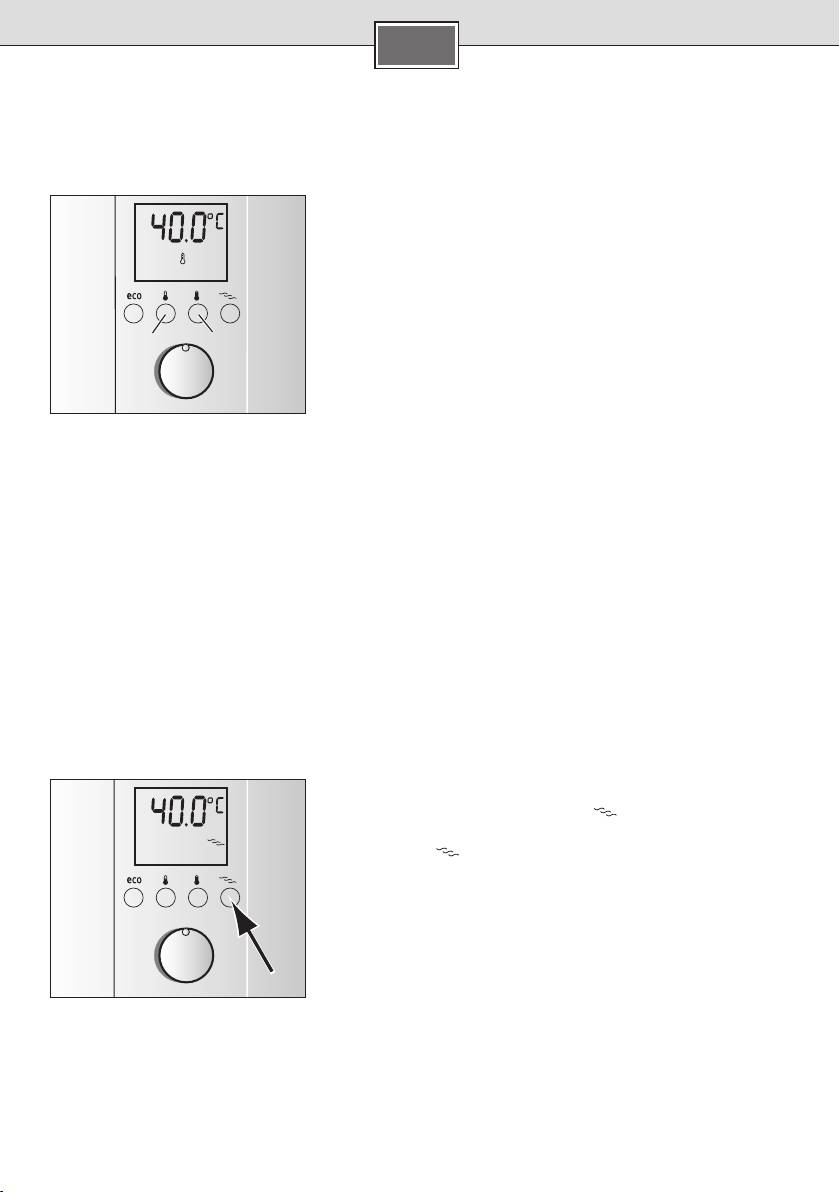
Desired temperature button 1 is preset to 40 °C, desired tempera-
ture button 2 is preset to 60 °C.
■
Simply press the corresponding button and the set temperature
and a thermometer appear on the display.
Info: This setting remains active until a new setting is selected by
pushing the button or turning the rotary knob.
12
Changing the desired temperature
The preset temperatures for button 1 (40 °C) or button 2 (60 °C)
can be changed individually.
■ 1 for at least 3 seconds, the
Press desired temperature button
temperature display will start to flash rapidly.
■
Use the rotary knob to set the desired temperature between
20 °C and 60 °C.
Keep desired temperature button ■ 1 pressed for 3 seconds, the
setting is stored.
The temperature for desired temperature button 2 can be set in
the same way as button 1.
Wellness program
Two wellness programs can be set with the “exclusiv” continuous-flow heater.
These wellness programs commence with a warm phase and conclude with a cold phase. The temperature
stimulus associated with this can lead to stimulation of the circulation and enhance blood circulation. Con-
sult you doctor if you are unsure concerning your personal suitability for the wellness programs (particularly
with an existing illness) and the degree of application.
Starting wellness program 1
■ once. The display lights
Press the wellness program button
up in colour, the stored shower temperature appears in °C and
the symbol
is displayed.
■
Now turn on the tap within 2 minutes and wellness program 1
commences. At first, warm water whose temperature depends
on your setting will run for 2 minutes and then 30° C cold wa-
ter will be dispensed for 30 seconds.
Tip: The best effect is achieved with wellness program 1 with two
1x
showering cycles.
13
