
Sharp CV-P10PR: TIMER ON TO CANCEL USE FOR AIR CONDITIONER TIMER OPERATION TIMER OFF
TIMER ON TO CANCEL USE FOR AIR CONDITIONER TIMER OPERATION TIMER OFF: Sharp CV-P10PR
Table of contents
- A. Information on Disposal for Users (private households) B. Information on Disposal for Business Users.
- CONTENTS
- SAFETY PRECAUTIONS WARNINGS CAUTIONS
- LOCATION INCLUDED
- PART NAMES FRONT VIEW REAR VIEW
- REMOTE CONTROL
- INSTALLATION AND REMOVAL OF EXHAUST HOSE Installation of the exhaust hose 1 2 3
- 4 5 Removal of the exhaust hose
- USING THE REMOTE CONTROL LOADING BATTERIES HOW TO USE THE REMOTE CONTROL
- NOTE ON OPERATION NOTES ON OPERATION OPERATING CONDITIONS ENERGY EFFICIENCY TIPS
- USE FOR AIR CONDITIONER COOL MODE DRY MODE
- FAN MODE VENTILATION MODE
- USE FOR AIR CONDITIONER TO CHANGE AIR FLOW DIRECTION UP / DOWN AIR FLOW DIRECTION LEFT / RIGHT AIR FLOW DIRECTION
- TURBO COOL OPERATION TO CANCEL SLEEP OPERATION TO CANCEL
- TIMER ON TO CANCEL USE FOR AIR CONDITIONER TIMER OPERATION TIMER OFF
- USE FOR ION GENERATOR ION GENERATOR MODE
- USE FOR ION GENERATOR TO CHANGE AIR FLOW DIRECTION MAX DENSITY OPERATION
- REFRESH OPERATION TIMER OFF OPERATION
- MAIN UNIT OPERATION DRAINAGE
- MAINTENANCE CLEANING THE FILTER AIR INLET FILTER CLEANING THE UNIT AND THE REMOTE CONTROL WHEN STORING FOR A LONG PERIOD (NOT IN USE)
- BEFORE CALLING FOR SERVICE
GB-14
0.5h 1.0h 1.5h 10h 11h 12h
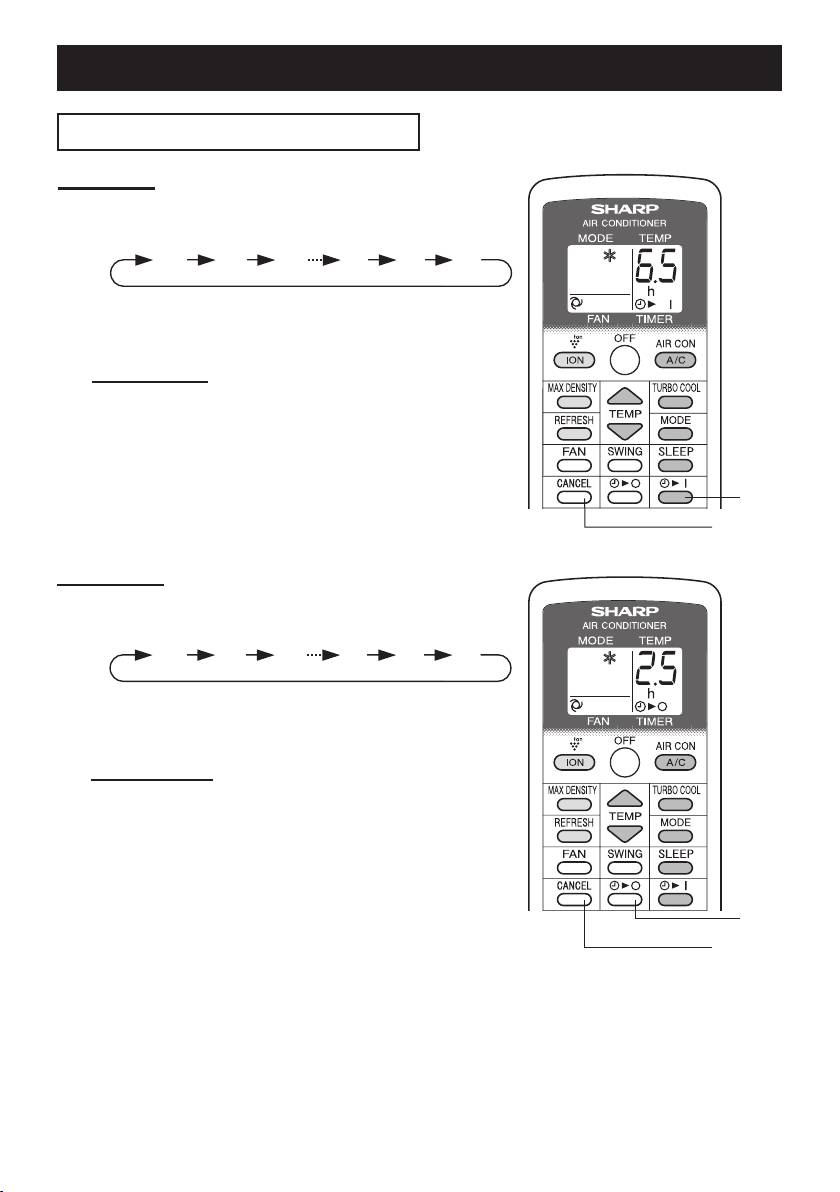
TIMER ON
Press the TIMER ON button and set the
1
time as desired.
• The orange TIMER lamp will light.
• The time setting will count down to show the re-
maining time.
TO CANCEL
Press the CANCEL button.
• The orange TIMER lamp will turn off.
0.5h 1.0h 1.5h 10h 11h 12h
USE FOR AIR CONDITIONER
TIMER OPERATION
1
CANCEL
TIMER OFF
Press the TIMER OFF button and set the
1
time as desired.
• The orange TIMER lamp will light.
• The time setting will count down to show the re-
maining time.
TO CANCEL
Press the CANCEL button.
• The orange TIMER lamp will turn off.
1
CANCEL
NOTES:
• Timer duration can be set from a minimum of half an hour to a maximum of 12 hours.
Up to 9.5 hours, you can set in half-hour increments and from 10 to 12 hours, in 1-hour increments.
• The TIMER OFF and TIMER ON can not be set together.
• If a power failure occurs while the TIMER OFF or TIMER ON is set, the TIMER setting will be can-
celled and will not be retrieved even after the power is restored.
• When the temperature is set during timer setting, the temperature will show in the display for 5 sec-
onds and then return to the timer display.
01_CV-P10PR_OM_EN.indd 14 14/08/29 16:42
