
Sharp CV-P10PR: MAIN UNIT OPERATION DRAINAGE
MAIN UNIT OPERATION DRAINAGE: Sharp CV-P10PR
Table of contents
- A. Information on Disposal for Users (private households) B. Information on Disposal for Business Users.
- CONTENTS
- SAFETY PRECAUTIONS WARNINGS CAUTIONS
- LOCATION INCLUDED
- PART NAMES FRONT VIEW REAR VIEW
- REMOTE CONTROL
- INSTALLATION AND REMOVAL OF EXHAUST HOSE Installation of the exhaust hose 1 2 3
- 4 5 Removal of the exhaust hose
- USING THE REMOTE CONTROL LOADING BATTERIES HOW TO USE THE REMOTE CONTROL
- NOTE ON OPERATION NOTES ON OPERATION OPERATING CONDITIONS ENERGY EFFICIENCY TIPS
- USE FOR AIR CONDITIONER COOL MODE DRY MODE
- FAN MODE VENTILATION MODE
- USE FOR AIR CONDITIONER TO CHANGE AIR FLOW DIRECTION UP / DOWN AIR FLOW DIRECTION LEFT / RIGHT AIR FLOW DIRECTION
- TURBO COOL OPERATION TO CANCEL SLEEP OPERATION TO CANCEL
- TIMER ON TO CANCEL USE FOR AIR CONDITIONER TIMER OPERATION TIMER OFF
- USE FOR ION GENERATOR ION GENERATOR MODE
- USE FOR ION GENERATOR TO CHANGE AIR FLOW DIRECTION MAX DENSITY OPERATION
- REFRESH OPERATION TIMER OFF OPERATION
- MAIN UNIT OPERATION DRAINAGE
- MAINTENANCE CLEANING THE FILTER AIR INLET FILTER CLEANING THE UNIT AND THE REMOTE CONTROL WHEN STORING FOR A LONG PERIOD (NOT IN USE)
- BEFORE CALLING FOR SERVICE
MAIN UNIT OPERATION
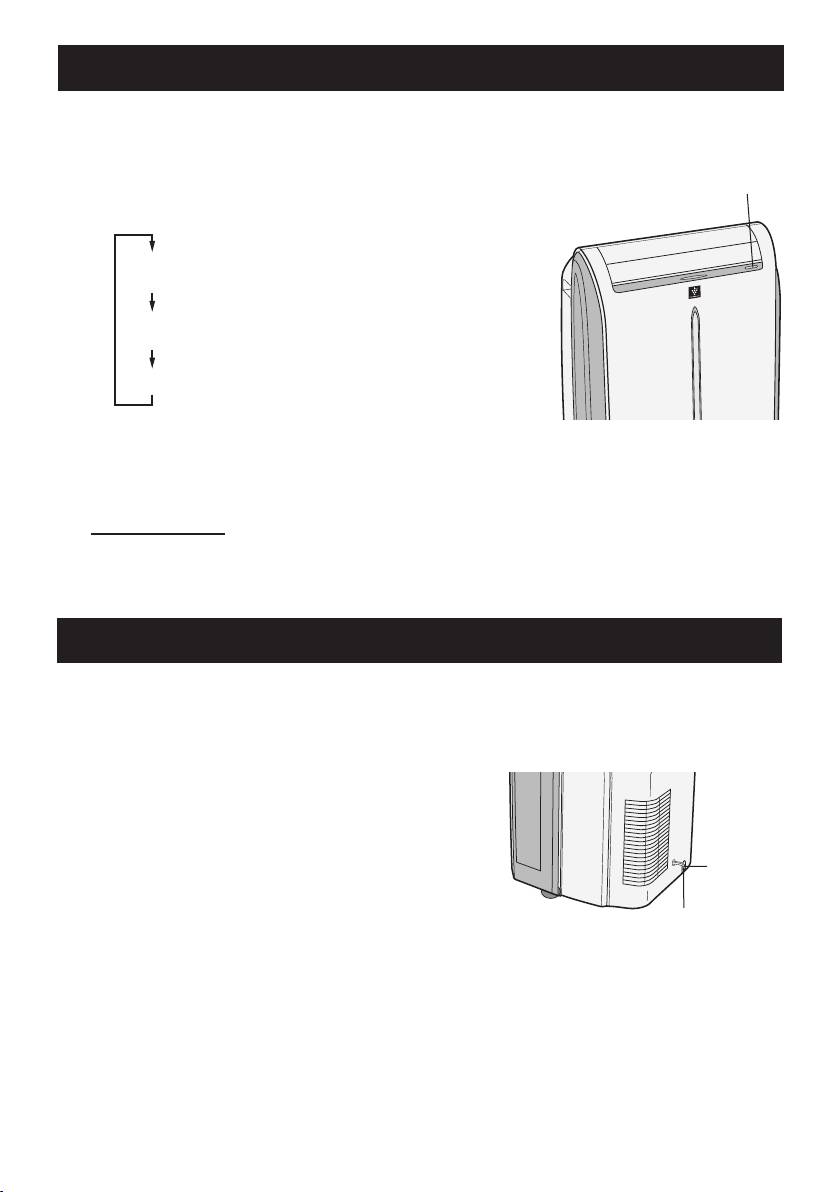
Use this operation when the remote control is not available.
Press the POWER button to start opera-
1
tion.
1
• The mode will change as you press the button
within 5 seconds.
COOL
(The green AIR CON lamp will light)
ION GENERTOR
(The blue ION GENERATOR lamp will light)
OFF
• In cool mode, the unit will operate at its last
cooling settings. If the unit has been unplugged
since it was last operated, it will resume opera-
tion in the cooling mode, set at 20˚C. The fan
speed set to AUTO.
TO TURN OFF
Press the POWER button during opera-
tion.
DRAINAGE
Drain out water within the unit in the following cases.
• When the unit stops operating and the orange TIMER lamp, the green AIR CON lamp
and the red MAXIMUM lamp are blinking, the water tank is full and need to be drained.
• When the unit is not used for a long time.
Unplug the power plug and carefully move
1
the unit to a drain or outside to avoid wa-
ter spilling out into the room.
Stopcock
Removethestopcockfromthedrainpipe,
2
and drain water within the unit.
Drainpipe
Attach the stopcock securely to the drain-
3
pipe.
GB-18
01_CV-P10PR_OM_EN.indd 18 14/08/29 16:42
