
Indesit IN CH 310 AA VE I: Start-up and use
Start-up and use: Indesit IN CH 310 AA VE I
GB
17
Start-up and use
Starting the appliance
!
Before starting the appliance, follow the installation
instructions
(
see Installation
).
!
Before connecting the appliance, clean the
compartments and accessories well with lukewarm water
and bicarbonate.
!
The appliance comes with a motor protection control
system which makes the compressor start approximately
8 minutes after being switched on. The compressor also
starts each time the power supply is cut off whether
voluntarily or involuntarily (blackout).
Once you have plugged the appliance into the mains
socket, make sure the display is on (the FREEZER
COMPARTMENT knob must not be on Off).
Freezer compartment
When you turn the appliance on (by turning the
FREEZER and APPLIANCE ON/OFF Knob to the required
freezer compartment operating temperature), we
recommend you enable the SUPER FREEZE function to
speed up the cooling process inside the compartment;
when the latter has reached the optimal temperature, the
function will be disabled and you may place the frozen
foods inside the freezer.
Refrigerator compartment
When you turn the refrigerator compartment on (by
turning REFRIGERATOR OPERATION Knob to the
required refrigerator compartment operating
temperature), we recommend you enable the SUPER
COOL function to speed up the cooling process inside
the compartment: after a few hours, you may place food
inside the refrigerator.
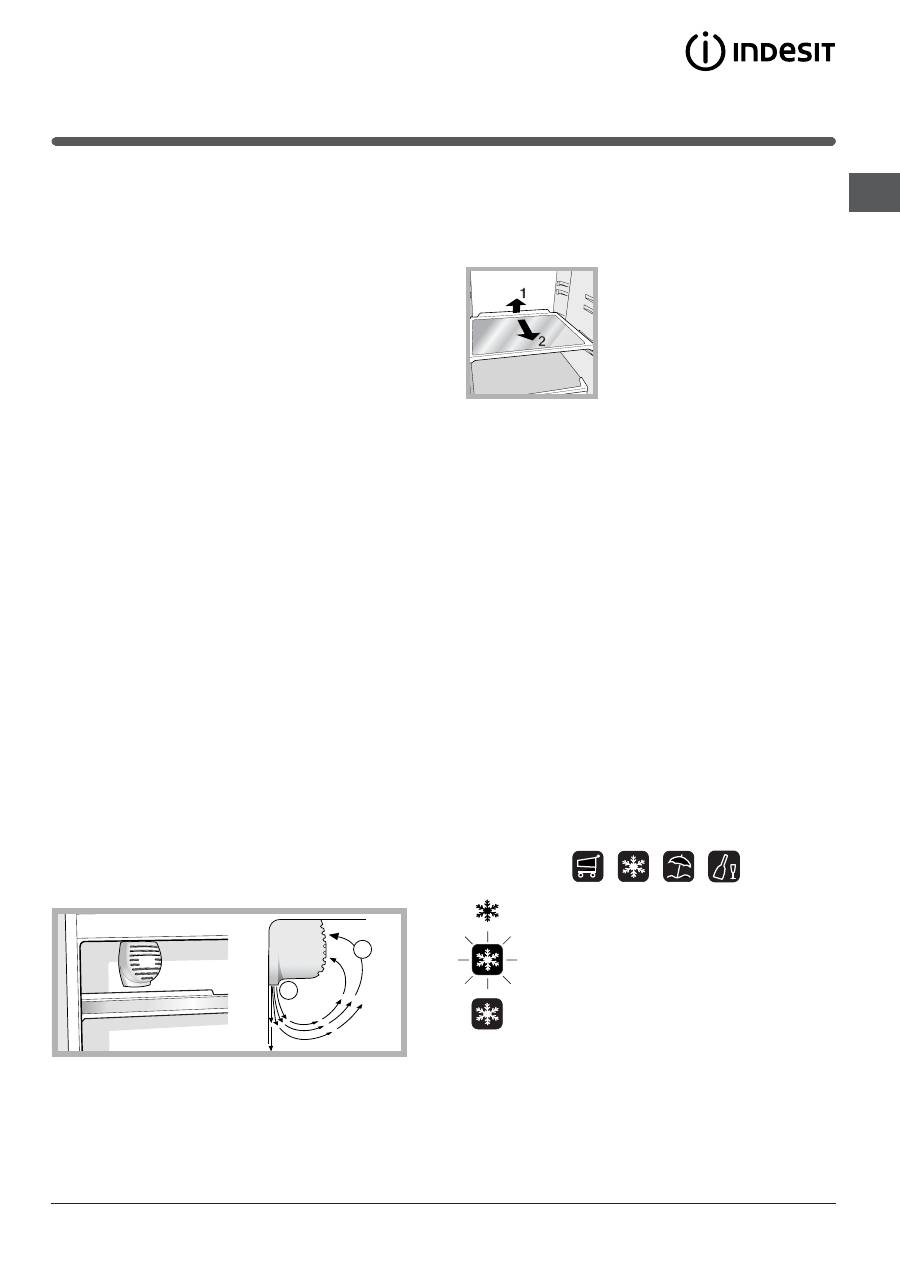
A.I.R. SYSTEM
It is recognizable due to the presence of the mechanism on
the top part of the refrigerator compartment (
see diagram
).
A
B
A.I.R. Systems maximises air circulation, improving the
efficiency of the evaporator and helping to achieve the
optimal temperature inside the refrigerator as quickly as
possible each time it has been opened. The blown air (A)
is cooled when it comes into contact with the cold wall,
whereas the hotter air (B) is sucked up (
see diagram
).
The back wall may be covered in frost or droplets of
water, depending on whether the compressor is in
operation or whether it is paused.
SHELVES
: with or without grill.
Due to the special guides the
shelves are removable and the
height is adjustable (
see
diagram
), allowing easy storage
of large containers and food.
Height can be adjusted without
complete removal of the shelf.
Using the display
Setting the temperature
If the compartment concerned is switched off, the word
OFF will appear on the relative indication space on the
display (REFRIGERATOR COMPARTMENT
setting and
FREEZER COMPARTMENT
setting). If the compartment is
switched on, then the temperatures set at that time will
appear. To change them, turn the relative knob directly
(REFRIGERATOR OPERATION Knob and FREEZER
OPERATION and APPLIANCE ON/OFF
Knob).
The refrigerator compartment can be set to between
+2°C and +8°C, while the freezer compartment can be
set to a temperature of between -18°C and -26°C. The
temperature in both cases can be increased or
decreased by 1°C at a time.
When the HOLIDAY function is enabled, temperature
regulations cannot be made, but the appliance
automatically sets itself to the best setting for the
situation: +12°C for the refrigerator compartment (if
enabled) and -18°C for the freezer compartment.
Function status
Function symbol during normal operation
Function selected (outline flashing)
Function enabled (outline on)

18
GB
Enabling/disabling the functions
Press the MODE button as many times as necessary for
the red outline of the function you wish to act on to light
up: this indicates that the function has been selected
and is ready to be enabled or disabled. Now you can
enable or disable the selected function using the
SELECT button.
!
If you do not confirm your selection by pressing the
SELECT button within five seconds of the last action
performed on the display, the latter shall go back to
displaying the function previously set and indicate that
no new modification has been made.
The SUPER COOL function is linked to the refrigerator
compartment and when the latter is switched off, no action
whatsoever will be possible on the former, other functions
foresee an operation that can create conflicts (for example,
when the HOLIDAY and SUPER FREEZE functions are
enabled simultaneously), in this case a pre-set priority is
taken into consideration in order to help you operate the
appliance.
The SUPER FREEZE function features a double mode of
operation (see paragraph on operating the freezer
compartment).
Enabling/disabling the DEMO mode:
To run a demonstration of the display operation while
keeping the appliance turned off, just enable the DEMO
mode.
Enabling:
- set the FREEZER OPERATION and APPLIANCE ON/OFF
Knob to 0ff;
- keep the two buttons Select and Mode pressed for
approximately 5 seconds, until you hear the buzzer and
the two words OFF and OFF flash on the display;
these words will flash for the entire duration the DEMO
mode is enabled.
Disabling:
- set the FREEZER OPERATION and APPLIANCE ON/OFF
Knob to 0ff;
- keep the two buttons Select and Mode pressed for
approximately 5 seconds, until you hear the buzzer and
the two words OFF and OFF on the display stop
flashing.
Holiday function
To minimise energy usage when on holiday, it is not
necessary to switch the appliance off. The appliance has
a function which allows it to maintain the temperature of
the refrigerator compartment at approximately 15°C
(which can also be used to conserve make-up and
beauty products). The freezer temperature must be set to
the minimum value in order to preserve the food.
Using the refrigerator to its full potential
Use the REFRIGERATOR OPERATION knob to adjust
the temperature (
see Description
).
Activate the SUPER COOL function to lower the
temperature quickly. For example, when you place a
large number of new food items inside a fridge, the
internal temperature will rise slightly. The function
quickly cools the groceries by temporarily reducing the
temperature until it reaches the ideal level.
Place only cold or lukewarm foods in the compartment,
not hot foods (
see Precautions and tips
).
Remember that cooked foods do not last longer than
raw foods.
Do not store liquids in open containers. They will
increase humidity in the refrigerator and cause
condensation to form.
GB
19
Using the freezer to its full potential
Use the FREEZER OPERATION and APPLIANCE ON/
OFF Knob to adjust the temperature (
see Description
).
Do not re-freeze food that is defrosting or that has
already been defrosted. These foods must be cooked
and eaten (within 24 hours).
Fresh food that needs to be frozen must not come into
contact with food that has already been defrosted.
Fresh food must be stored in the top FREEZER and
STORAGE compartment where the temperature drops
below -18°C and guarantees rapid freezing.
Do not place glass bottles which contain liquids, and
which are corked or hermetically sealed in the freezer
because they could break.
The maximum quantity of food that may be frozen daily is
indicated on the plate containing the technical properties
located on the bottom left side of the refrigerator
compartment (for example: Kg/24h: 4).
To freeze (if the freezer is already operating):
- For small quantities, less than the maximum capacity
indicated on the data plate (situated on the lower left,
next to the salad crisper), enable the SUPER FREEZE
function on the display in the "24 hour" mode and insert
the food to be frozen. To enable the function, press the
MODE button as many times as necessary for the
SUPER FREEZE symbol to start flashing and then press
the SELECT button to enable the SUPER FREEZE
function. After 24 hours, or once the optimal
temperatures have been reached, the rapid freezing
function is automatically disabled.
- For large quantities of food to be frozen (up until the
maximum load indicated on the data plate situated on
the lower left, next to the salad crisper), enable the
SUPER FREEZE function on the display in the "48 hours"
mode: To enable the function, press the MODE button
as many times as necessary for the SUPER FREEZE
symbol to start flashing and then press the SELECT
button for more than three seconds to ensure the
function is enabled (symbol SUPER FREEZE function
starts to flash slowly). After 24 hours, the function
symbol will stop flashing and go back to being
permanently lit; you can now insert the food to be
frozen. After another 24 hours, the function will be
disabled automatically.
In order to create extra room inside the freezer
compartment, the drawers may be removed and the
food arranged in the resulting space.
!
Do not open the door during freezing.
!
If there is a power cut or malfunction, do not open the
freezer door. This will help maintain the temperature
inside the freezer, ensuring that foods are conserved for
at least 9 -14 hours.
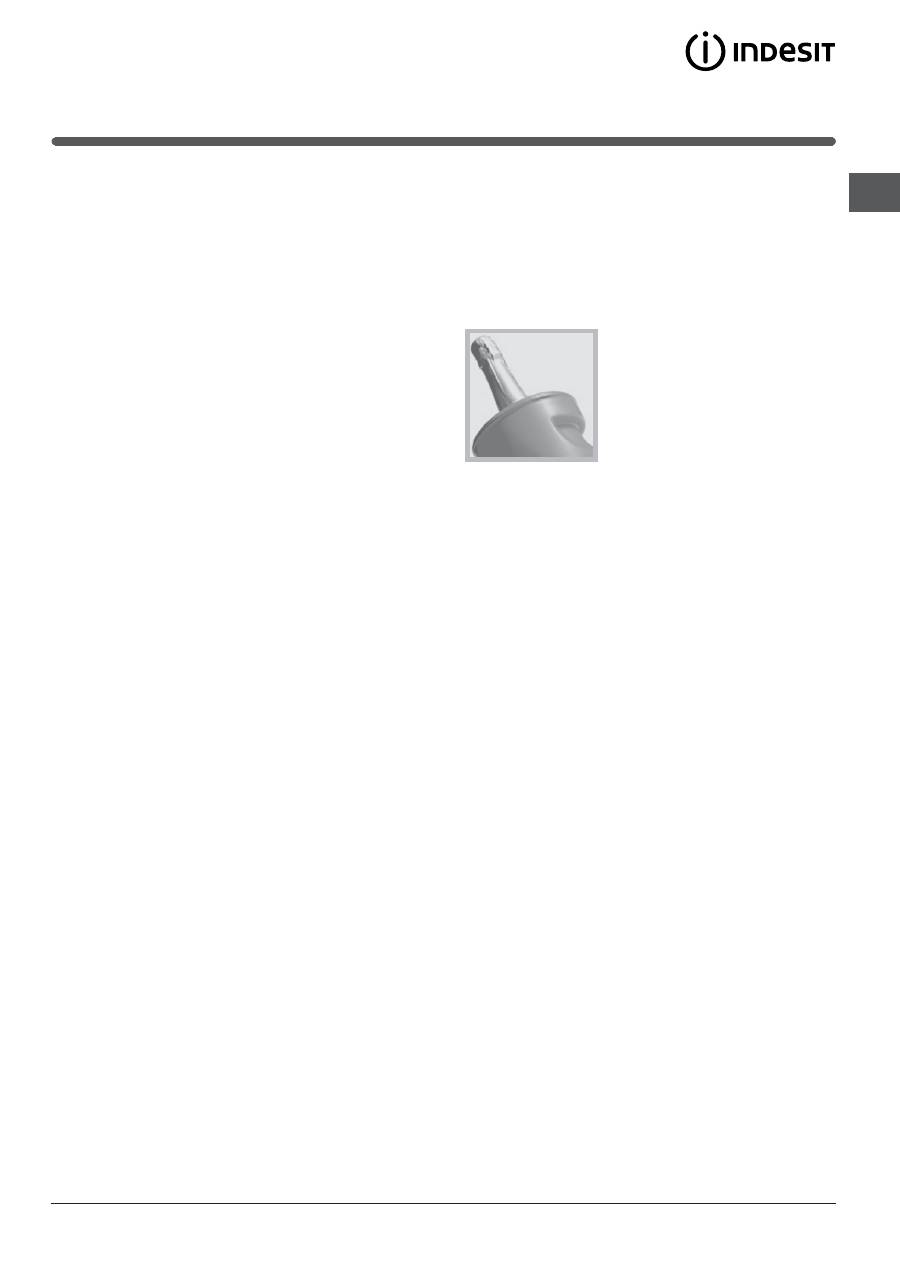
ICE PARTY:
tensures bottles of
sparkling wine or champagne
reach the right temperature.
Place the bottle in the pre-frozen
ice bucket located inside the
FREEZER and STORAGE
compartment and select the
function on the display.
Remove the bottle when the alert is given.
The bucket may be used to serve the bottle, keeping it
cool after it has been removed from the appliance.
Table of contents
- Installazione
- Descrizionedellapparecchio
- Avvio e utilizzo
- Manutenzione e cura
- Precauzioni e consigli
- Anomalie e rimedi
- Assistenza
- Operating Instructions
- Installation
- Description of theappliance
- Start-up and use
- Maintenance and care
- Precautions and tips
- Troubleshooting
- Assistance
- Mode demploi
- Installation
- Description delappareil
- Mise en marche etutilisation
- Entretien et soin
- Précautions et conseils
- Anomalies et remèdes
- Assistance
- Manual de instrucciones
- Instalación
- Descripción delaparato
- Puesta en funcionamientoy uso
- Mantenimiento y cuidados
- Precauciones y consejos
- Anomalías ysoluciones
- Asistencia
- Ðóêîâîäñòâî ïî ýêñïëóàòàöèè
- Óñòàíîâêà
- Îïèñàíèå èçäåëèÿ
- Âêëþ÷åíèå èýêñïëóàòàöèÿ
- Òåõíè÷åñêîåîáñëóæèâàíèå è óõîä
- Ïðåäîñòîðîæíîñòè èðåêîìåíäàöèè
- Íåèñïðàâíîñòè èìåòîäû èõ óñòðàíåíèÿ
- Òåõíè÷åñêîåîáñëóæèâàíèå


