
Yamaha RX-397: Using the sleep timer
Using the sleep timer: Yamaha RX-397
Table of contents
- CAUTION: READ THIS BEFORE OPERATING YOUR UNIT.
- CONTENTS
- FEATURES SUPPLIED ACCESSORIES
- CONTROLS AND FUNCTIONS Front panel
- CONTROLS AND FUNCTIONS
- Front panel display
- CONTROLS AND FUNCTIONS Rear panel
- Remote control
- CONTROLS AND FUNCTIONS Installing batteries in the remote control Using the remote control
- CONNECTIONS CAUTION
- CONNECTIONS Connecting speakers
- Connecting the AM and FM antennas
- CONNECTIONS Connecting the AM loop antenna
- CONNECTIONS Connecting the power supply cord
- CONNECTIONS Turning on and off this unit
- PLAYING AND RECORDING CAUTION Playing a source
- PLAYING AND RECORDING Adjusting the tonal quality
- Recording a source
- Using the sleep timer
- Muting the sound output
- FM/AM TUNING Automatic tuning
- Manual tuning Automatic preset tuning
- Customized automatic preset tuning
- Manual preset tuning
- Selecting preset stations Exchanging preset stations
- RADIO DATA SYSTEM (EUROPE MODEL ONLY) Receiving Radio Data System stations Changing the Radio Data System mode
- PTY SEEK function
- EON function
- Press STANDBY/ON on the front panel to set ADVANCED SETUP Changing the ADVANCED SETUP menu parameters
- Press STANDBY/ON to confirm your setting.
- General TROUBLESHOOTING Problem
- Tuner Problem
- Remote control Problem
- SPECIFICATIONS
18
PLAYING AND RECORDING
Use this feature to automatically set this unit to the
standby mode after a certain amount of time. The sleep
timer is useful when you are going to sleep while this unit
is playing or recording a source. The sleep timer also
automatically turns off any external components
connected to the AC OUTLET(S).
The sleep timer can only be set with the remote control.
1
Press one of the input selector buttons on
the remote control to select an input source.
2
Start playback on the selected input source.
3
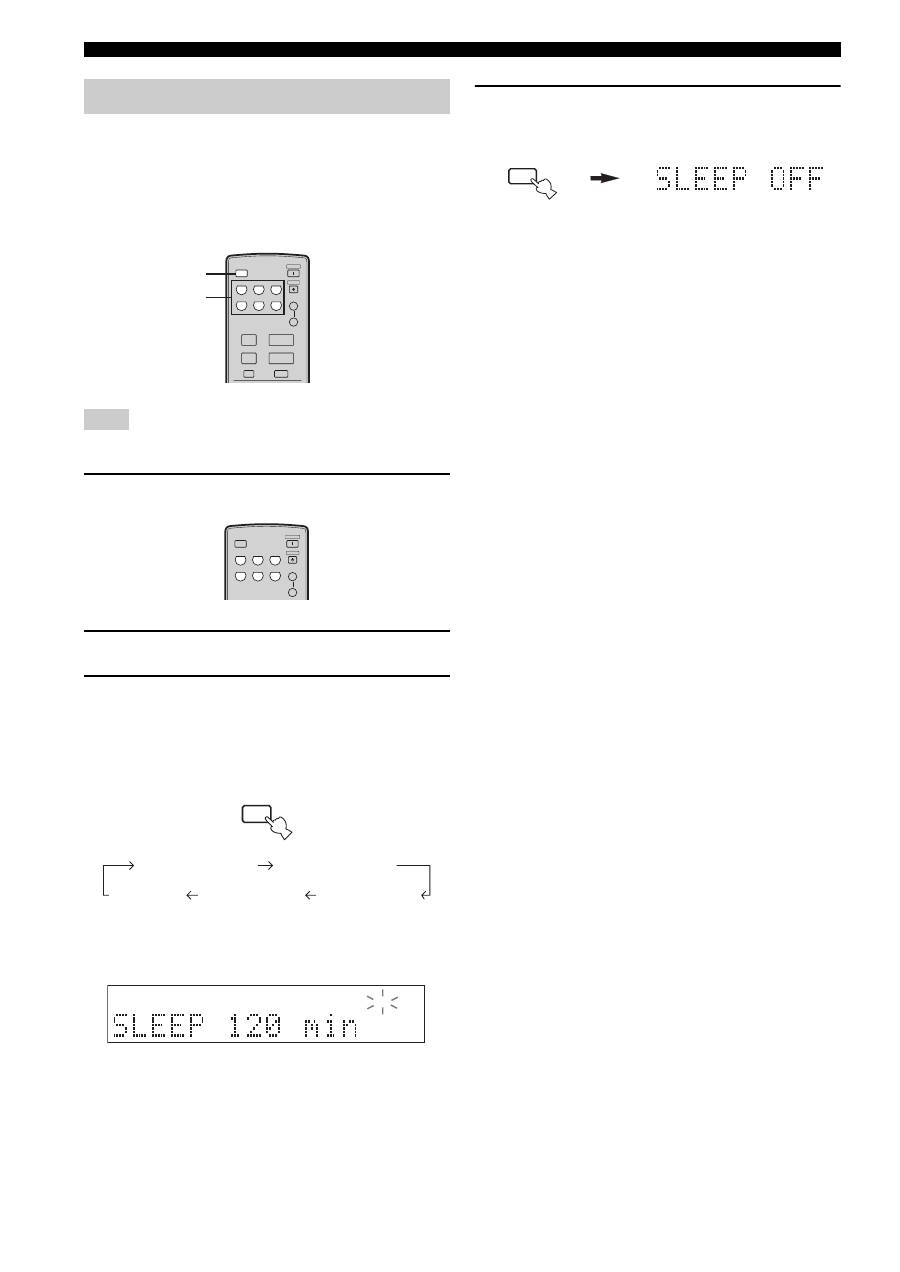
Press SLEEP repeatedly to set the amount of
time before this unit is set to the standby
mode.
Each time you press SLEEP, the front panel display
changes as shown below.
The SLEEP indicator flashes while switching the
amount of time for the sleep timer.
4
Press SLEEP repeatedly so that SLEEP OFF
appears in the front panel display.
After a few seconds, SLEEP OFF disappears from the
front panel display, and the SLEEP indicator turns
off.
y
The sleep timer setting can also be canceled by pressing
STANDBY on the remote control (or STANDBY/ON on the front
panel) to set this unit to the standby mode.
Using the sleep timer
Note
CD/DVD
PHONO
TUNER
MD
TAPE
AUX
SPEAKERS
B
A
POWER
STANDBY
+
–
u
d
SLEEP
A/B/C/D/E
MUTE
PRESET
VOLUME
1
3
CD/DVD
PHONO
TUNER
MD
TAPE
AUX
SPEAKERS
B
A
POWER
STANDBY
SLEEP
SLEEP
SLEEP 120 min
SLEEP 90 min
SLEEP 60 min
SLEEP 30 min
SLEEP OFF
SLEEP
SLEEP
