
Yamaha RX-397: CONNECTIONS Turning on and off this unit
CONNECTIONS Turning on and off this unit: Yamaha RX-397
Table of contents
- CAUTION: READ THIS BEFORE OPERATING YOUR UNIT.
- CONTENTS
- FEATURES SUPPLIED ACCESSORIES
- CONTROLS AND FUNCTIONS Front panel
- CONTROLS AND FUNCTIONS
- Front panel display
- CONTROLS AND FUNCTIONS Rear panel
- Remote control
- CONTROLS AND FUNCTIONS Installing batteries in the remote control Using the remote control
- CONNECTIONS CAUTION
- CONNECTIONS Connecting speakers
- Connecting the AM and FM antennas
- CONNECTIONS Connecting the AM loop antenna
- CONNECTIONS Connecting the power supply cord
- CONNECTIONS Turning on and off this unit
- PLAYING AND RECORDING CAUTION Playing a source
- PLAYING AND RECORDING Adjusting the tonal quality
- Recording a source
- Using the sleep timer
- Muting the sound output
- FM/AM TUNING Automatic tuning
- Manual tuning Automatic preset tuning
- Customized automatic preset tuning
- Manual preset tuning
- Selecting preset stations Exchanging preset stations
- RADIO DATA SYSTEM (EUROPE MODEL ONLY) Receiving Radio Data System stations Changing the Radio Data System mode
- PTY SEEK function
- EON function
- Press STANDBY/ON on the front panel to set ADVANCED SETUP Changing the ADVANCED SETUP menu parameters
- Press STANDBY/ON to confirm your setting.
- General TROUBLESHOOTING Problem
- Tuner Problem
- Remote control Problem
- SPECIFICATIONS
14
CONNECTIONS
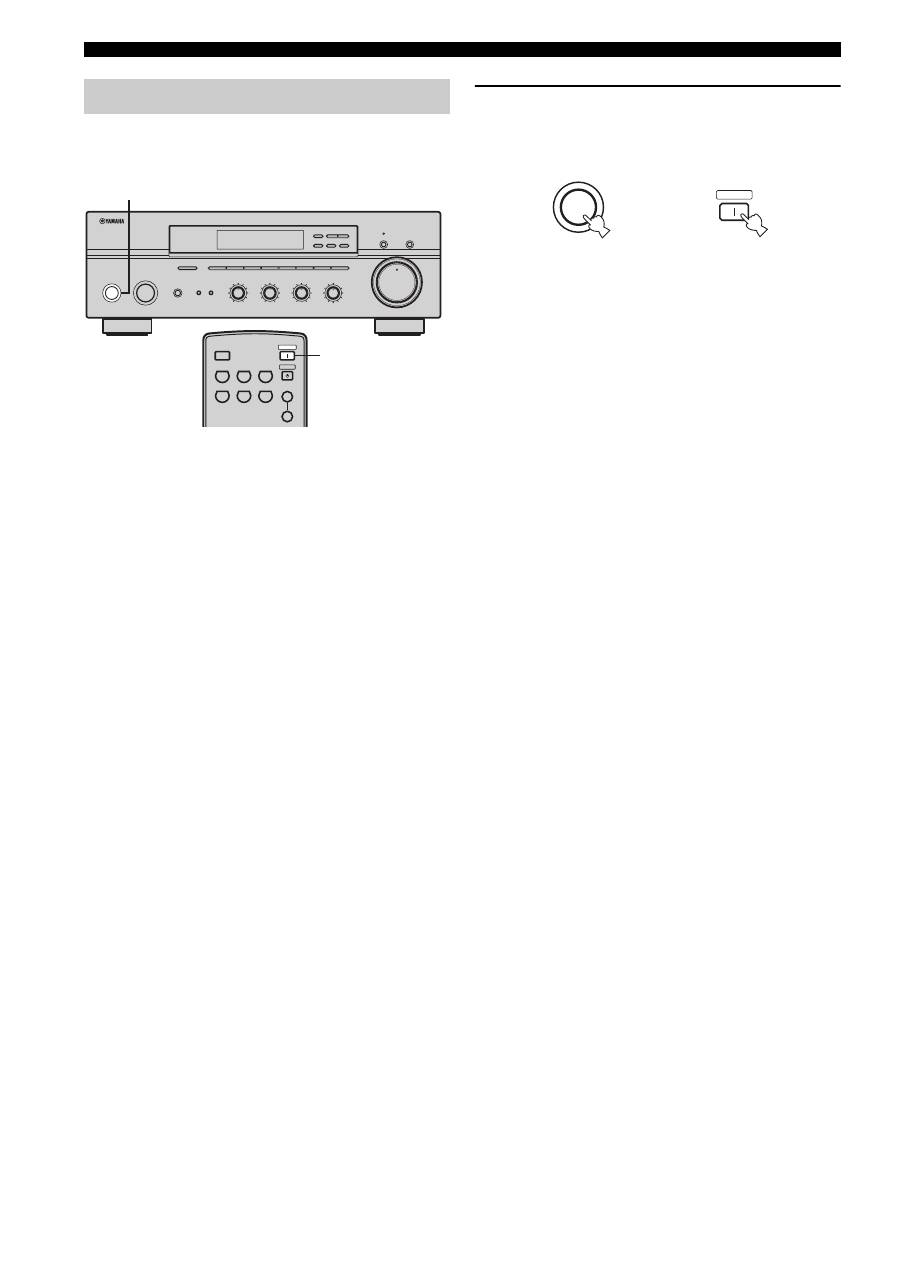
When all connections are complete, turn on the power of
this unit.
1
Press STANDBY/ON on the front panel (or
POWER on the remote control) to turn on this
unit.
Press STANDBY/ON on the front panel (or
STANDBY on the remote control) to set this unit to
the standby mode.
Turning on and off this unit
STANDBY
/ON
INPUT
PHONES
BASS
TAPE MONITOR
PURE DIRECT
5
5
1
0
1
4
4
2
2
3
3
+
–
VOLUME
l
TUNING
h
FM/AM
EDIT
A/B/C/D/E
1
2
3
4
5
6
7
8
MEMORY
MAN'L/AUTO FM
TUNING MODE
AUTO/MAN'L
TREBLE
5
5
1
0
1
4
4
2
2
3
3
+
–
BALANCE
5
5
1
0
1
4
4
2
2
3
3
R
L
LOUDNESS
5
7
1
FLAT
6
4
8
2
10
–30dB
3
9
SPEAKERS
B
A
1
0
12
12
2
8
4
∞
20
20
60
60
26
26
40
40
16
16
-dB
-dB
CD/DVD
PHONO
TUNER
MD
TAPE
AUX
SPEAKERS
B
A
POWER
STANDBY
SLEEP
1
STANDBY
/ON
Front panel
Remote control
or
POWER
Top 10 manuals
100.00
NZXT HALE90 1000W99.99
Samsung SM-R38099.97
AEG BSB 18C99.97
Dell 2700W99.97
Smeg KSEC70X99.96
Beurer HDE 4099.96
Pyramida KH 50 v.299.96
MSI CSM-H81M-P3299.96
AEG HR 562799.95
Melissa 640-048