
Canon LEGRIA HF R48: Wi-Fi connection Wi-Fi connection
Wi-Fi connection Wi-Fi connection: Canon LEGRIA HF R48
Table of contents
- Table of Contents Trademark Acknowledgements
- Getting Started Introduction to Wi-Fi
- Wi-Fi connection Wi-Fi connection
- Wi-Fi connection Wi-Fi connection IMPORTANT
- Before Using Wi-Fi Functions About the Wi-Fi antenna About the camcorder’s Wi-Fi standard Recording Movies Using a Smartphone as a Remote Control
- POINTS TO CHECK
- Remote Browse: Viewing Recordings Using a Web Browser on Your iOS Device or Android Smartphone Operating modes: 1 Camcorder: From any movie index screen, set the camcorder to connect with the smartphone.
- 2 Smartphone: Activate Wi-Fi in the settings screen (A 11). Uploading Videos Using an iOS Device
- POINTS TO CHECK
- NOTES Connecting Directly to a Smartphone or Similar Device Sharing Recordings with CANON iMAGE GATEWAY
- CANON iMAGE GATEWAY General requirements Playback on a Computer
- Troubleshooting List of Messages
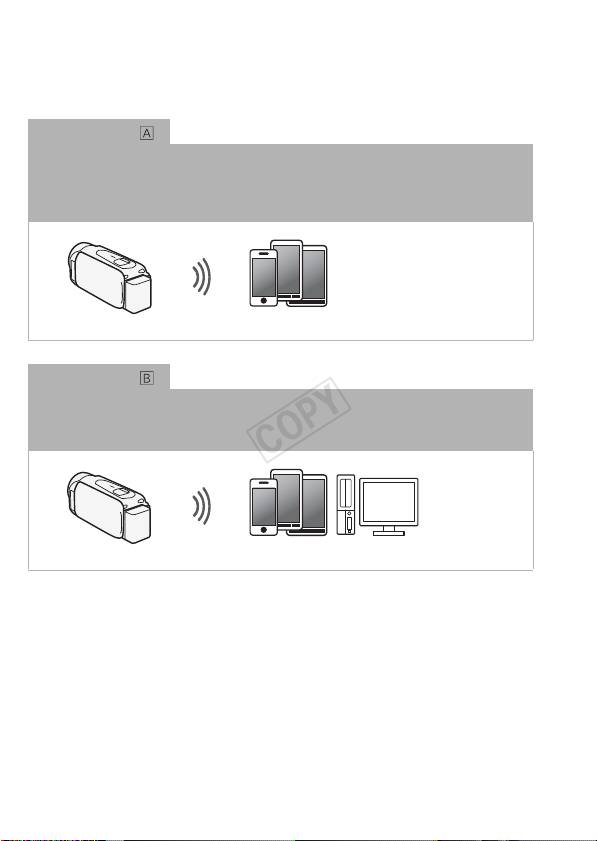
recordings. You can even use a smartphone as a remote control and
record using the device’s screen.
1
For brevity’s sake, “smartphone” is used in this text to refer to Wi-Fi-enabled
smartphones and tablets while “iOS device” refers to Wi-Fi-enabled iPhones and
iPads.
Wi-Fi connection
2
After you download the CameraAccess app
, use your iOS device or Android smartphone
to remotely control the camcorder and make recordings (A 6)
2
The CameraAccess app, provided by PIXELA, is available for free from the App
Store (for iOS devices) and Google Play™ (for Android smartphones).
Smartphone
Wi-Fi connection
3
Wirelessly connect the camcorder to your iOS or Android smartphone or computer
and
use the device’s Web browser to view recordings in the camcorder (A 8).
3
You can also use a computer connected via an access point.
Smartphone or similar device
4
