
Canon LEGRIA HF R48: POINTS TO CHECK
POINTS TO CHECK: Canon LEGRIA HF R48
Table of contents
- Table of Contents Trademark Acknowledgements
- Getting Started Introduction to Wi-Fi
- Wi-Fi connection Wi-Fi connection
- Wi-Fi connection Wi-Fi connection IMPORTANT
- Before Using Wi-Fi Functions About the Wi-Fi antenna About the camcorder’s Wi-Fi standard Recording Movies Using a Smartphone as a Remote Control
- POINTS TO CHECK
- Remote Browse: Viewing Recordings Using a Web Browser on Your iOS Device or Android Smartphone Operating modes: 1 Camcorder: From any movie index screen, set the camcorder to connect with the smartphone.
- 2 Smartphone: Activate Wi-Fi in the settings screen (A 11). Uploading Videos Using an iOS Device
- POINTS TO CHECK
- NOTES Connecting Directly to a Smartphone or Similar Device Sharing Recordings with CANON iMAGE GATEWAY
- CANON iMAGE GATEWAY General requirements Playback on a Computer
- Troubleshooting List of Messages
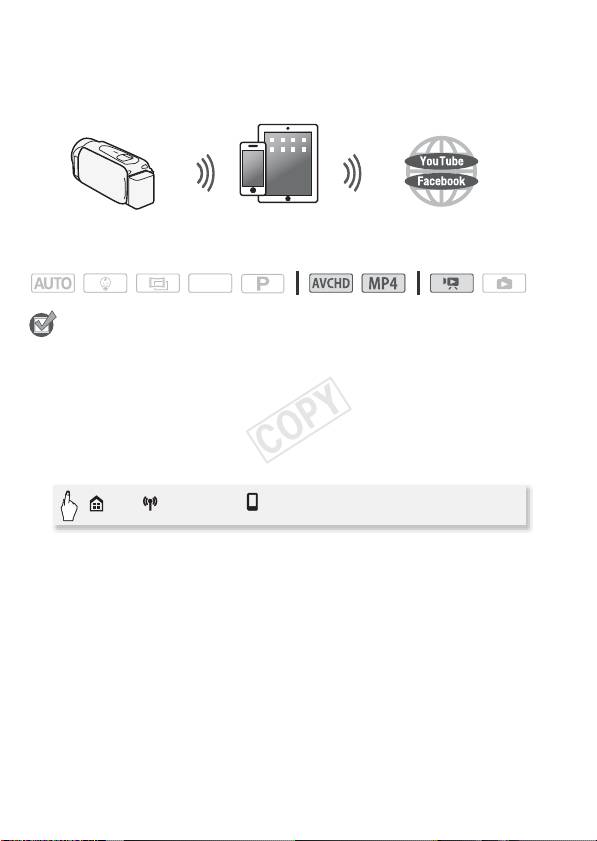
book even when you are away from your home network. You can
save** and play back MP4 movies and photos on an iOS device.
* The Movie Uploader app, provided by PIXELA, is available for free from the App
Store.
**Not available for MP4 movies recorded at a video quality of 35 Mbps.
iOS device
Operating modes:
SCN
POINTS TO CHECK
• Before you perform this procedure for the first time, install the Movie
Uploader app on your iOS device. The app can be downloaded for free
from the following site.
http://itunes.com/apps/movieuploader
1 Camcorder: From any movie index screen, set the camcorder to
connect with the iOS device.
> [ Wi-Fi] > [ Movie Uploader] > [OK]
• The camcorder’s SSID (network name) and password will appear.
• The camcorder will be ready to connect with the iOS device.
2 iOS device: Touch Settings > Wi-Fi and then turn Wi-Fi on (A 11).
The network names of detected access points will appear.
3 iOS device: Touch the access point with the same SSID as that of
the one from step 1.
4 iOS device: Enter the password.
5 iOS device: Use the Movie Uploader app to transfer the
camcorder’s movies.
• For details about the Movie Uploader app, visit
http://www.pixela.co.jp/oem/canon/e/movieuploader/ (English only)
10
