
Acme V-130: 9. Troubleshooting
9. Troubleshooting: Acme V-130
Table of contents
- Note: Features:
- 1. Basic operations 2. Music Playback 1) Playback 2) Buttons 3) Volume Adjustment
- 4) Previous le/Next le; FF/RW 5) Pause 6) Play list 7) A-B repeat 4. FM tuner: (Optional)
- 5. Recording:
- 6. Explorer 7. Settings 1) Enter Settings menu 2) Buttons 3) EQ Selection: normal, MS PlayFx, rock, pop, Classic, Bass and Jazz. 4) Music playback settings
- 5) Display settings 6) Power o 7) Record setting 8) Language 9) Radio setting 10) System
- 8. System Upgrade
- 9. Troubleshooting
- 10. Specications
EN
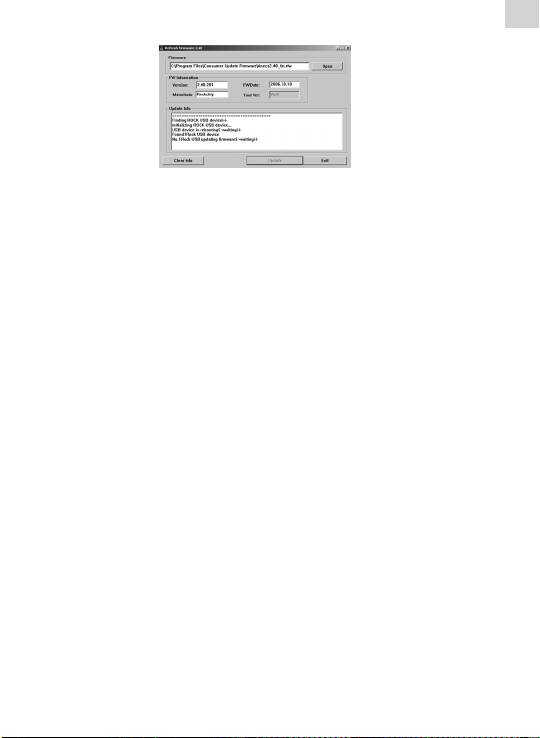
E) Press “Upgrade”.
After the upgrading nishes, exit the program and disconnect
the connection between MP3 and PC.
9. Troubleshooting
1) Failure to start:
• Checkthepowerofbattery;
• Checkthepoweradapteragain;
• Ifitstillfailstostartaftercharge,pleasecontactourcustomer
service center.
2) No voice in the earphones:
• Pleasecheckifthevolumeis0ornot;
• Pleasechecktheconnectionoftheearphones.
3) Serious noise:
• Pleasecheckwhetherthepinoftheearphoneisdirtyornot,as
the dirt could cause noise.
• Pleasecheckwhetherthemusicleisbrokenornot.Youcould
try to play another music le. If the le is damaged, it could
cause serious noise or pause.
4) The eect of FM tuner is not good:
• Adjustthepositionoftheplayerandtheearphones;
• Turnothedevicesthatareclose;
• Theearphonesactasantenna.
5) Display on the screen is unclear:
• Pleasecheckwhetherthelanguageisproperlyselected.Enter
<Setting>\<system settings>\<language selection> to set the
language.
6) Download le failure:
• Ensure that the connection between computer and player is
properly arranged;
• Checkwhetherthememoryisfull;
• CheckwhethertheUSBcableisbroken.
