
Acme MP01: 3.2.2 Movie Playback Control 3.2.3 Movie Playback Options
3.2.2 Movie Playback Control 3.2.3 Movie Playback Options: Acme MP01
Table of contents
- 1 USER INFORMATION 1.1 Preface
- 2 PRODUCT INTRODUCTION 2.1 Product Overview
- 2.2 Package Contents 2.3 Connection 2.3.1 Power connection
- 2.3.2 Connect to Computer 2.3.3 TV connection 2.3.3.1 A/V OUT
- 2.3.3.2 HDMI OUT 2.3.4 USB Mass Storage Device (like USB stick, USB drive etc.) Connection
- 2.3.5 Connecting a Memory Card 2.4 Front Panel
- 2.5 Back Panel 2.7 Menu Language
- 2.7 Remote Control
- No. Button Function
- 3 MAIN FUNCTIONS 3.1 Setup Menu 3.1.1 Changing System Settings
- Menu Language Screen Saver
- 3.1.2 Changing Audio Settings 3.1.3 Changing Video Settings
- Aspect Ratio TV SYSTEM 3.1.4 Miscellaneous
- 3.2 Movie Playback 3.2.1 Movie Library Options
- 3.2.2 Movie Playback Control 3.2.3 Movie Playback Options
- 3.3 Photo Playback 3.3.1 Photo Library Options
- 3.3.2 Photo Playback Control 3.3.3 Photo Playback Options
- 3.4 Music Playback 3.4.1 Music Library Options
- 3.4.2 Music Playback Control 3.4.3 Music Playback Options
- 3.5 File Manager 3.5.1 File Manager Options
- 3.6 Playlist management 3.6.1 Music playlist
- 3.6.2 Photo Album
- 3.7 Copy Function 3.7.1 Copy under Media Library
- 3.7.2 Copy under File Manager 4 UPGRADING THE FIRMWARE
- 5 APPENDIXES 5.1 Specifications
- 5.2 Frequently Asked Questions
- 6 COPYRIGHTS AND TRADEMARKS
GB
Quick-Search
- Choose the Search option in the option menu, you can search for a media file
by filter media library to locate the specific media file.
Review Mode
- ChooseareviewmodeamongThumbnails, List, Preview from option menu.
Sorting Mode
- Choose to sorting by Name, Size, Most Viewed or Recently Added from option
menu.
3.2.2 Movie Playback Control
Youcanaccessthefollowingfunctionsduringplayback.
Button Function
PLAY/PAUSE
Pause or resume the current playback.
PREV /NEXT
Viewthepreviousornextfile/chapter.
FR/FF
Fast rewind or fast forward. Press repeatedly to select the
speed.
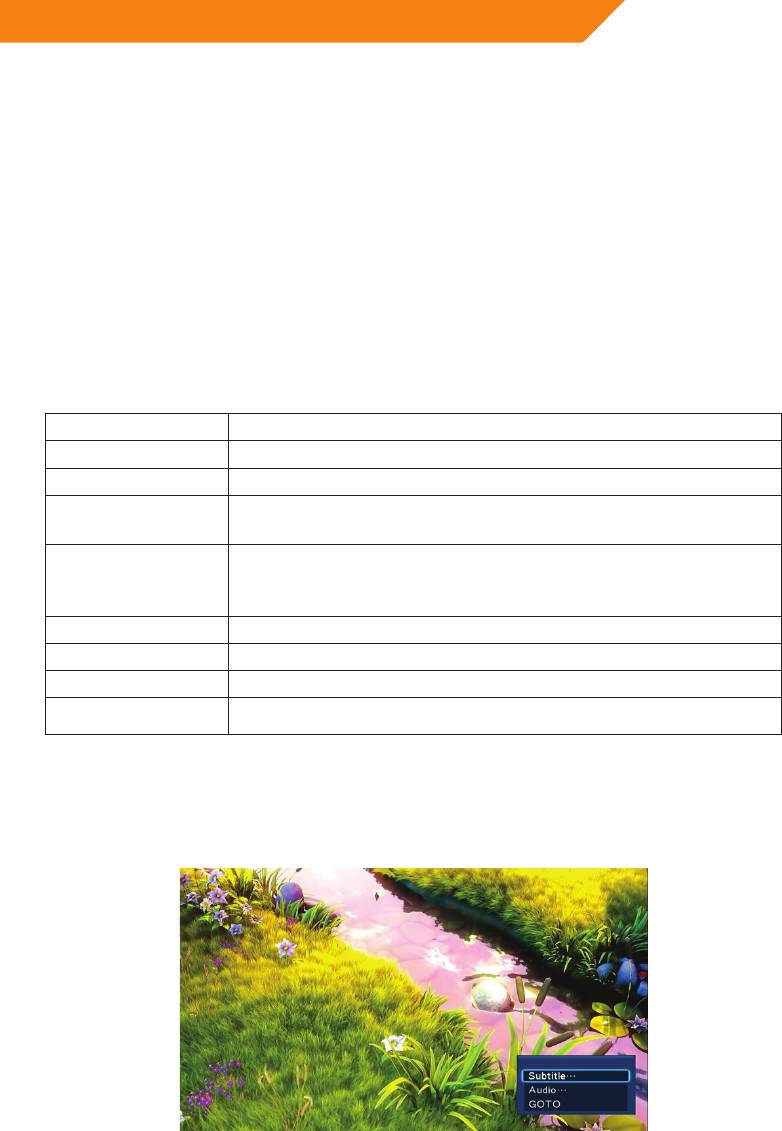
MENU
Display or hide the option menu during playback;and Pop-up
windowhas:subtitle/audio/goto/repeattitle/repeatall/repeat
off/videosetting.
STOP
Stop playback.
VOL+/-
Increase/decreasethevolume.
ZOOM
Zoomin/outtheimage.
INFO
Viewthemediainformation.
3.2.3 Movie Playback Options
During movie playback, press MENU button to display or hide the option menu at the
bottom of the screen.
17


