
Siemens TK76009 – page 2
Manual for Siemens TK76009
Table of contents
de
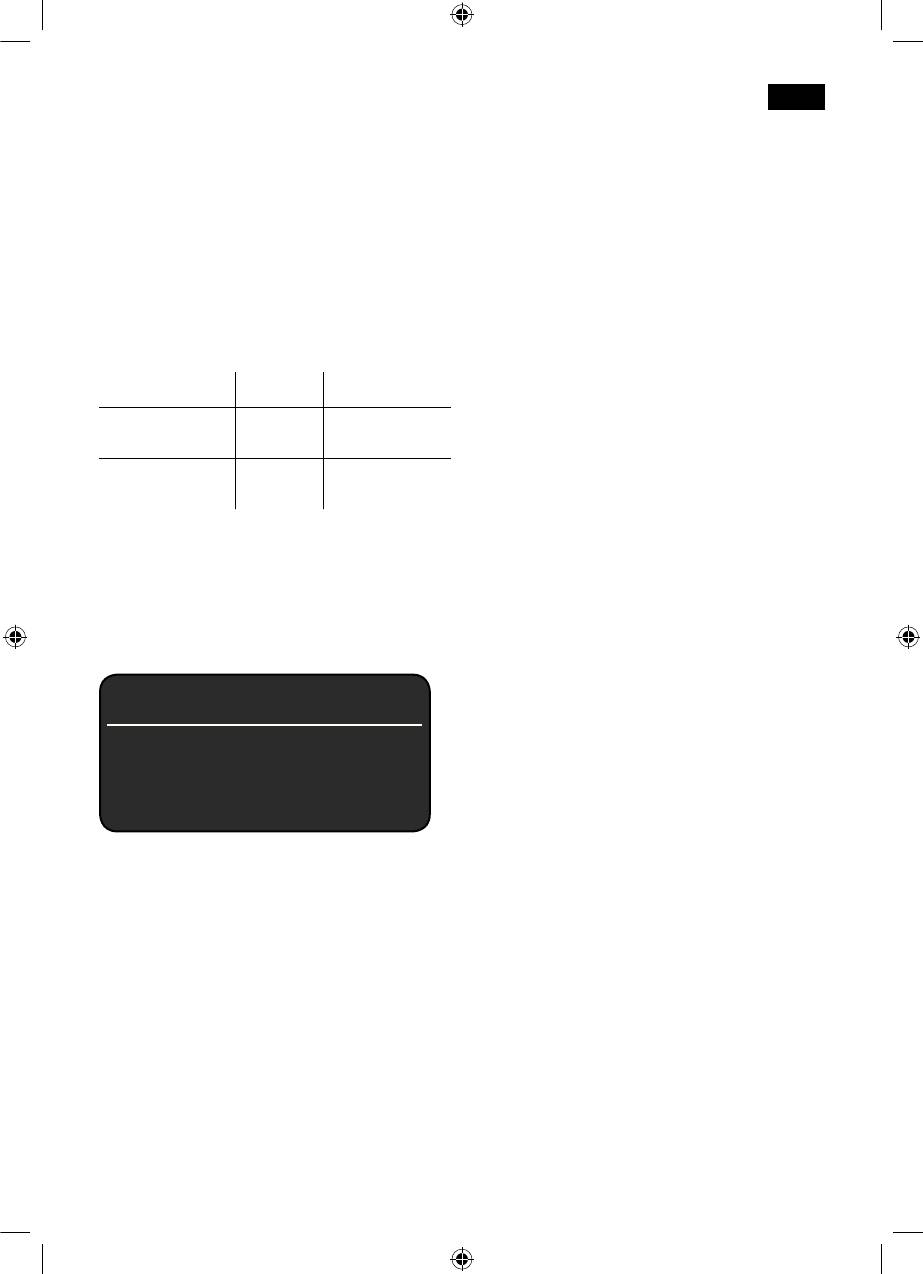
Pulverschublade 21 einfüllen!
0,5 L BEHÄLTER UNTER
Zum Entkalken und Reinigen ausschließlich
M
ILCHSCHÄUMER STELLEN
Ò
START
die beiliegenden Tabletten verwenden. Sie
●
Einen Behälter mit 0,5l Fassungsvermö-
wurden speziell für diesen Espressovoll-
gen unter den Milchschäumer 10 stellen.
automaten entwickelt.
●
Taste 8
start
drücken.
Info: Ist der Wasserfilter 35 aktiviert,
Speziell entwickelte und geeignete
erscheint die entsprechende Aufforderung
Entkalkungs- und Reinigungstabletten
den Filter 35 zu entfernen und erneut die
sind über den Handel, sowie den
Taste 8
start
zu drücken.
Kundendienst erhältlich.
WASSERFILTER ENTFERNEN
Ò
START
0,5 L WASSER + ENTKALKER EINFÜLLEN
Bestellnummer Handel Kundendienst
Ò
START
Reinigungs-
TZ60001 310575
●
Lauwarmes Wasser in den leeren
tabletten
Wassertank 11 bis zur Markierung „0,5l“
einfüllen und 2 Siemens
Entkalkungs-
TZ60002 310967
Entkalkungstabletten darin auflösen.
tabletten
●
Taste 8
start
drücken, das
Wichtig: Ist ein Wasserfilter 35 in den
Entkalkungsprogramm läuft jetzt ca. 20
Wassertank 11 eingesetzt, diesen
Minuten.
unbedingt vor dem Start des Service-
ENTKALKUNKSPROGRAMM LÄUFT
Programms entfernen.
ZU WENIG ENTKALKER
E
NTKALKER NACHFÜLLEN
Entkalken
Info: Ist zu wenig Entkalkunglösung im
Wassertank 11, erscheint die
entsprechende Aufforderung.
ESPRESSO Ë Í
Entkalkungslösung nachfüllen und erneut
Taste 8
start
drücken.
S
ERVICE - ENTKALKEN
Ò
i - TASTE 3 SEK.
WASSERTANK SPÜLEN UND FÜLLEN
Ò
START
●
Den Wassertank 11 spülen und frisches
Während der einzelnen Entkalkungsschritte
Wasser bis zur Markierung „max“
blinkt die Taste 8
start
.
einfüllen.
Die Zahlen rechts oben zeigen an, wie weit
●
Die Taste 8
start
drücken, das
der Ablauf fortgeschritten ist.
Entkalkungsprogramm läuft jetzt ca. 1
Minute und spült das Gerät.
●
Taste 7 j mindestens 3 Sekunden
gedrückt halten.
ENTKALKUNKSPROGRAMM LÄUFT
ENTKALKEN
Ò
START
T
ROPFSCHALE LEEREN
●
Taste 8
start
drücken, das Display 5 führt
TROPFSCHALE EINSETZEN
durch das Programm.
●
Die Tropfschalen 28/30 leeren und wieder
einsetzen.
TROPFSCHALE LEEREN
Das Gerät ist fertig entkalkt und wieder
T
ROPFSCHALE EINSETZEN
betriebsbereit.
●
Tropfschalen 28/30 leeren und wieder
einsetzen.
17
SE_TK76_Teil_1_080917.indd 17 18.09.2008 08:40:40
de
Reinigen
●
Die Tropfschalen 28/30 leeren und wieder
einsetzen.
Das Gerät ist fertig gereinigt und wieder
betriebsbereit.
ESPRESSO Ë Í
S
ERVICE - REINIGEN
Calc‘n‘Clean
Ò
i - TASTE 3 SEK.
Calc‘n‘Clean kombiniert die Einzel-
funktionen Entkalken und Reinigen.
Während der einzelnen Reinigungsschritte
Liegt die Fälligkeit der beiden Programme
blinkt die Taste 8
start
. Die Zahlen rechts
nah beieinander, schlägt der Espresso-
oben zeigen an, wie weit der Ablauf
vollautomat automatisch dieses
fortgeschritten ist.
Serviceprogramm vor.
●
Wassertank 11 bis „max“ füllen.
●
Taste 7 j mindestens 3 Sekunden
ESPRESSO Ë Í
gedrückt halten.
REINIGEN
Ò
START
S
ERVICE - CALC‘N‘CLEAN
●
Taste 8
start
drücken, das Display 5 führt
Ò
i - TASTE 3 SEK.
durch das Programm.
TROPFSCHALE LEEREN
Während der einzelnen Calc‘n‘Clean
T
ROPFSCHALE EINSETZEN
Schritte blinkt die Taste 8
start
. Die Zahlen
●
Tropfschalen 28/30 leeren und wieder
rechts oben zeigen an, wie weit der Ablauf
einsetzen, das Gerät spült zweimal.
fortgeschritten ist.
●
Taste 7 j mindestens 3 Sekunden
KAFFEEAUSLAUF SCHWENKEN
gedrückt halten.
●
Den Kaffeeauslauf 9 nach links
schwenken bis er hörbar einrastet.
CALC‘N‘CLEAN
Ò
START
REINIGUNGSPROGRAMM LÄUFT
●
Taste 8
start
drücken, das Display 5 führt
durch das Programm.
PULVERSCHUBLADE ÖFFNEN
●
Die Pulverschublade 21 durch drücken
TROPFSCHALE LEEREN
öffnen.
T
ROPFSCHALE EINSETZEN
●
Tropfschalen 28/30 leeren und wieder
SIEMENS REINIGUNGSTABLETTE
einsetzen.
EINWERFEN UND SCHUBLADE SCHLIESSEN
●
Den Kaffeeauslauf 9 nach rechts
●
Eine Siemens Reinigungstablette ein-
schwenken bis er hörbar einrastet.
werfen und die Schublade 21 schließen.
●
Einen Behälter mit mind. 1 l Fassungsver-
mögen unter den Milchschäumer 10 stellen.
START DRÜCKEN
●
Taste 8
start
drücken, das Gerät spült
●
Taste 8
start
drücken, das Reinigungs-
zweimal.
programm läuft jetzt ca. 7 Minuten.
REINIGUNGSPROGRAMM LÄUFT
REINIGUNGSPROGRAMM LÄUFT
P
ULVERSCHUBLADE ÖFFNEN
T
ROPFSCHALE LEEREN
●
Die Pulverschublade 21 durch drücken
T
ROPFSCHALE EINSETZEN
öffnen.
18
SE_TK76_Teil_1_080917.indd 18 18.09.2008 08:40:40
de
SIEMENS REINIGUNGSTABLETTE
Wichtig: Wurde eines der Service-
EINWERFEN UND SCHUBLADE SCHLIESSEN
Programme z.B. durch Stromausfall
●
Eine Siemens Reinigungstablette in die
unterbrochen, wie folgt vorgehen:
Schublade 21 einwerfen und schließen.
●
Den Wassertank 11 spülen und frisches
Wasser bis zur Markierung „max“
Info: Ist der Wasserfilter 35 aktiviert,
einfüllen.
erscheint die entsprechende Aufforderung,
●
Die Taste 8
start
drücken, das Reinigungs-
den Filter 35 zu entfernen und erneut die
programm läuft jetzt ca. 3 Minuten und
Taste 8
start
zu drücken.
spült das Gerät.
WASSERFILTER ENTFERNEN
Ò
START
REINIGUNGSPROGRAMM LÄUFT
0,5 L WASSER + ENTKALKER EINFÜLLEN
TROPFSCHALE LEEREN
Ò
START
T
ROPFSCHALE EINSETZEN
●
Lauwarmes Wasser in den leeren
●
Die Tropfschalen 28/30 leeren und wieder
Wassertank 11 bis zur Markierung „0,5l“
einsetzen.
einfüllen und 2 Siemens
Das Gerät ist wieder betriebsbereit.
Entkalkungstabletten darin auflösen.
●
Taste 8
start
drücken, das Entkalkungs-
Frostschutz
programm läuft jetzt ca. 20 Minuten.
ENTKALKUNKSPROGRAMM LÄUFT
r
!
Um Schäden durch Frosteinwirkung
bei Transport und Lagerung zu
ZU WENIG ENTKALKER
vermeiden, muss das Gerät vorher
E
NTKALKER NACHFÜLLEN
vollständig entleert werden.
Info: Ist zu wenig Entkalkungslösung im
Wassertank 11, erscheint die entsprechen-
Info: Das Gerät muss betriebsbereit und
de Aufforderung. Entkalkungslösung nach-
der Wassertank 11 gefüllt sein.
füllen und erneut Taste 8
start
drücken.
●
Ein großes, schmales Gefäß unter den
Milchschäumer 10 stellen.
WASSERTANK SPÜLEN UND FÜLLEN
●
Die Einstellung „Milchschaum“
È
Ò
START
auswählen, starten und ca. 15 Sekunden
●
Den Wassertank 11 spülen und frisches
dampfen lassen.
Wasser bis zur Markierung „max“
●
Mit dem Netzschalter 1 O / I das Gerät
einfüllen.
ausschalten.
●
Die Taste 8
start
drücken, das Entkal-
●
Den Wassertank 11 und die Tropfschalen
kungsprogramm läuft jetzt noch ca. 1
28/30 entleeren.
Minute und anschließend das Reinigungs-
programm ca. 7 Minuten und spült das
Zubehör
Gerät.
Folgendes Zubehör ist über den Handel
ENTKALKUNKSPROGRAMM LÄUFT
und Kundendienst erhältlich.
REINIGUNGSPROGRAMM LÄUFT
Bestellnummer Handel Kundendienst
TROPFSCHALE LEEREN
T
ROPFSCHALE EINSETZEN
Reinigungs-
TZ60001 310575
●
Die Tropfschalen 28/30 leeren und wieder
tabletten
einsetzen.
Entkalkungs-
TZ60002 310967
Das Gerät ist fertig gereinigt sowie entkalkt
tabletten
wieder betriebsbereit.
Wasserfilter TZ70003 467873
19
SE_TK76_Teil_1_080917.indd 19 18.09.2008 08:40:40
de
Einfache Probleme selbst beheben
Problem Ursache Abhilfe
Displayanzeige
Bohnen fallen nicht ins Mahl-
Leicht an den Bohnen-
BOHNENBEHÄLTER FÜLLEN
werk (zu ölige Bohnen).
behälter 15 klopfen.
trotz gefülltem Bohnbehälter
Eventuell Kaffeesorte wech-
15 oder
seln.
Mahlwerk mahlt keine
Bei geleertem Bohnenbehäl-
Kaffeebohnen.
ter 15 diesen mit einem
trocken Tuch auswischen.
Kein Heißwasserbezug
Der Milchschäumer 10 oder
Den Milchschäumer 10 oder
möglich.
die Aufnahme des Milch-
die Aufnahme des
schäumers 10 ist
Milchschäumers 10
verschmutzt.
reinigen.
Zu wenig oder kein
Der Milchschäumer 10 oder
Den Milchschäumer 10
Milchschaum
die Aufnahme des Milch-
oder Aufnahme des Milch-
oder
schäumers 10 ist
schäumers 10 reinigen.
der Milchschäumer 10 saugt
verschmutzt.
keine Milch an.
Ungeeignete Milch. Milch mit 1,5 % Fettgehalt
verwenden.
Der Milchschäumer
10 ist
Milchschäumer 10 richtig
nicht richtig
zusammenbauen.
zusammengesetzt.
Kaffee läuft nur
Der Mahlgrad ist zu fein.
Den Mahlgrad gröber
tropfenweise.
Der Pulverkaffee ist zu fein.
stellen. Gröberes
Kaffeepulver verwenden.
Das Gerät ist stark verkalkt. Das Gerät entkalken.
Kaffee hat keine „Crema“. Ungeeignete Kaffeesorte. Kaffeesorte wechseln.
Die Bohnen sind nicht mehr
Frische Bohnen verwenden.
röstfrisch.
Der Mahlgrad ist nicht auf
Mahlgrad auf fein einstellen.
die Kaffeebohnen
abgestimmt.
Der Kaffee ist zu „sauer
“. Der Mahlgrad ist zu grob
Mahlgrad feiner stellen oder
eingestellt oder das
feineres Kaffeepulver
Kaffeepulver ist zu grob.
verwenden.
Ungeeignete Kaffeesorte. Dunklere Röstung
verwenden.
Können Störungen nicht behoben werden, unbedingt die Hotline anrufen!
Telefon Nr. 018 05 54 74 36
20
SE_TK76_Teil_1_080917.indd 20 18.09.2008 08:40:41
de
Einfache Probleme selbst beheben
Problem Ursache Abhilfe
Der Kaffee ist zu „bitter
“. Der Mahlgrad ist zu fein
Mahlgrad gröber stellen
eingestellt oder das
oder gröberes Kaffeepulver
Kaffeepulver ist zu fein.
verwenden.
Ungeeignete Kaffeesorte. Kaffeesorte wechseln.
Displayanzeige
STÖRUNG
Im Gerät ist ein Fehler. Bitte die Hotline anrufen.
B
ITTE HOTLINE ANRUFEN.
Der Wasserfilter 35 hält
Der Wasserfilter 35 ist nicht
Wasserfilter 35 fest in den
nicht im Wassertank
11.
eingerastet.
Tankanschluss drücken bis
er fühlbar einrastet.
Der Kaffeetrester ist nicht
Der Mahlgrad ist zu fein
Mahlgrad gröber stellen
fest und zu trocken (bröselt).
eingestellt oder das
oder 2 Löffel Kaffepulver
Kaffeepulver zu wenig.
verwenden.
Der Kaffeetrester ist nicht
Der Mahlgrad ist zu grob
Mahlgrad feiner einstellen
fest und zu naß.
eingestellt oder zuviel
oder nur 1 Löffel
Kaffeepulver vorhanden.
Kaffeepulver verwenden.
Können Störungen nicht behoben werden, unbedingt die Hotline anrufen!
Telefon Nr. 018 05 54 74 36
Entsorgung A
Garantiebedingungen
Dieses Gerät ist entsprechend der
Für dieses Gerät gelten die von unserer
europäischen Richtlinie 2002/96/EG über
jeweils zuständigen Landesvertretung
Elektro- und Elektronik-Altgeräte (waste
herausgegebenen Garantiebedingungen, in
electrical and electronic equipment –
dem das Gerät gekauft wurde. Sie können
WEEE) gekennzeichnet. Die Richtlinie gibt
die Garantiebedingungen jederzeit über
den Rahmen für eine EU-weit gültige
Ihren Fachhändler, bei dem Sie das Gerät
Rücknahme und Verwertung der Altgeräte
gekauft haben oder direkt bei unserer
vor.
Landesvertretung anfordern. Die Garantie-
Über aktuelle Entsorgungswege bitte beim
bedingungen für Deutschland und die
Fachhändler informieren.
Adressen finden Sie auf den letzten vier
Seiten dieses Heftes.
Darüber hinaus sind die Garantiebe-
dingungen auch im Internet unter der
benannten Webadresse hinterlegt. Für die
Inanspruchnahme von Garantieleistungen
ist in jedem Fall die Vorlage des Kauf-
beleges erforderlich.
Änderungen vorbehalten.
21
SE_TK76_Teil_1_080917.indd 21 18.09.2008 08:40:41

deen
Table of Contents
Safety instructions
Overview...................................................23
Please read the operating instructions
Before using for the first time....................24
carefully and keep them for future
Controls ....................................................25
reference.
− Power on/off switch O / I .......................25
This automatic espresso machine is
− a button ................................................25
designed for domestic use and not
− Rotary knob ...........................................25
commercial use.
− Selection buttons < and > ..................25
− Display ..................................................26
r
! Risk of electric shock
−
start
button ............................................28
Connect and operate the appliance only in
−
°C
button ...............................................28
accordance with the specifications on the
− j button and settings .............................29
rating label.
− Adjusting the grinding unit .....................29
Do not use if either the power cord or the
− Cup warming .........................................29
appliance is damaged.
Menu settings ...........................................30
Use indoors at room temperature only.
− Language ..............................................30
This appliance is not intended for use by
− Water hardness .....................................30
persons (including children) with reduced
− Descale .................................................30
physical, sensory or mental capabilities, or
− Clean .....................................................30
lack of experience and knowledge, unless
− Calc‘n‘Clean ..........................................30
they have been given supervision or
− Show clock ............................................31
instruction concerning use of the appliance
− Time mode ............................................31
by a person responsible for their safety.
− Set clock................................................31
Keep children away from the appliance.
− Cup warmer on (TK76F09 only) ............31
Children should be supervised to ensure
− Cup warmer off ......................................31
that they do not play with the appliance.
− Auto off after ..........................................31
In the event of malfunction, unplug the
− Water filter .............................................31
appliance immediately.
− Contrast.................................................32
To avoid potential hazards, repairs such as
− Factory settings .....................................32
replacing a damaged cord should only be
Preparation using coffee beans ................32
performed by our service personnel.
Preparation using ground coffee .............33
Never immerse the appliance or power cord
Preparing milk froth and hot milk ..............34
in water.
Dispensing hot water ................................35
Do not reach into the grinding unit.
Maintenance and daily cleaning ...............35
− Cleaning the milk system ......................35
r
!
Risk of scalding
− Cleaning the brewing unit .....................36
The milk frother for milk and hot water gets
Storing accessories ..................................36
very hot. After use, allow to cool down first
Tips on energy saving ..............................36
before touching.
Service Programmes ...............................37
− Descaling ..............................................37
− Cleaning ................................................38
− Calc‘n‘Clean ..........................................39
Frost protection.........................................40
Disposal ....................................................40
Accessories ..............................................40
Guarantee.................................................40
Simple troubleshooting .............................41
22
SE_TK76_Teil_1_080917.indd 22 18.09.2008 08:40:41

deen
Dear Coffee Connoisseur,
These instructions describe various models
with different features.
Congratulations on purchasing this fully
Please also note the enclosed quick
automatic espresso machine from Siemens.
reference guide. It can be kept in the
special storage compartment 25 until it is
needed.
Overview
Figures A, B, C, D and E
1 Power on/off switch O / I
20 Button for cup warming function,
2 a button
illuminated
3
°C
button (temperature / child-proof lock)
21 Drawer
4 Selection buttons < >
(ground coffee / cleaning tablet)
5 Display
22 Door to brewing unit
a) Status line
23 Door opener
b) Selection line
24 Brewing unit
c) Navigation line
a) Sliding button
6 Rotary knob for display settings
b) Lock
7 Info menu button j
25 Storage compartment for quick
8
start
button (drinks / programmes)
reference guide
9 Coffee outlet, height-adjustable and
26 Cover of storage compartment
swivelling
27 Drip tray panel
10 Milk frother, height-adjustable
28 Drip tray for coffee outlet
(milk / hot water)
29 Grate for coffee outlet
a) Upper part
30 Drip tray for milk frother
b) Lower part
31 Grate for milk frother
c) Tube
32 Coffee grounds container
d) Milk pipe
33 Cable storage compartment
11 Removable water tank
34 Milk container (insulated)
12 Lid for water tank
35 Water filter
13 Storage compartments
(measuring spoon and milk frother
accessories)
14 Measuring spoon
(insertion aid for water filter)
15 Bean container
16 Aroma cover
17 Selector for grind setting
18 Illuminated ring
19 Cup warming
23
SE_TK76_Teil_1_080917.indd 23 18.09.2008 08:40:41
deen
Before using
Press the power switch 1 O / I
. The
start
button 8 lights up and the different
for the first time
languages appear in the display 5.
General
Use the buttons < and > 4 to select the
Fill the water tank with fresh, uncarbonated
language in which you want the display
water only, and preferably use only beans
texts to appear.
for fully automatic coffee and espresso
machines. Do not use coffee beans that
have been glazed, caramelised or treated
with other additives containing sugar, since
they will block the brewing unit.
The water hardness setting can be adjusted
on this appliance. The factory default setting
for the water hardness is 4. Check the
water hardness with the enclosed test strip.
If a value other than water hardness 4 is
displayed, change the setting on the
appliance accordingly after switching on
(see “Menu settings WATER HARDNESS”).
Switching on the appliance
●
Place the fully automatic espresso
machine on a flat surface that can take its
weight.
Note: The appliance has four runners under
its base and can be moved sideways in an
arc to make operation and positioning
easier.
●
Pull the power cord out of the storage
compartment 33 and plug in. Adjust the
length of the cable by pushing it back in
or pulling it out. The easiest way to do
this is to place the appliance so that its
back is flush with the edge of the counter
and either pull the cable downward or
push it upward.
●
Lift the lid of the water tank 12.
●
Remove and rinse the water tank 11 and
fill it with fresh cold water.
Do not fill above the “max” mark.
●
Replace the water tank 11 and push it
firmly downward into place.
●
Close the lid of the water tank 12 again.
●
Fill the bean container 15 with coffee
beans.
24
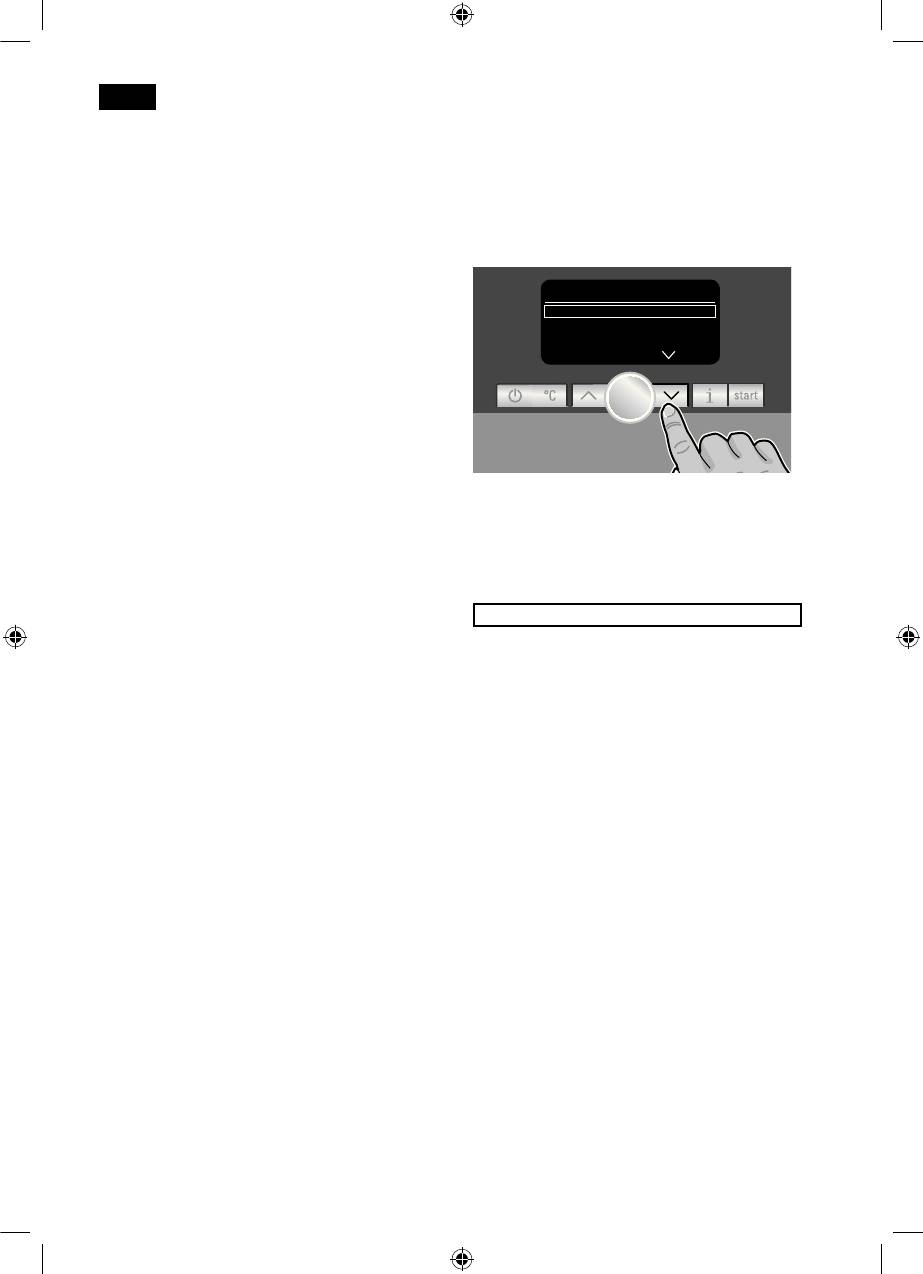
LANGUAGE
DEUTSCH
Ò
START
ENGLISH
PYCCKИЙ
●
●
The selected language is highlighted by a
frame. The following languages can be
selected:
DEUTSCH
E
NGLISH
P
YCCKИЙ
N
EDERLANDS
F
RANÇAIS
I
TALIANO
S
VENSKA
E
SPAÑOL
P
OLSKI
● Press the
start
button 8. The language
you selected is saved and the a button 2
lights up.
SE_TK76_Teil_1_080917.indd 24 18.09.2008 08:40:41
deen
● Press the a button 2. The brand logo
Controls
lights up in the display 5. The appliance
now heats up and rinses. Some water will
Power on/off switch O / I
run out of the coffee outlet 9. The
The power switch 1 O / I is used to switch
appliance is ready for use when the
the appliance to “energy saving mode” or to
symbols for selecting the type of coffee
switch it off completely. In “energy saving
preparation appear in the display 5.
mode” only the a button 2 lights up.
Important: Do not switch the appliance off
at the power on/off switch 1 until it is in
energy saving mode, so that the automatic
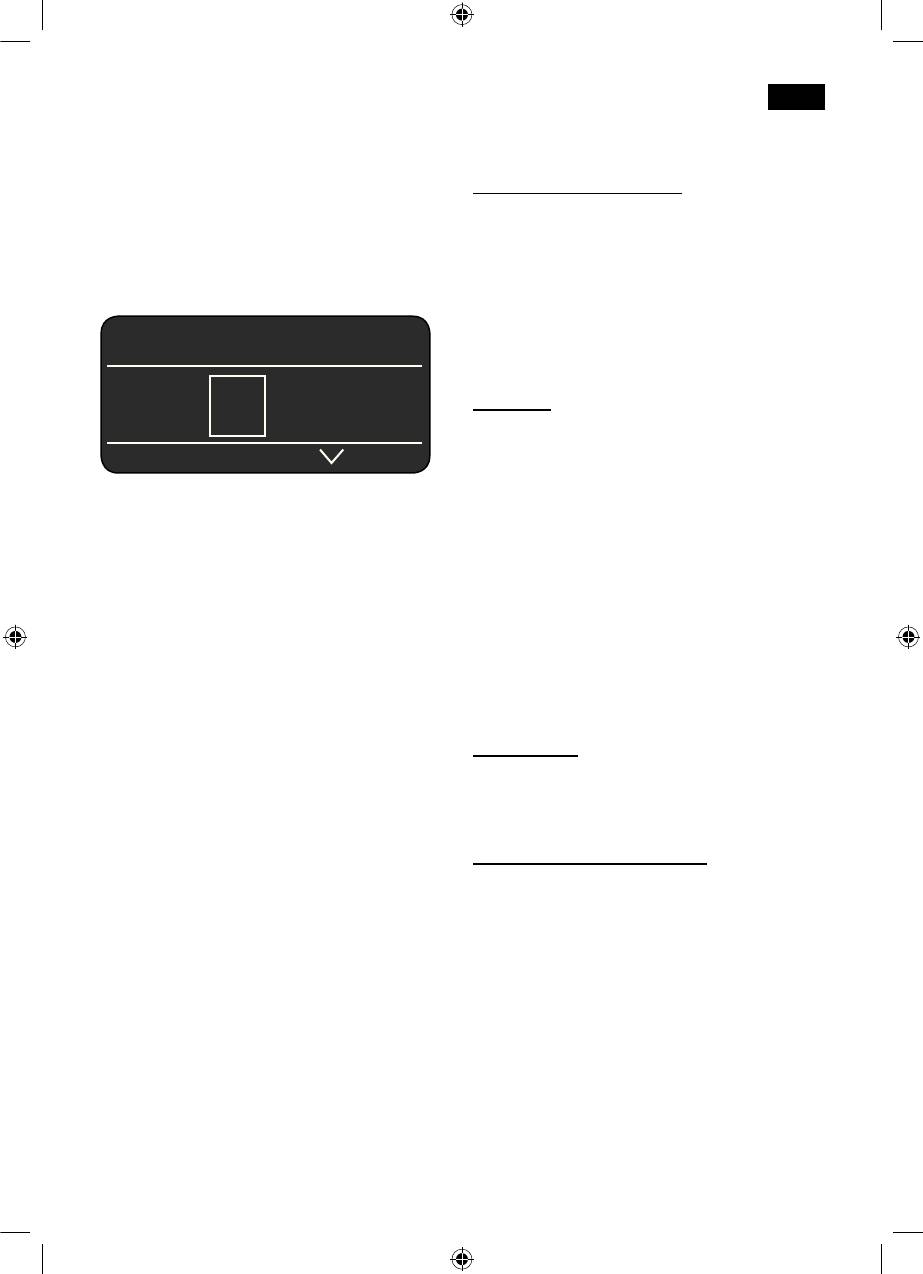
ESPRESSO Ë Í
rinse process can take place.
a button
 à À Á Ä Å
The appliance is switched on (ready for
use) or put into “energy saving mode” with
the a button 2.
The a button 2 flashes while the appliance
Note: The factory settings of the fully
is rinsing.
automatic espresso machine are
programmed for optimal performance. The
The appliance does not rinse if:
appliance switches to “energy saving mode”
●
it is still warm when switched on
automatically after 1 hour (see “Menu
●
no coffee was dispensed before it was
settings AUTO OFF AFTER”).
switched to “energy saving mode”.
Tip: If the appliance is being used for the
The appliance is ready for use when the
first time or has not been operated for a
symbols for drink selection and the
start
long period, the first cup of coffee will not
button 8 light up on the display 5.
have the full aroma.
Rotary knob
When using the espresso machine for the
Turn the knob 6 to the left or right to
first time, you will achieve a suitably thick
navigate through the display 5, or to adjust
and stable “crema” only after the first few
parameters in the menu.
cups have been dispensed.
Selection buttons < and >
Press the selection buttons < and > 4 to
navigate up and down through the menu
levels (navigation line 5c).
25
SE_TK76_Teil_1_080917.indd 25 18.09.2008 08:40:42
deen
Display
Display messages
The display 5 uses symbols to indicate the
Various messages are shown on the
selection options, coffee strength and per-
display 5.
cup quantity, and uses texts to indicate
settings, ongoing processes and messages.
Information:
The rotary knob 6 and selection buttons 4
WATER TANK ALMOST EMPTY
can be used to change settings. The
BEAN CONTAINER ALMOST EMPTY
selected setting is highlighted by a frame.
PLEASE WAIT
Prompts:
REFILL WATER TANK
5a
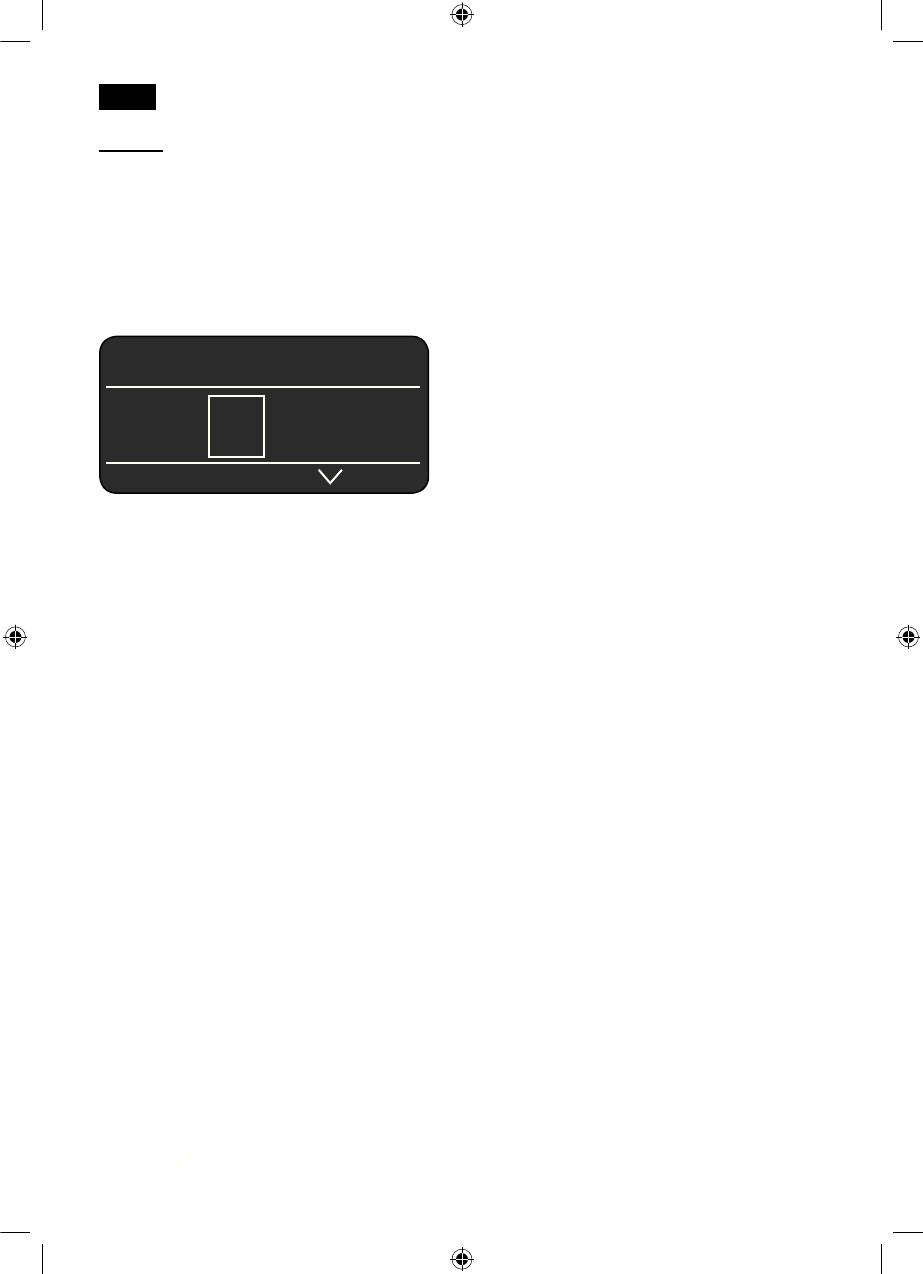
ESPRESSO Ë Í
REPLACE WATER TANK
CHECK WATER TANK
b
 à À Á Ä Å
REPLACE DRIP TRAY
EMPTY DRIP TRAY
c
REFILL BEAN CONTAINER
The status line 5a in the display shows the
POSITION SWIVEL ARM
name of the type of drink, along with the
SET UP MILK FROTHER
strength setting, e.g. 55 and per-cup
REPLACE BREWING UNIT
quantity, e.g.
Î
. The selection line 5b
C
LOSE DOOR
shows symbols for drink selection.
PLEASE CHECK BREWING UNIT
The arrows in the navigation line 5c indicate
FILL DRAWER WITH POWDER
the direction in which more menu levels can
CLOSE DRAWER
be found.
SERVICE - CHANGE FILTER
SERVICE - DESCALE
SERVICE - CLEAN
SERVICE - CALC‘N‘CLEAN
INSUFFICIENT TEMPERATURE
PLEASE WAIT
HIGH OR LOW VOLTAGE
26
SE_TK76_Teil_1_080917.indd 26 18.09.2008 08:40:42
deen
Selection options
ESPRESSO ËË Í
2 X ESPRESSO
2 X COFFEE
Â
Ã
Á Ä Å Æ Ç È
À
ESPRESSO Á COFFEE
Ä WHITE COFFEE
MACCHIATO
Å
Æ
CAPPUCCINO
Ç
MY COFFEE
È
MILK FROTH
É
HOT MILK
S
HORT RINSE FOR
HOT WATER
MILK SYSTEM
Ê
Ì
MY COFFEE Ë Í
Coffee strength
(only for coffee drinks)
5 5 5 5 5 5
5 55 555
mild regular strong
Per-cup quantity
MY COFFEE Ë Í
(only for coffee drinks)
Î Ð Ò
Î Ð Ò
small medium large
In addition to selecting the coffee
MY COFFEE Ë Í
strength and per-cup quantity you
can choose the exact mix of
ESPRESSO MILK
espresso and milk for your own
coffee setting MY COFFEE Ç. The
40%
setting can be defined in 20% steps
by turning the rotary knob 6.
27
SE_TK76_Teil_1_080917.indd 27 18.09.2008 08:40:45
deen
Start button
Child-proof lock
Press the
start
button 8 to begin drink
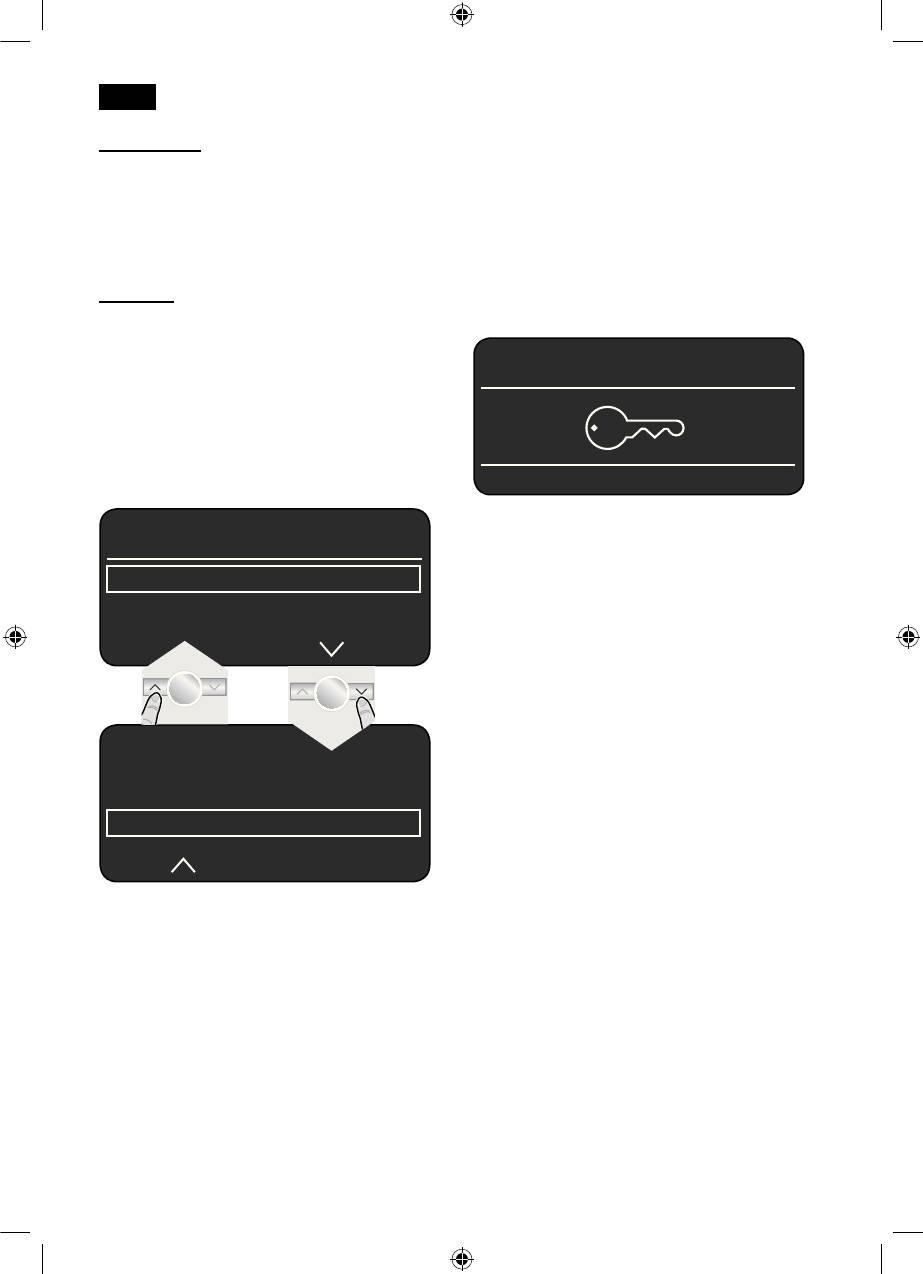
The appliance can be locked to protect
preparation or to start a service programme.
children from scalding and burning.
Press the
start
button 8 again during drink
● Hold down the
°C
button 3 for at least 3
preparation to cut the dispensing process
seconds. The display 5 shows a key: the
short.
child-proof lock is activated.
It is no longer possible to operate the
°C button
appliance and the cup warmer 19 is
Use the °
C
button 3 to set the temperature
switched off.
for coffee and tea water (press briefly) and
to switch the child-proof lock on or off
ESPRESSO Ë Í
(hold down for at least 3 seconds).
Setting the temperature:
Press the
°C
button 3 briefly and enter the
settings with the < and > buttons 4 and
the rotary knob 6.
● To deactivate the child-proof lock, hold
TEMPERATURE
down the
°C
button 3 for at least 5
seconds. The key disappears from the
COFFEE
NORMAL
display 5.
HOT WATER
TEMPERATURE
COFFEE
HOT WATER
<90°C
Press the
C°
button 3 again to save the
settings and return to drink selection.
These settings are automatically effective
for all types of coffee preparation.
28
SE_TK76_Teil_1_080917.indd 28 18.09.2008 08:40:46
deen
j button and settings
Adjusting the grinding unit
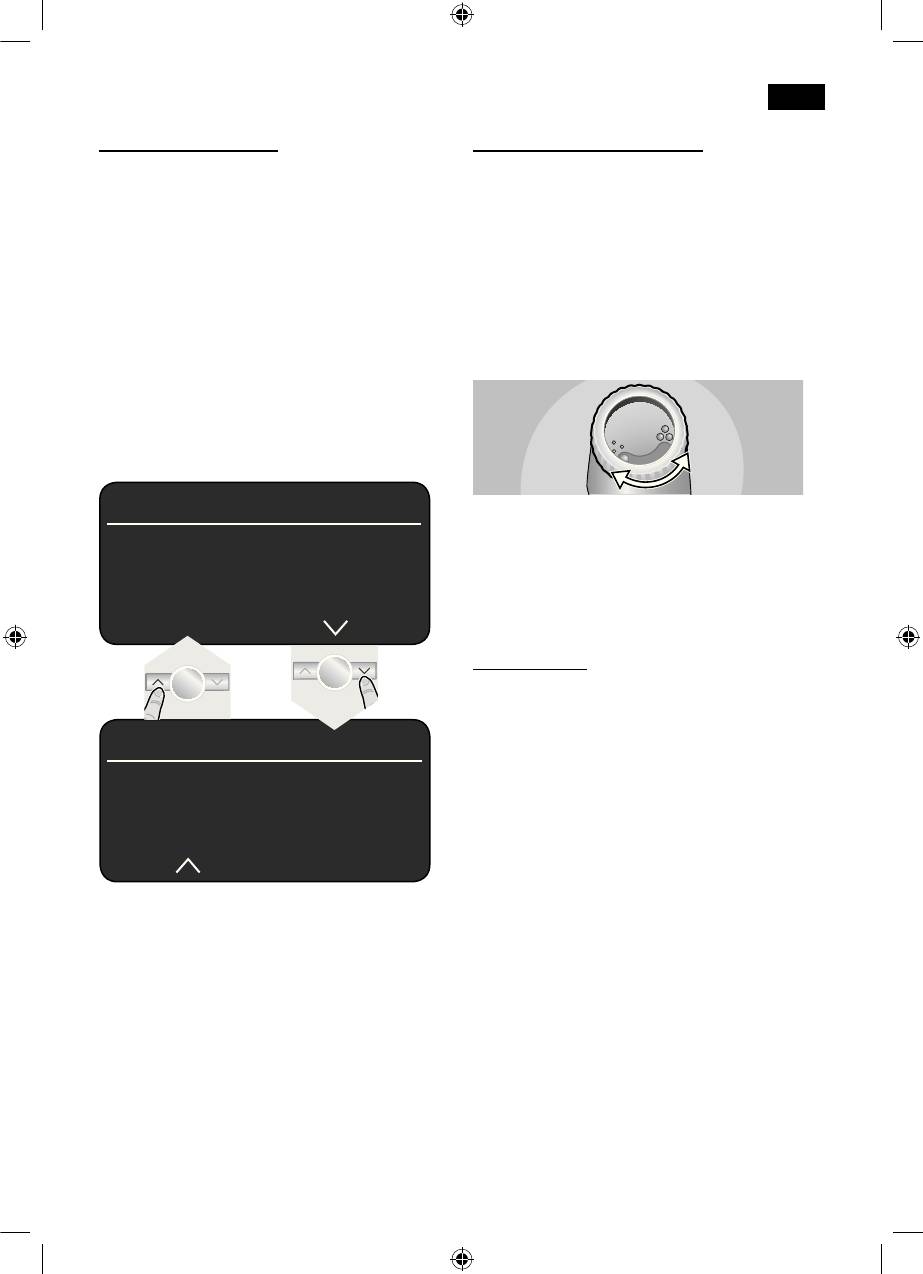
Use the j button 7 to display information
The rotary selector 17 adjusts the grind
(press briefly) and adjust settings (hold
settings from coarse to fine.
down for at least 3 seconds).
Warning
Displaying information
Adjust the grinding unit only while it is
The following information can be displayed
running! Otherwise the appliance may be
in the Info menu:
damaged.
–
how many drinks have been dispensed
● While the grinding unit is running, adjust
since the espresso machine was switched
the rotary selector 17 from fine • • • to
on
coarse ● ● ● as required.
–
when should the next service be
completed.
● Press the j button 7 briefly and navigate
with the < and > buttons 4.
INFO
Note: The new setting will not become
apparent until after the second cup of
DESCALE AFTER XXX CUPS
coffee.
CLEAN AFTER XXX CUPS
NO FILTER
Tip: For dark roast coffee beans, choose a
CHANGE FILTER IN XXX CUPS *
finer grind, for lighter beans a coarser grind.
Cup warming
r
!
Warning: The cup warmer 19
becomes very hot.
The fully automatic espresso machine has a
INFO
cup warmer 19 that can be switched on or
off manually with button 20. When the cup
NO. OF COFFEES XX
warmer 19 is on, button 20 lights up.
NO. OF MILK MIXES XX
AMOUNT HOT WATER XL
Tip: For optimal cup warming, place the
base of the cups on the cup warmer 19.
*appears only if the filter is activated.
TK76F09 only
The cup warming function can also be pre-
Press the j button 7 again briefly to return
programmed (see “Menu settings CUP
to drink selection. If no button is pressed for
WARMER ON”).
about 10 seconds the appliance
automatically switches back to drink
selection mode.
Adjusting settings
(see “Menu settings”).
29
SE_TK76_Teil_1_080917.indd 29 18.09.2008 08:40:47
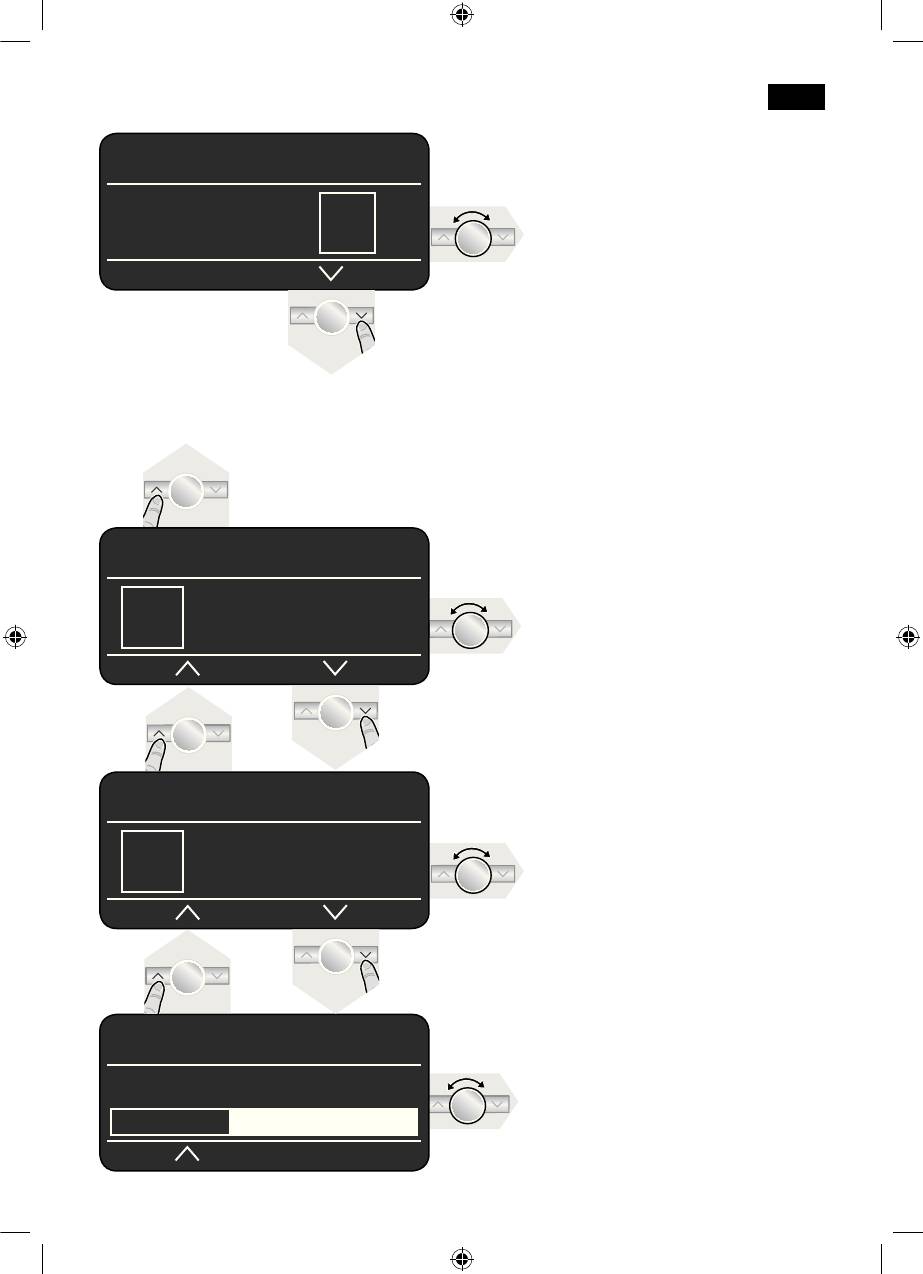
deen
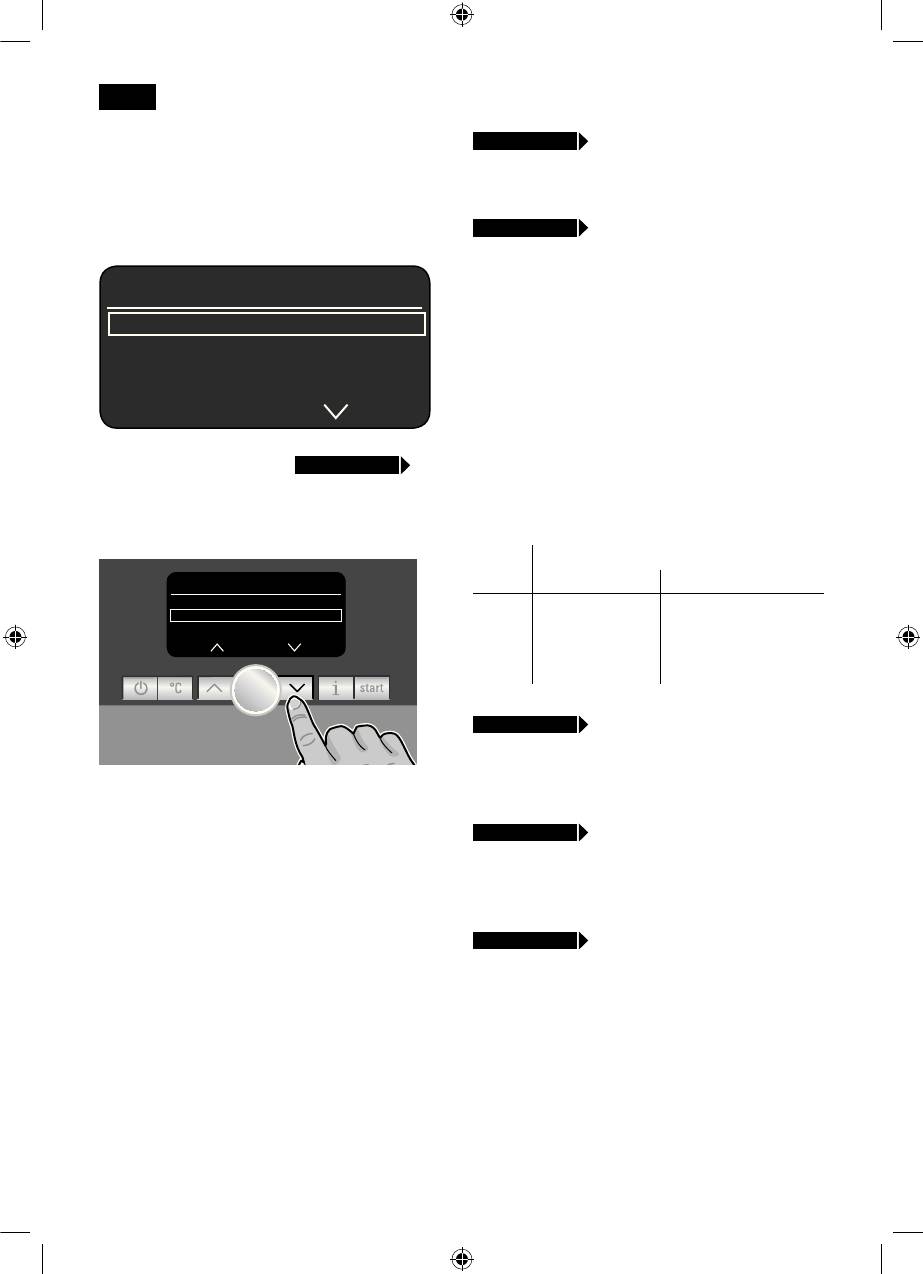
Menu settings
● Hold the j button down for at least 3
seconds.
The different setting options are now
displayed
SETTINGS
LANGUAGE ENGLISH
WATER HARDNESS
DESCALE
In the following operating instructions, each
new setting begins with
j 3 sec. + >
followed by an exact description.
The different setting options can be
selected with the < and > buttons 4.
30
SETTINGS
WATER HARDNESS
DESCALE
Ò
START
CLEAN
j 3 sec. + >
LANGUAGE
● Turn the knob 6 to select the required
language
j 3 sec. + >
WATER HARDNESS
● Turn the knob 6 to select the required
water hardness 1,2,3 or 4.
Note: It is important to set the water
hardness correctly, so that the appliance
indicates accurately when the descaling
programme should be run. The factory
setting for the water hardness is 4.
You can check the water hardness using
the enclosed test strip or by asking your
local water supplier.
● Dip the test strip in the water briefly and
check the result after 1 minute.
Level Water hardness
German (°dH) French (°fH)
1
1-7
1-13
2
8-14
14-25
3
15-21
26-38
4
22-30
39-54
j 3 sec. + >
DESCALE
● If you want to descale the appliance,
press the
start
button 8 and run the
N.B.: The changes you have made are
descaling programme (see “Descaling”).
saved automatically.
It is not necessary to confirm them
j 3 sec. + >
CLEAN
additionally.
● If you want to clean the appliance, press
the
start
button 8 and run the cleaning
programme (see “Cleaning”).
j 3 sec. + >
CALC‘N‘CLEAN
● If you want to descale and clean the
appliance, press the
start
button 8 and
run the Calc‘n‘Clean programme (see
“Calc‘n‘Clean”).
SE_TK76_Teil_1_080917.indd 30 18.09.2008 08:40:47
deen
j 3 sec. + >
SHOW CLOCK
j 3 sec. + >
AUTO OFF AFTER
With this function you can set the clock to
●
Turn the knob 6 to enter the time span
show the time in the display 5 during energy
after which the appliance should
saving mode.
automatically switch to “energy saving
● Turn the knob 6 to switch the clock
mode” following drink preparation.
display on = YES or off = NO.
A time between 5 minutes and 8 hours can
be set.
Note: You must already have set the time
as shown in SET CLOCK.
j 3 sec. + >
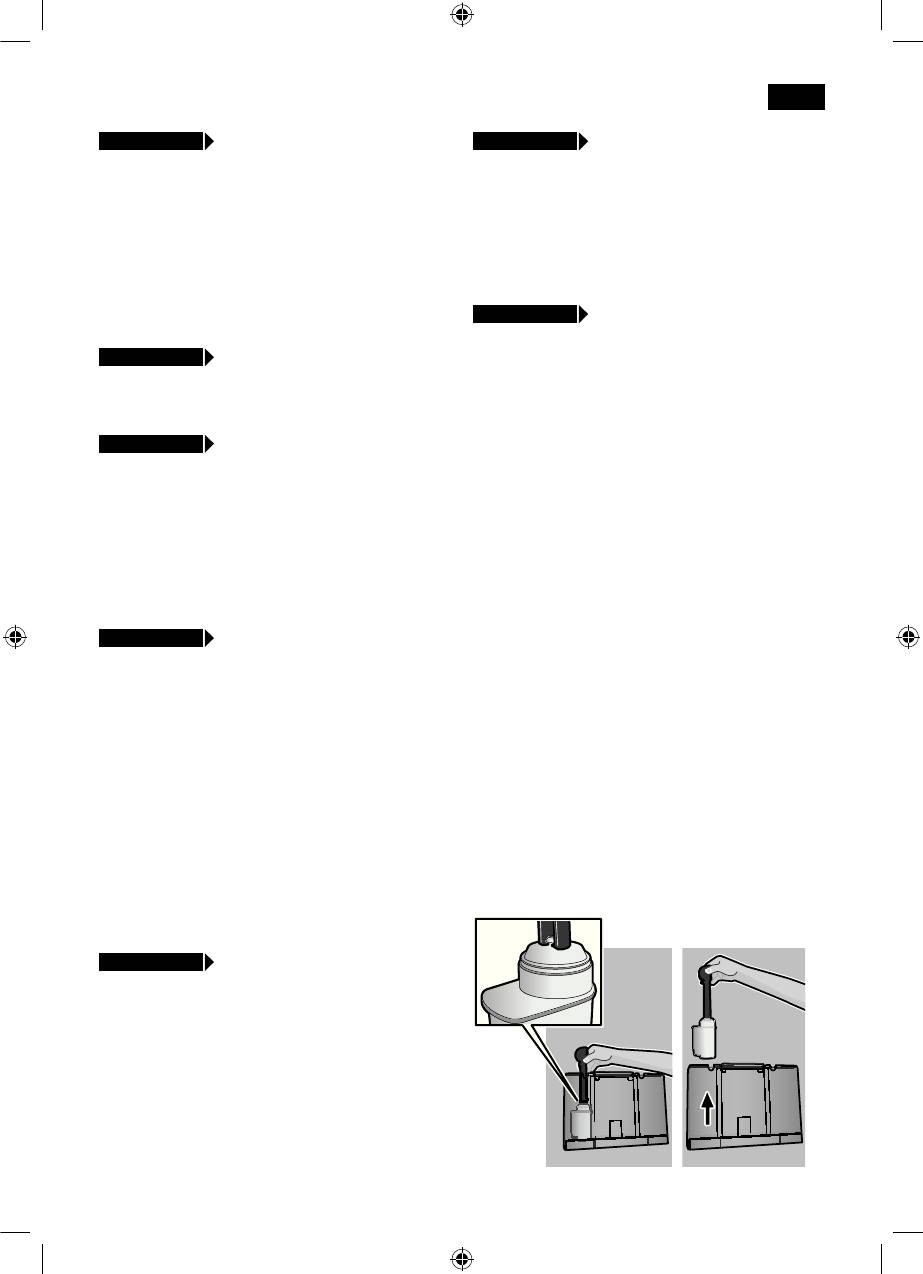
WATER FILTER
Before a new water fi lter 35 is used, it must
j 3 sec. + >
TIME MODE
be rinsed.
●
In time mode you can turn the knob 6 to
●
To do this, press the water fi lter 35 fi rmly
set the time format to 12H or 24H.
into the water tank 11 with the aid of the
measuring spoon 14. Fill the water tank
j 3 sec. + >
SET CLOCK
with water up to the “max” mark.
● Turn the knob 6 to set the current time,
●
Turn the knob 6 to select START and
e.g. 08:25. The fi gure that can be set is
press the
start
button 8.
always backlit; the backlighting switches
● PLACE 0.5 L CONTAINER UNDER MILK
automatically between the hours and
FROTHER
Ò
START
minutes.
●
Place a container with a capacity of 0.5
litres under the milk frother 10.
TK76F09 only
●
Press the
start
button 8. Water will now
(programmable cup warmer)
fl ow through the fi lter 35 to rinse it.
j 3 sec. + >
CUP WARMER ON
●
Next, empty the container. The appliance
With this additional function the cup warmer
is ready to use once more.
19 switches on automatically at a
programmable time, irrespective of whether
Note: Rinsing the fi lter simultaneously
the appliance is in “energy saving mode” or
activates the setting for the “change fi lter”
is ready for use.
display.
Note: You must already have set the time
The fi lter 35 is no longer effective when the
under SET CLOCK
CHANGE FILTER display appears, or at the
●
Set the required time by turning the knob
latest after 2 months. It needs to be
6. If OFF is selected, the function is
replaced for reasons of hygiene and so that
deactivated.
there is no build-up of limescale (this could
damage the appliance).
TK76F09 only
(programmable cup warmer)
j 3 sec. + >
CUP WARMER OFF
Here you can set the time span after which
the cup warmer 19 switches off again
automatically.
Note: The switch-on time must be set under
CUP WARMER ON
●
Set the required time by turning the knob
6.
31
SE_TK76_Teil_1_080917.indd 31 18.09.2008 08:40:48
deen
Replacement filters can be obtained from
Preparation
retailers (TZ70003) or from customer
using coffee beans
service.
If no new filter 35 is used, turn the WATER
This fully automatic espresso machine
FILTER setting to NO.
grinds beans freshly for each brew. If
possible, use only beans for fully automatic
Note: If the appliance has not been used
coffee and espresso machines. For optimal
for a prolonged period (e.g. vacation) the
quality, deep-freeze the beans or store in a
filter 35 should be rinsed before the
cool place in sealed containers. Coffee
appliance is used again. To do this, simply
beans can be ground while frozen.
dispense a cup of hot water.
Important: Fill the water tank 11 with fresh
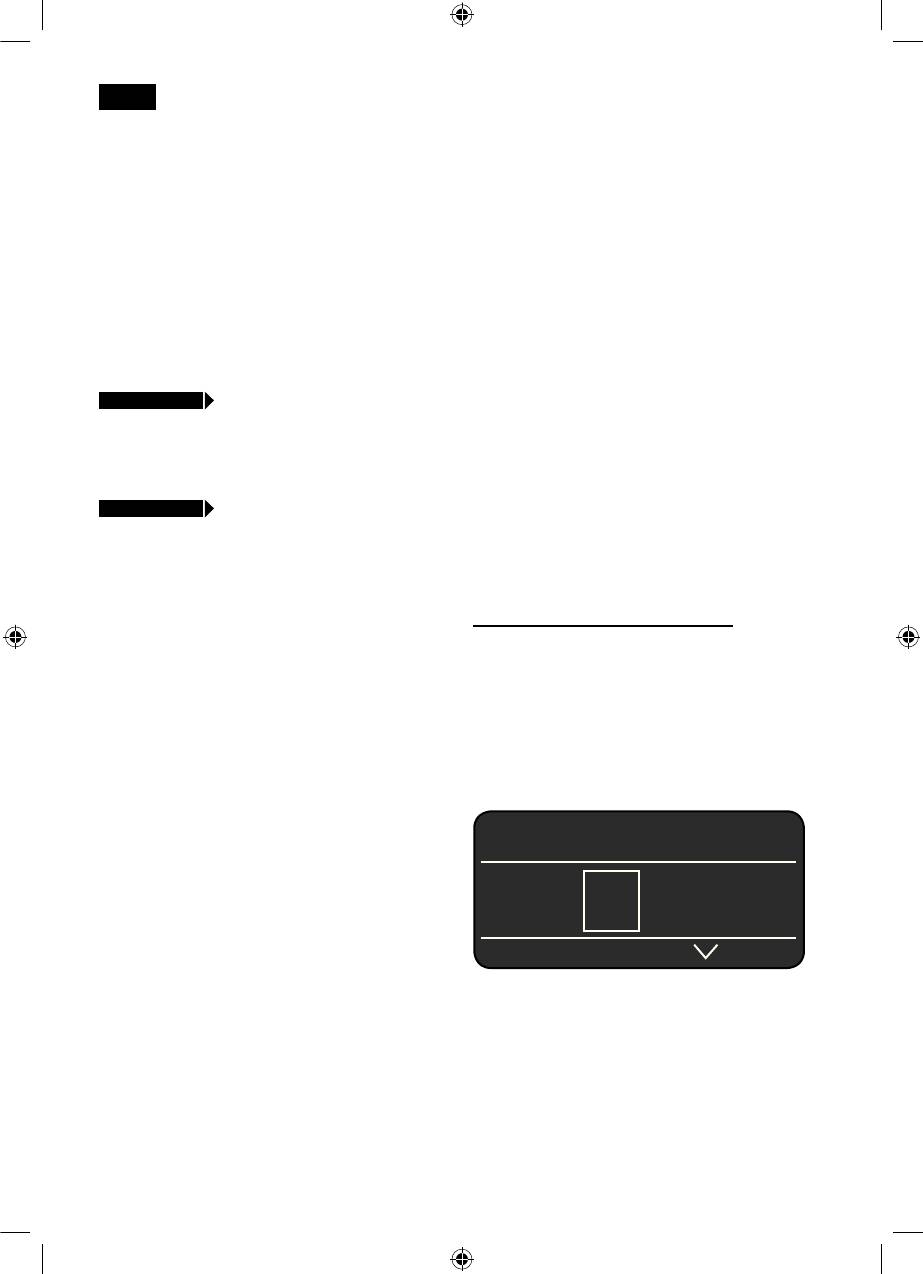
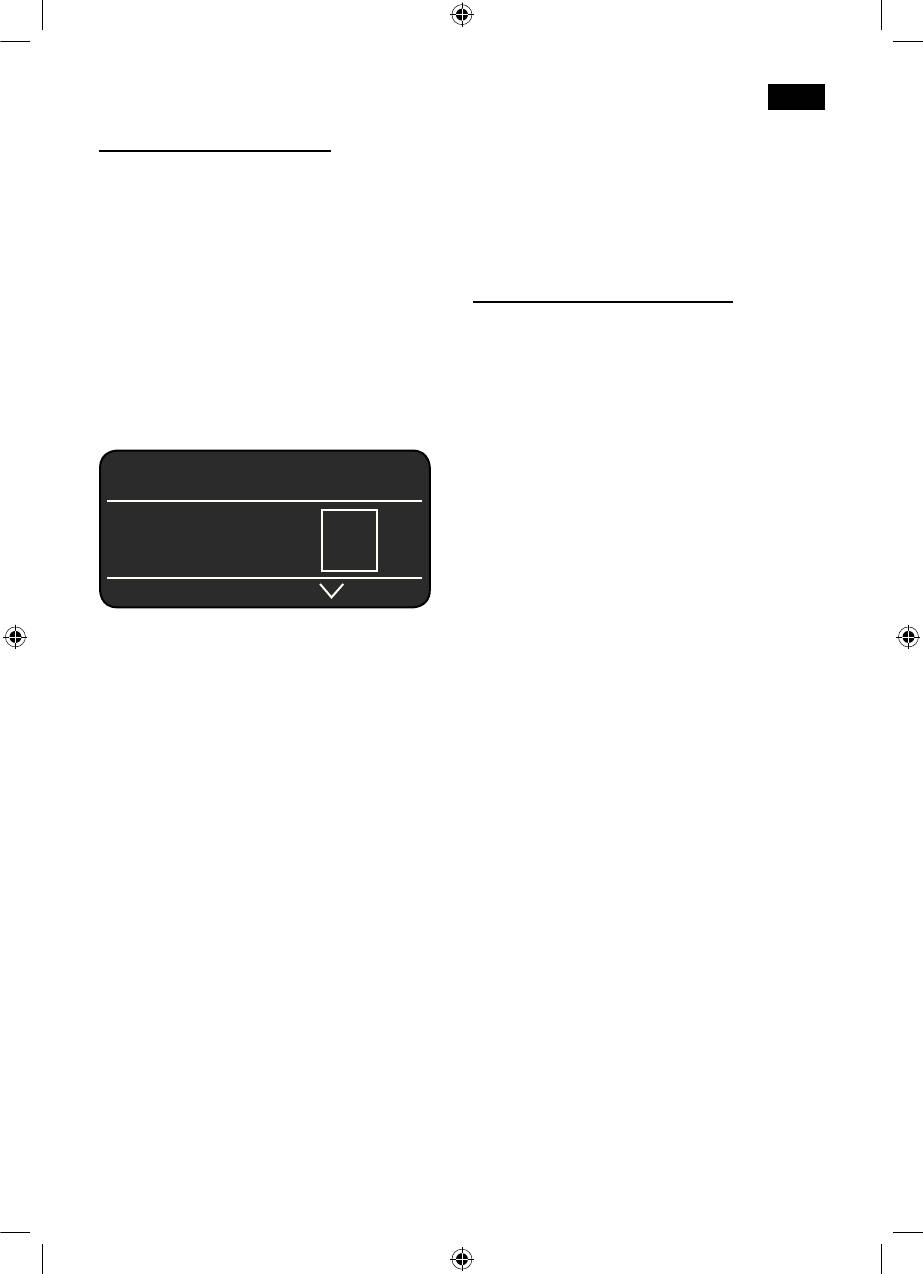
j 3 sec. + >
CONTRAST
water every day. The tank should always
The display contrast can be set from –20
contain sufficient water for operating the
to +20. The factory setting is +0.
appliance.
●
Enter the required setting with the knob 6.
Tip: Pre-warm cups, especially small, thick
j 3 sec. + >
FACTORY SETTINGS
espresso cups, on the cup warmer 19.
You can cancel your own settings and
reactivate the factory settings.
Different coffee drinks can be prepared
●
To activate the factory settings, press the
quite simply at the press of a button.
start
button 8.
Drink preparation without milk
Note: The appliance can also be reset to
The appliance must be ready for use.
the factory settings using a combination of
●
Place the pre-warmed cup(s) under the
buttons. The appliance must be switched off
coffee outlet 9.
fully.
●
Select the required espresso or coffee by
●
Hold down the < and > buttons 4 and
turning the knob 6
. The display 5 shows
the on/off switch 1 O / I at the same time
the selected drink along with the setting
for at least 5 seconds. Press the
start
for coffee strength and the per-cup
button 8. The factory settings are now
quantity for this drink.
reactivated.
ESPRESSO Ë Í
 à À Á Ä Å
The settings can be altered (see “Controls”).
●
Press the
start
button 8.
The coffee is brewed and then dispensed
into the cup(s).
32
SE_TK76_Teil_1_080917.indd 32 18.09.2008 08:40:49
deen
Drink preparation with milk
Preparation using
The appliance must be ready for use.
ground coffee
● Place the pipe 10d of the milk frother 10
deep in the milk container 34.
This fully automatic espresso machine can
●
Swivel the coffee outlet 9 to the right until
also be operated with ground coffee (not
it clicks into place.
instant coffee powder).
●
Place the pre-warmed cup or glass under
the coffee outlet 9 and milk frother 10.
Drink preparation without milk
●
Select the required Macchiato
Å
,
●
Select À or Á by turning the knob 6.
Cappuccino
Æ
, White coffee Ä or My
●
Place the pre-warmed cup(s) under the
coffee Ç by turning the knob 6. The
coffee outlet 9.
display 5 shows the selected drink along
●
Open the drawer 21 by pressing.
with the setting for coffee strength and
●
Pour in no more than 2 level measuring
the per-cup quantity for this drink.
spoons 14 of ground coffee.
Warning: Do not use whole beans or
CAPPUCCINO Ë Í
instant coffee.
●
Close the drawer 21.
●
Press the
start
button 8.
The coffee is brewed and then dispensed
À Á Ä Å Æ Ç
into the cup(s).
N.B.: Repeat the procedure for another cup
The settings can be altered (see “Controls”).
of coffee. If no coffee is taken within 90
●
Press the
start
button 8. First milk is
seconds, the brewing chamber empties
delivered into the cup or glass. Then the
automatically to avoid overfilling. The appli-
coffee is brewed and dispensed into the
ance rinses.
cup or glass.
Important: Dried milk residue is difficult to
remove, so clean the milk frother 10 with
lukewarm water immediately after use
(see “Cleaning the milk system”).
33
SE_TK76_Teil_1_080917.indd 33 18.09.2008 08:40:49
deen
Drink preparation with milk
Preparing milk froth
●
Turn the knob 6 to select White coffee Ä,
and hot milk
Macchiato
Å
, Cappuccino
Æ
or
My coffee Ç.
r
!
Risk of burns
●
Place the pipe 10d of the milk frother 10
The milk frother 10 gets very hot. After use,
in the milk container 34.
allow to cool down first before touching.
●
Swivel the coffee outlet 9 to the right until
it clicks into place.
The appliance must be ready for use.
●
Place the pre-warmed cup or glass under
●
Place the pipe 10d of the milk frother 10
the coffee outlet 9 and milk frother 10.
in the milk container 34.
●
Open the drawer 21 by pressing.
●
Place the pre-warmed cup or glass under
●
Pour in no more than 2 level measuring
the outlet of the milk frother 10.
spoons 14 of ground coffee.
●
Select the required setting
“Milk froth”
È
or “Hot milk”
É
by turning
Warning: Do not use whole beans or
the knob 6.
instant coffee.
●
Press the
start
button 8. Milk froth or hot
●
Close the drawer 21
milk flows from the outlet of the milk
●
Press the
start
button 8. First milk is
frother 10 for about 40 or 60 seconds
delivered into the cup or glass. After that
respectively.
the ground coffee is brewed and
●
Press the
start
button 8 again to cut the
dispensed into the cup or glass.
process short.
Important: Dried milk residue is difficult to
Tip: For extra-hot milk, allow it to be drawn
remove, so clean the milk frother 10 with
out of the glass and run through the milk
lukewarm water immediately after use (see
frother
10 again. Select the “Hot milk”
“Cleaning the milk system”).
function again.
N.B.: Repeat the procedure for another
Note: When preparing hot milk you may
coffee / milk drink. If no coffee is taken
hear a whistling sound. This is caused by
within 90 seconds, the brewing chamber
the milk frother 10 for technical reasons.
empties automatically to avoid overfilling.
The appliance rinses.
Tip: For optimal milk froth quality, use cold
low-fat milk (1.5% fat) if possible.
Important: Dried milk residue is difficult to
remove, so clean the milk frother 10 with
lukewarm water immediately after use (see
“Cleaning the milk system”).
34
SE_TK76_Teil_1_080917.indd 34 18.09.2008 08:40:49

deen
Dispensing hot water
●
Clean the measuring spoon 14, aroma
cover 16 and the inside and cover of the
r
!
Risk of burns
milk container 34 by hand or in the dish
The milk frother 10 gets very hot. After use,
washer.
allow to cool down first before touching.
●
Wipe out the inside of the appliance (tray
holders).
The appliance must be ready for use.
●
Place the pre-warmed cup or glass under
Important:
Drip trays 28/30 should be
the outlet of the milk frother 10.
emptied and cleaned daily to prevent mould
●
Select the required setting for hot water
from developing.
Ê
by turning the knob 6.
●
Press the
start
button 8. Hot water runs
N.B.: If the appliance is cold when switched
out of the milk frother outlet 10 for about
on with the a button 2, or if it is set to a
40 seconds.
mode after brewing coffee, it rinses
●
Press the
start
button 8 again to cut the
automatically, in other words the system
process short.
cleans itself.
N.B.: It is possible to set the temperature of
Cleaning the milk system 10
the hot water (see “Controls, °
C
button”).
Clean the milk system 10 immediately after
use!
The milk system 10 can be pre-cleaned
Maintenance and daily
automatically.
●
Select the
symbol in the display 5 and
cleaning
Ì
press the
start
button 8.
r
!
Risk of electric shock
PLACE EMPTY GLASS UNDER FROTHER,
Unplug the appliance before cleaning it.
P
LACE SUCTION PIPE IN GLASS
Ò
START
Never immerse the appliance in water.
●
Place an empty glass under the milk
Do not use a steam cleaner.
system 10 and put the end of the pipe
10d in the glass.
●
Wipe the outside of the appliance with a
●
Press the
start
button 8. The appliance
damp cloth. Do not use scouring agents.
now fills the glass automatically with
●
Rinse the water tank 11 and the brewing
water and draws it in again through the
unit 24 with water only.
pipe 10d for cleaning. The rinse
●
The cover of the storage compartment
procedure stops automatically after about
26, the drip tray panel 27 and the
1 minute.
insulating cover of the milk container 34
●
Now empty the glass and clean the pipe
should only be wiped gently with a damp
10d.
cloth.
Do not put them in the dishwasher.
In addition to this, clean the milk system
●
Remove the grate for the coffee outlet 29,
thoroughly once every two weeks or so (by
the grate for the milk frother 31 and the
hand or in the dishwasher).
drip tray for the milk frother 30. Take out
the drip tray for coffee outlet 28 with the
Dismantling the milk system 10 for
coffee grounds container 32 by pulling
cleaning:
them out forward, empty and clean. All
●
Pull the milk system 10 forward out of the
these parts can also be cleaned in the
appliance.
dish washer.
●
Clean the individual parts (Fig. C) with a
detergent solution and a soft brush.
35
SE_TK76_Teil_1_080917.indd 35 18.09.2008 08:40:49

deen
●
Rinse all parts with clear water and dry
Storing accessories
them.
●
Reassemble all the parts and replace fully
The espresso machine has special com-
in the appliance.
partments for storing the accessories and
quick reference guide inside the appliance.
Note: All the parts of the milk frother 10 can
●
To store the measuring spoon 14, milk
also be put in the dishwasher.
pipe 10d and tube 10c, remove the water
tank 11 and insert the parts in the shaped
Cleaning the brewing unit 24
recesses 13.
(refer also to the quick reference guide)
In addition to the automatic cleaning
The quick reference guide has its own
programme, the machine offers the option
compartment by the brewing unit 24.
of removing the brewing unit 24 for
●
Open the door 22 to the brewing unit.
cleaning.
●
Grasp the red cover 26 to the storage
●
Switch to the “energy saving mode” with
compartment 25 by the tab and remove.
the a button 2.
●
Stow away the quick reference guide,
●
Switch the appliance off completely at the
replace the cover 26 and close the door
power on/off switch 1 O / I; no buttons
to the brewing unit 22
are lit.
●
Slide the door opener 23 to the right and
Tips on energy saving
open the door 22 to the brewing unit 24.
●
Slide the red lock 24b on the brewing unit
–
The fully automatic espresso machine
24 completely to the left.
switches to “energy saving mode”
●
Press the red button 24a, grasp the
automatically after one hour (factory
brewing unit 24 by the recessed grips
setting). The appliance uses very little
(Fig. E) and remove carefully.
power in “energy saving mode”. The
●
Rinse the brewing unit 24 under running
default time of one hour can be altered:
water.
(see Menu settings, “
AUTO OFF AFTER”) .
–
If the appliance is not being used, switch
Important:
Clean without detergent and do
it off at the power on/off switch 1 O / I on
not place in the dishwasher.
the front.
●
Wipe out the inside of the appliance with
–
If possible, do not interrupt coffee or milk
a damp cloth.
froth dispensing. Cutting the coffee or
●
Allow the brewing unit 24 and the inside
milk froth dispensing process short
of the appliance to dry.
results in higher energy consumption and
●
Reinsert the brewing unit 24 fully into the
in more residual water collecting in the
appliance.
drip tray.
●
Slide the red lock 24b fully to the right
–
Descale the appliance regularly to avoid a
and close the door 22.
build-up of limescale. Limescale residue
results in higher energy consumption.
36
SE_TK76_Teil_1_080917.indd 36 18.09.2008 08:40:49


