
Nikon PD-10: Connecting the PD-10 to a Printer
Connecting the PD-10 to a Printer: Nikon PD-10
Table of contents
- For Your Safety
- Notices
- Notice for customers in Canada CAUTION IMPORTANT NOTE: ATTENTION
- Caring for the Adapter
- Introduction
- Before You Begin
- Parts of the Adapter
- Inserting the Batteries
- Connecting the PD-10 to a Printer
- Setting Profile Information on the Camera
- Number of Devices That Can Be Set Profile names Turning the PD-10 Off
- Wireless Printing
- LED Lamp Display
- Troubleshooting
- Specifications
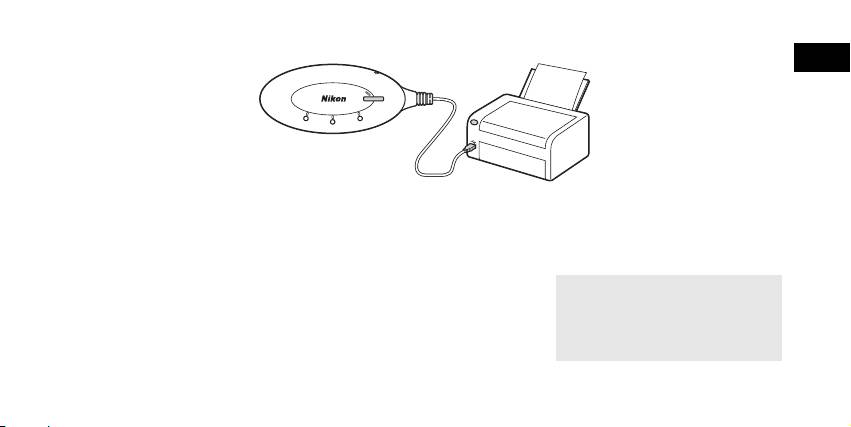
Connecting the PD-10 to a Printer
En
S
T
A
R
T
3
P
O
W
E
R
B
U
S
Y
LINK
22
P
O
W
E
R
1
1
Connect the USB cable of the
2
Turn the printer on and check that
3
Press the START button on the
PD-10 to the PictBridge connector
it is ready to print.
PD-10 to turn it on.
on the printer.
• Do not perform any operations with the
• The POWER lamp on the PD-10 lights,
PD-10 until the printer is ready to print.
and the LINK lamp changes from orange
to yellow green. The PD-10 is ready for
wireless connection.
Once a connection is established:
• If this is the first time the PD-10 is used
with the camera:
Proceed to p.6.
• To perform wireless printing:
Proceed to p.8.
5
Top 10 manuals
100.00
NZXT HALE90 1000W99.99
Samsung SM-R38099.97
AEG BSB 18C99.97
Dell 2700W99.97
Smeg KSEC70X99.96
Beurer HDE 4099.96
Pyramida KH 50 v.299.96
MSI CSM-H81M-P3299.96
AEG HR 562799.95
Melissa 640-048