
Nikon MB-D14: Battery Level Battery Info
Battery Level Battery Info: Nikon MB-D14
Table of contents
- Safety Precautions Precautions for Use
- D Notice for Customers in the U.S.A.
- The MB-D14 and Supplied Accessories Using the Optional EH-5a/EH-5b AC Adapter and EP-5B Power Connector
- The MB-D14 Control Lock
- Removing the Battery Pack
- Inserting Batteries
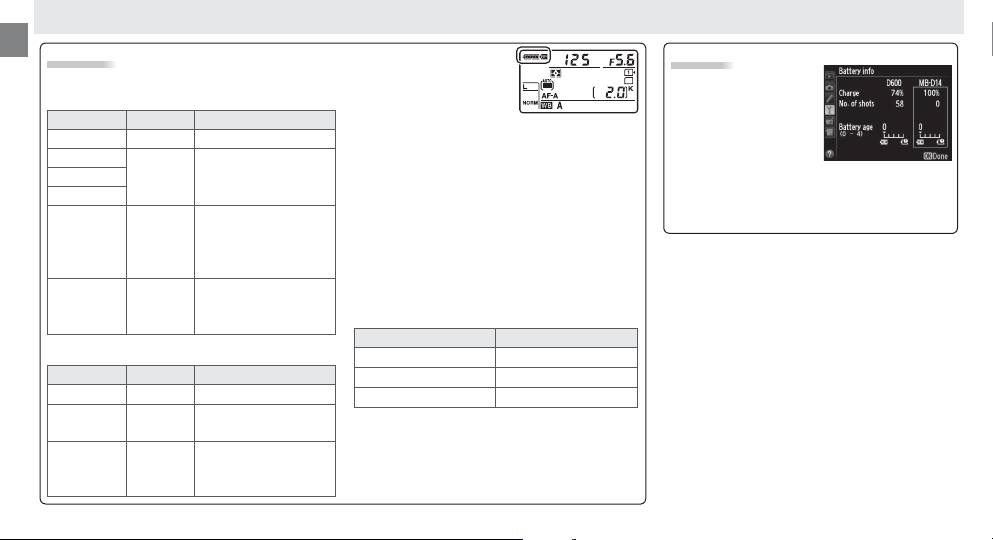
- Battery Level Battery Info
- Removing Batteries
- Speci cations
En
Battery Level
An option in Group d of
Battery Info
the camera Custom Set-
The camera displays battery level as follows:
Battery information can
tings menu can be used
EN-EL15
be viewed from the
to change the order in
camera setup menu
Control panel View nder Description
which the batteries are used.
When the camera
(the camera battery is
L
— Battery fully charged.
is drawing power from the MB-D14, a
s
icon
listed on the left, the
K
is displayed in the control panel.
If the
Battery partially
s
icon
MB-D14 on the right).
J
—
ashes, the battery-chamber cover is not locked.
discharged.
Only the battery level icon is shown when AA
I
Close and latch the battery-chamber cover.
batteries are used. See the camera manual for
Low battery.
Ready
To ensure that the camera shows the correct bat-
details.
fully-charged spare
H d
tery level when AA batteries are used, choose the
battery or charge
appropriate option for
MB-D14 battery type
in
battery.
the camera Custom Settings menu (Group d).
If
Battery exhausted.
the correct option is not selected, the camera
H
d
Charge or exchange
may fail to function as expected.
( ashes)
( ashes)
battery.
Option Battery type
AA Batteries
1
LR6 (AA alkaline) AA alkaline (LR6)
Control panel View nder Description
2
HR6 (AA Ni-MH) AA Ni-MH (HR6)
L
—
Charge remaining.
3
FR6 (AA lithium) AA Lithium (FR6)
Low batteries.
Ready
H d
Remove the batteries when the MB-D14 is not
spare batteries.
in use.
Batteries exhausted.
H
d
Shutter release
( ashes)
( ashes)
Note: The illustrations on this page are from the
disabled.
D600.
8
