
JVC KD-G441: instruction
Class: Auto, Moto equipment and Transportation
Type:
Manual for JVC KD-G441
ENGLISH
DEUTSCH
РУCCKИЙ
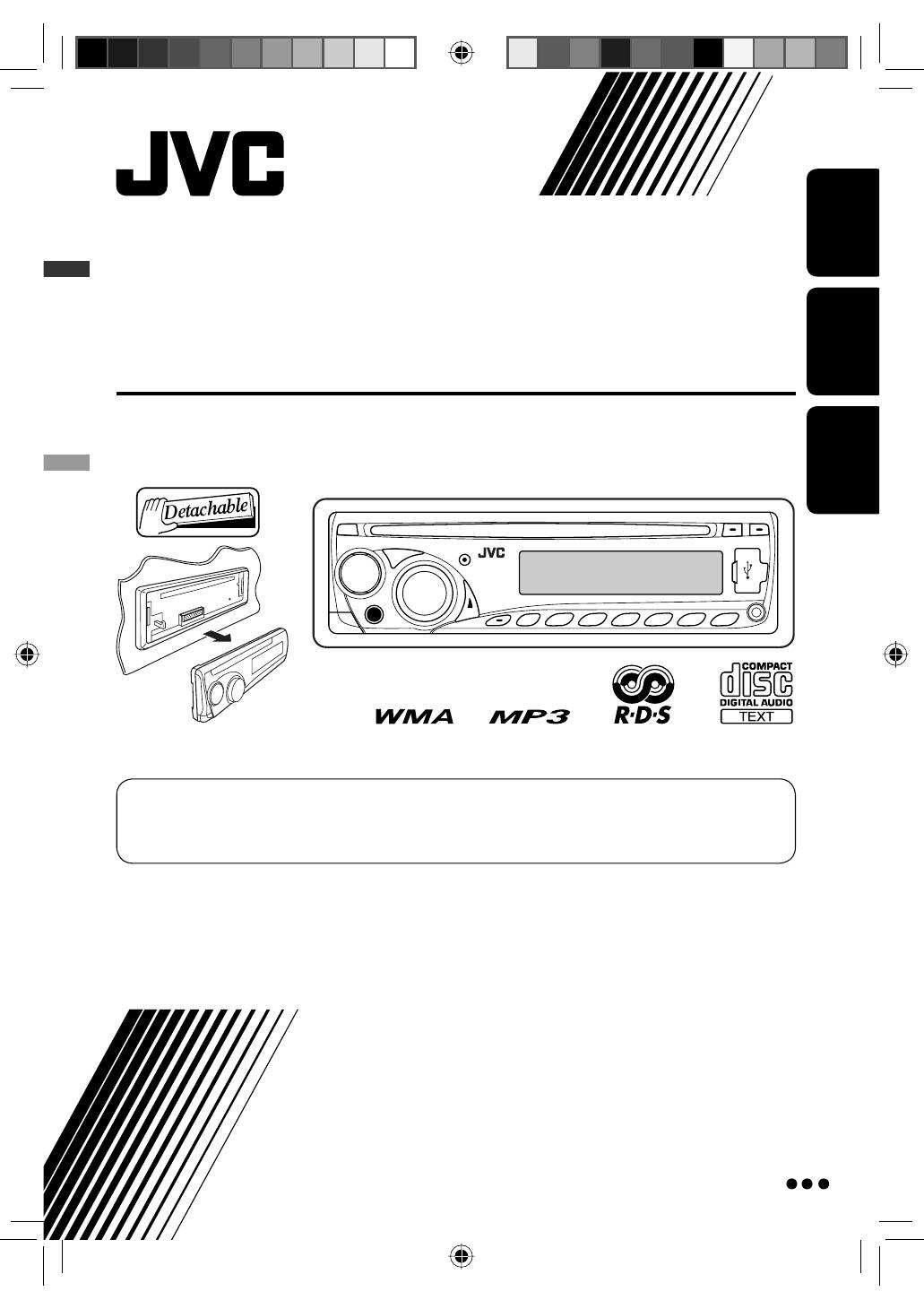
CD RECEIVER
CD-RECEIVER
РЕСИВЕР С ПРОИГРЫВАТЕЛЕМ КОМПАКТ-ДИСКОВ
KD-G441/KD-G352/KD-G351
For installation and connections, refer to the separate manual.
Für den Einbau und die Anschlüsse siehe das eigenständige Handbuch.
Указания по установке и выполнению соединений приводятся в отдельной инструкции.
INSTRUCTIONS
BEDIENUNGSANLEITUNG
ИНСТРУКЦИИ ПО ЭКСПЛУАТАЦИИ
GET0500-006B
[EY]
For canceling the display demonstration, see page 5.
Zum Abbrechen der Displaydemonstration siehe Seite 5.
Информацию об отмене демонстрации функций дисплея см. на стр. 5.
Cover_KD-G441_006B_ff.indd 2
Cover_KD-G441_006B_ff.indd 2
2/18/08 4:34:40 PM
2/18/08 4:34:40 PM
2
ENGLISH
Information for Users on Disposal of Old
Equipment
This symbol indicates that the product with
this symbol should not be disposed as general
household waste at its end-of-life. If you wish to
dispose of this product, please do so in accordance
with applicable national legislation or other rules in
your country and municipality. By disposing of this
product correctly, you will help to conserve natural
resources and will help prevent potential negative
effects on the environment and human health.
Warning:
If you need to operate the unit while driving, be
sure to look around carefully or you may be involved
in a traffic accident.
Thank you for purchasing a JVC product.
Please read all instructions carefully before operation, to ensure your complete understanding and to obtain the best
possible performance from the unit.
IMPORTANT FOR LASER PRODUCTS
1. CLASS 1 LASER PRODUCT
2.
CAUTION:
Do not open the top cover. There are no user serviceable parts inside the unit; leave all servicing to
qualified service personnel.
3.
CAUTION:
Visible and/or invisible class 1M laser radiation when open. Do not view directly with optical
instruments.
4. REPRODUCTION OF LABEL: CAUTION LABEL, PLACED OUTSIDE THE UNIT.
This symbol is only valid in
the European Union.
For security reasons, a numbered ID card is provided
with this unit, and the same ID number is imprinted on
the unit’s chassis. Keep the card in a safe place, as it will
help the authorities to identify your unit if stolen.
For safety...
• Do not raise the volume level too much, as this will
block outside sounds, making driving dangerous.
• Stop the car before performing any complicated
operations.
Temperature inside the car...
If you have parked the car for a long time in hot or cold
weather, wait until the temperature in the car becomes
normal before operating the unit.
The control panel illustrations used for explanation
in this manual is of KD-G441.
EN02-07_KD-G441_006A_f.indd 2
EN02-07_KD-G441_006A_f.indd 2
11/7/07 4:39:18 PM
11/7/07 4:39:18 PM
ENGLISH
3
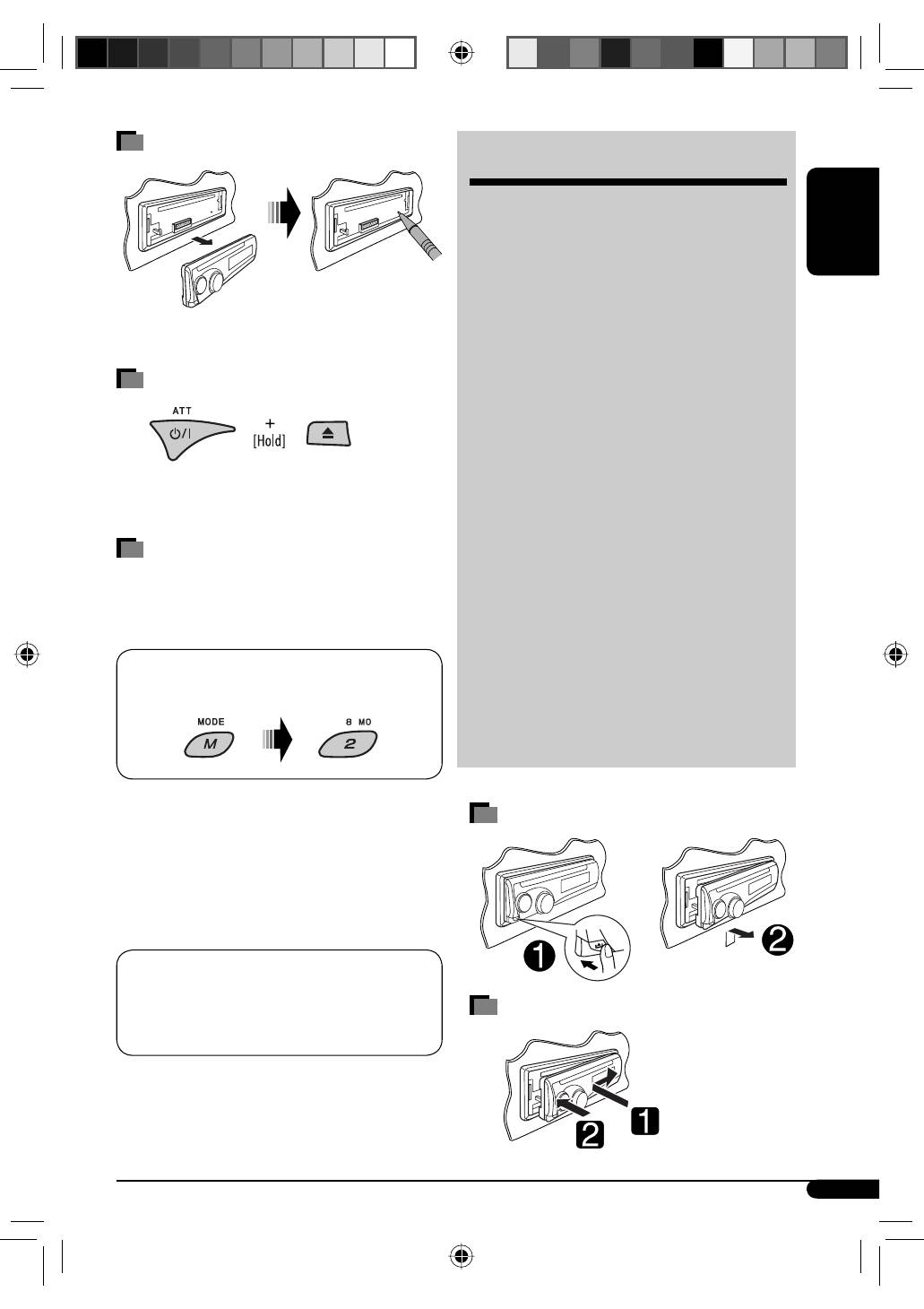
How to reset your unit
•
Your preset adjustments will also be erased.
How to forcibly eject a disc
•
Be careful not to drop the disc when it ejects.
•
If this does not work, reset your unit.
How to use the M MODE button
If you press M MODE, the unit goes into functions mode,
then the number buttons and
5
/
∞
buttons will work
as different function buttons.
Ex.: When number button 2 works as
MO (monaural) button.
To use these buttons for their original functions,
press M MODE again.
• Waiting for about 5 seconds without pressing any of
these buttons will automatically cancels the functions
mode.
KD-G441 is equipped with the steering wheel
remote control function.
• See the Installation/Connection Manual (separate
volume) for connection.
CONTENTS
Control panel
—
KD-G441/KD-G352/KD-G351
.............. 4
Getting started ................................. 5
Basic operations .................................................... 5
Radio operations .............................. 6
FM RDS operations ............................ 7
Searching for your favorite FM RDS programme ... 7
Disc/USB device operations ............... 10
Playing a disc in the unit ...................................... 10
Playing from a USB device ..................................... 10
Sound adjustments ........................... 13
General settings — PSM ................... 14
Other external component
operations .................................... 16
Remote controller — RM-RK50 ......... 17
More about this unit ......................... 18
Maintenance .................................... 21
Troubleshooting ............................... 22
Specifications ................................... 24
Detaching the control panel
Attaching the control panel
EN02-07_KD-G441_006B_ff.indd 3
EN02-07_KD-G441_006B_ff.indd 3
2/18/08 4:35:06 PM
2/18/08 4:35:06 PM
4
ENGLISH
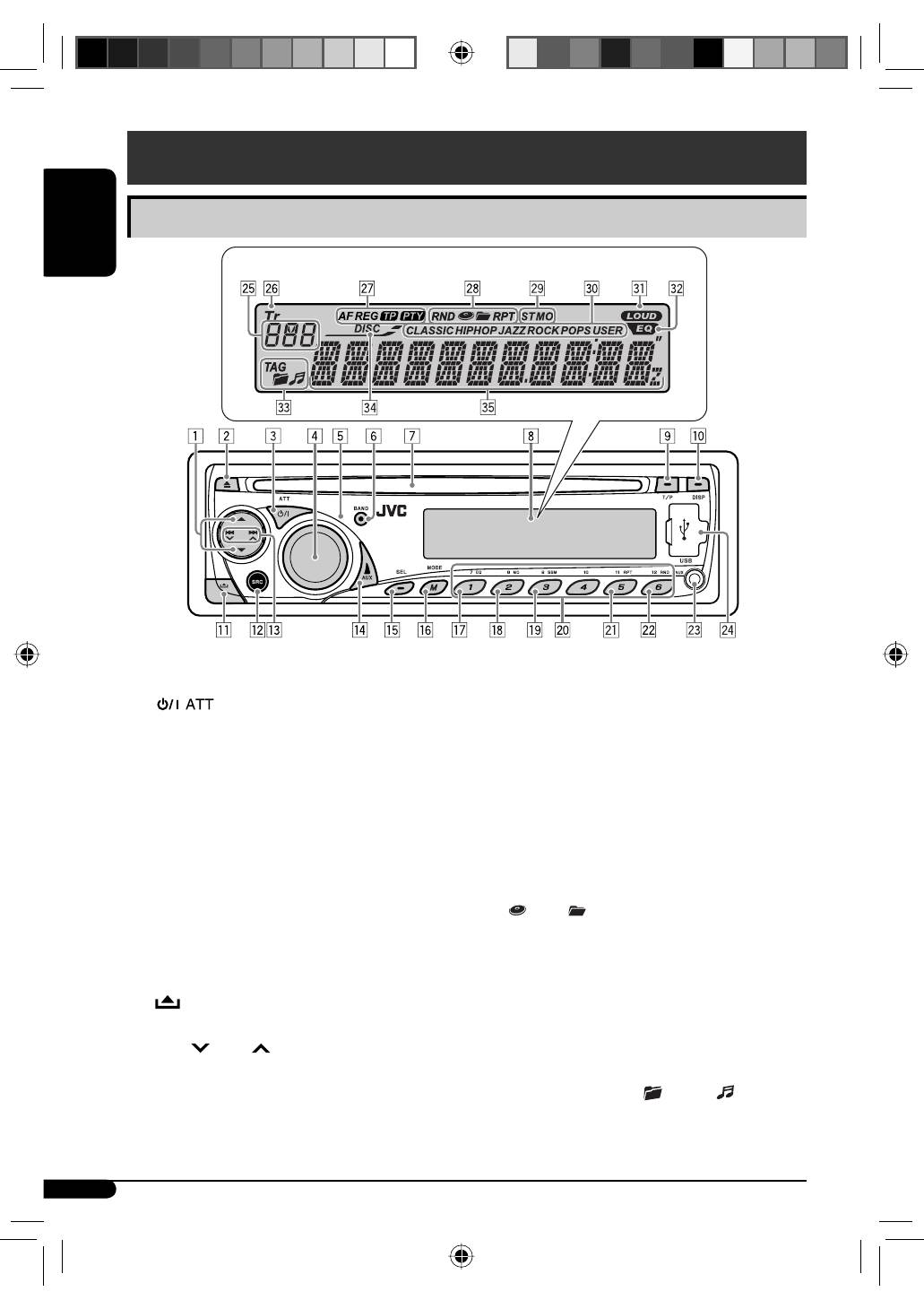
Parts identification
Display window
Control panel —
KD-G441/KD-G352/KD-G351
1
5
(up) /
∞
(down) buttons
2
0
(eject) button
3
(standby/on attenuator) button
4
Control dial
5
Remote sensor
• For KD-G441: You can control this unit with an
optionally purchased remote controller. For
details, see page 17.
• DO NOT expose the remote sensor to strong light
(direct sunlight or artificial lighting).
6
BAND button
7
Loading slot
8
Display window
9
T/P (traffic programme/programme type) button
p
DISP (display) button
q
(control panel release) button
w
SRC (source) button
e
4
/
¢
buttons
r
AUX (auxiliary) button
t
SEL (select) button
y
M MODE button
u
EQ (equalizer) button
i
MO (monaural) button
o
SSM (Strong-station Sequential Memory) button
;
Number buttons
a
RPT (repeat) button
s
RND (random) button
d
AUX (auxiliary) input jack
f
USB (Universal Serial Bus) input jack
g
Source display / Track number / Folder number /
Time countdown indicator
h
Tr (track) indicator
j
RDS indicators—AF, REG, TP, PTY
k
Playback mode / item indicators—RND (random),
(disc),
(folder), RPT (repeat)
l
Tuner reception indicators—ST (stereo),
MO (monaural)
/
Sound mode (iEQ: intelligent equalizer) indicators
—CLASSIC, HIP HOP, JAZZ, ROCK, POPS, USER
z
LOUD (loudness) indicator
x
EQ (equalizer) indicator
c
Disc information indicators—
TAG (Tag information),
(folder),
(track/file)
v
DISC indicator
b
Main display
EN02-07_KD-G441_006B_ff.indd 4
EN02-07_KD-G441_006B_ff.indd 4
2/18/08 4:35:08 PM
2/18/08 4:35:08 PM
Table of contents
- CONTENTS
- Control panel —
- Getting started
- Radio operations ~Ÿ!
- FM RDS operations
- !
- Disc / USB device operations
- Sound adjustments
- General settings — PSM
- ~
- Remote controller —
- More about this unit
- Maintenance
- Troubleshooting
- Specifications
- INHALT
- Bedienfeld —
- Erste Schritte
- Bedienung des Tuners ~Ÿ!
- UKW-RDS-Funktionen
- !
- Disc/USB-Gerätebetrieb
- Klangeinstellungen
- Allgemeine Einstellungen — PSM
- ~
- Fernbedienung —
- Weitere Informationen zu Ihrem Receiver
- Wartung
- Störungssuche
- Technische Daten
- CОДЕРЖАНИЕ
- Панель управления —
- Начало работы
- Операции с радиоприемником ~Ÿ!
- Операции с FM RDS
- !
- Операции с дисками или устройством USB
- Настройки звучания
- Общие настройки — PSM
- ~
- Пульт дистанционного управления —
- Дополнительная информация о приемнике
- Обслуживание
- Устранение проблем
- Технические характеристики


