
JVC KD-G441: General settings — PSM
General settings — PSM: JVC KD-G441
14
ENGLISH
General settings — PSM
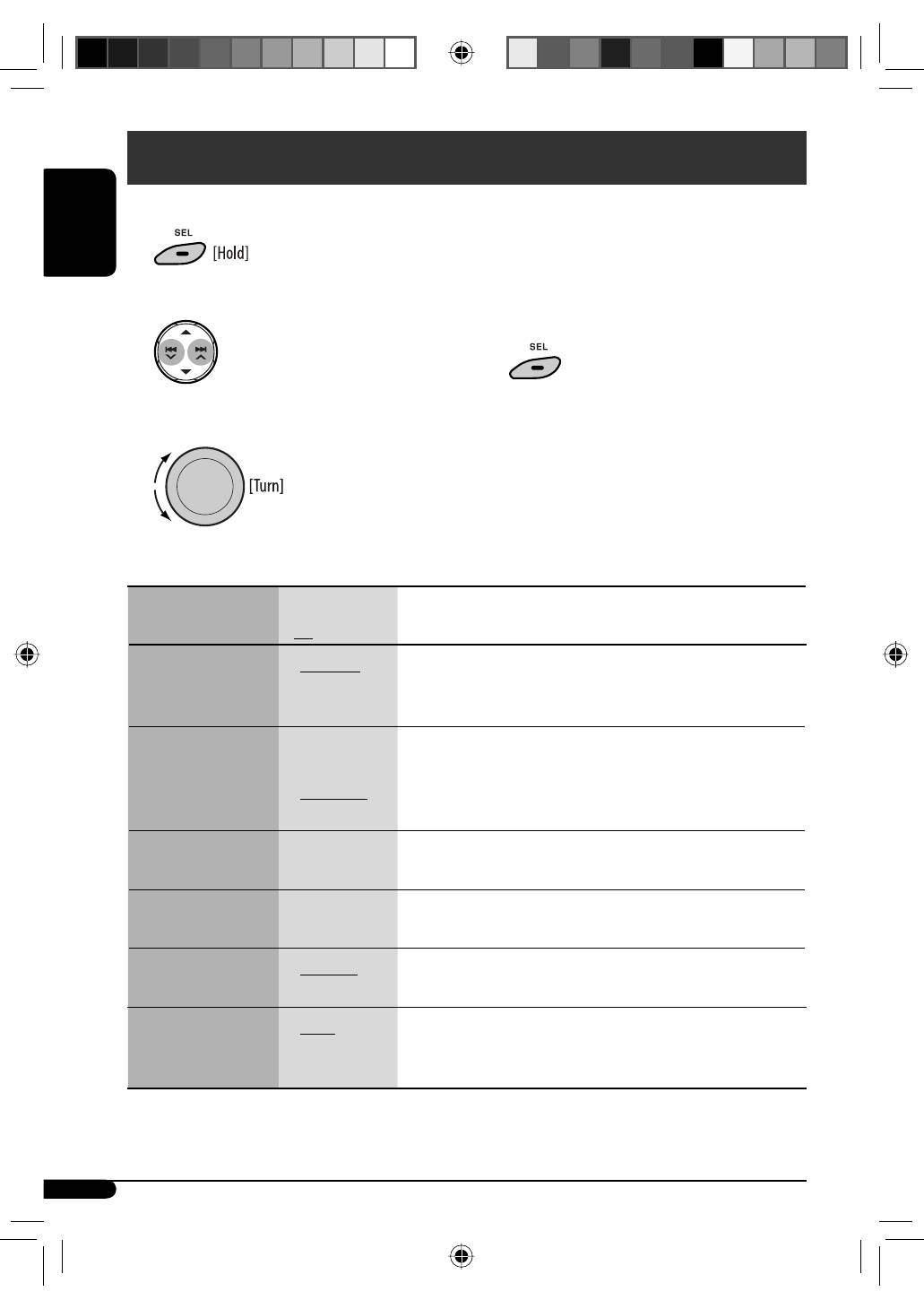
You can change PSM (Preferred Setting Mode) items listed in the table below and on pages 15 and 16.
4
Repeat steps 2 and 3 to adjust other PSM
items if necessary.
5
Finish the procedure.
1
2
Select a PSM item.
3
Adjust the PSM item selected.
Indications
Item
( : Initial)
Selectable settings, [reference page]
DEMO
Display demonstration
•
DEMO ON
•
DEMO OFF
: The display demonstration will be activated automatically if no
operation is done for about 20 seconds, [5].
: Cancels.
CLOCK DISP
*
1
Clock display
•
CLOCK ON
•
CLOCK OFF
: The clock time is shown on the display at all times when the
power is turned off.
: Cancels; pressing DISP will show the clock time for about
5 seconds when the power is turned off, [5].
CLOCK HOUR
Hour adjustment
0 – 23 (1 – 12)
[Initial: 0 (0:00)], [5].
CLOCK MIN
Minute adjustment
00 – 59
[Initial: 00 (0:00)], [5].
24H/12H
Time display mode
•
24 HOUR
•
12 HOUR
: See also page 5 for setting.
CLOCK ADJ
*
2
Clock adjustment
•
AUTO
•
OFF
: The built-in clock is automatically adjusted using the CT (clock
time) data in the RDS signal.
: Cancels.
*
1
If the power supply is not interrupted by turning off the ignition key of your car, it is recommended that you select
“CLOCK OFF” to save the car’s battery.
EN08-17_KD-G441_003A_4.indd 14
EN08-17_KD-G441_003A_4.indd 14
10/24/07 10:04:17 AM
10/24/07 10:04:17 AM

15
ENGLISH
Continued on the next page
Indications
Item
( : Initial)
Selectable settings, [reference page]
AF-REG
*
2
Alternative
frequency/
regionalization
reception
•
AF
•
AF-REG
•
AF OFF
: When the currently received signals become weak, the unit
switches to another station (the programme may differ from the
one currently received), [9].
• The AF indicator lights up.
: When the currently received signals become weak, the unit
switches to another station broadcasting the same programme.
• The AF and REG indicators light up.
: Cancels.
PTY-STANDBY
*
2
PTY standby
OFF, PTY codes
Activates PTY Standby Reception with one of the PTY codes, [8, 9].
TA VOLUME
*
2
Traffic
announcement
volume
VOLUME 00
– VOLUME 50
(
or
VOLUME 00
– VOLUME 30)
*
3
[Initial: VOLUME 15]
P-SEARCH
*
2
Programme search
•
ON
•
OFF
: Activates Programme Search, [9].
: Cancels.
DIMMER
Dimmer
•
ON
•
OFF
: Dims the display and button illumination.
: Cancels.
TEL MUTING
Telephone muting
•
MUTING 1/
MUTING 2
•
MUTING OFF
: Select either one which mutes the sounds while using a cellular
phone.
: Cancels.
SCROLL
*
4
Scroll
•
ONCE
•
AUTO
•
OFF
: Scrolls the displayed information once.
: Repeats scrolling (at 5-second intervals).
: Cancels.
• Pressing DISP for more than one second can scroll the display
regardless of the setting.
L/O MODE
*
5
Line output mode
•
REAR
•
SUB.W
: Select if the REAR LINE OUT terminals are used for connecting the
speakers (through an external amplifier).
: Select if the REAR LINE OUT terminals are used for connecting a
subwoofer (through an external amplifier).
*
2
Only for FM RDS stations.
*
3
Depends on the amplifier gain control.
*
4
Some characters or symbols will not be shown correctly (or will be blanked) on the display.
*
5
For KD-G441.
EN08-17_KD-G441_003A_4.indd 15
EN08-17_KD-G441_003A_4.indd 15
11/6/07 3:01:18 PM
11/6/07 3:01:18 PM
Table of contents
- CONTENTS
- Control panel —
- Getting started
- Radio operations ~Ÿ!
- FM RDS operations
- !
- Disc / USB device operations
- Sound adjustments
- General settings — PSM
- ~
- Remote controller —
- More about this unit
- Maintenance
- Troubleshooting
- Specifications
- INHALT
- Bedienfeld —
- Erste Schritte
- Bedienung des Tuners ~Ÿ!
- UKW-RDS-Funktionen
- !
- Disc/USB-Gerätebetrieb
- Klangeinstellungen
- Allgemeine Einstellungen — PSM
- ~
- Fernbedienung —
- Weitere Informationen zu Ihrem Receiver
- Wartung
- Störungssuche
- Technische Daten
- CОДЕРЖАНИЕ
- Панель управления —
- Начало работы
- Операции с радиоприемником ~Ÿ!
- Операции с FM RDS
- !
- Операции с дисками или устройством USB
- Настройки звучания
- Общие настройки — PSM
- ~
- Пульт дистанционного управления —
- Дополнительная информация о приемнике
- Обслуживание
- Устранение проблем
- Технические характеристики


