
Canon i-SENSYS MF5980dw: English
English: Canon i-SENSYS MF5980dw
Table of contents
- Starter Guide
- Check! Check!
- Option
- English
- English Contents
- English About the Supplied Manuals
- English Navigating the Menu and Text Input Method
- English Attach the Optional Drawer to the Main Unit English
- English Connecting the Power Cord and Turning ON the Power English Specifying the Initial Settings
- English Setting a Paper Size and Type
- English Specifying Initial Fax Settings and Connecting a Telephone Cable
- English
- Selecting the method for connecting to the machine English
- English Connecting to Wired LAN
- English Installing the Driver/Software
- Copy Perform Useful Tasks
English Français
Italiano Deutsch
8
English
7-3
Exit the Fax Setup Guide, and then restart the machine.
Turn OFF the machine, wait for at least 10 seconds, and then it back ON.
The telephone line types are not detected automatically. See the e-Manual and set a telephone line manually.
e-Manual -> "Fax" -> "Using the Fax Functions" -> "Changing Fax Settings (Settings that Can Be Speci
fi
ed Using the [Menu] Button)" ->
"Con
fi
guring Send Settings" -> "Select Line Type."
For Network Connection
9 "Connecting to Wired LAN" (P.10)
For USB Connection
10 "Installing the Driver/Software" (P.11)
Français
7-3
Quittez le Guide de con
fi
guration du fax, puis redémarrez la machine.
Mettez la machine hors tension, puis attendez au moins 10 secondes avant de la remettre sous tension.
Les types de ligne téléphonique ne sont pas détectés automatiquement. Reportez-vous au manuel électronique et con
fi
gurez manuellement la ligne
téléphonique.
Manuel électronique -> "Fax" -> "Utilisation des fonctions de fax" -> "Modi
fi
cation des réglages de fax (Eléments pouvant être spéci
fi
és avec le
bouton [Menu])" -> "Con
fi
guration des réglages d'envoi" -> "Choix du type de ligne".
Pour la connexion réseau
9 "Connexion au réseau sans
fi
l" (P.10)
Avec une connexion USB
10 "Installation du pilote/logiciel" (P.11)
Italiano
7-3
Chiudere la Guida con
fi
gurazione fax e riavviare la macchina.
Spegnere la macchina, attendere almeno 10 secondi e quindi riaccenderla.
Le tipologie di linea telefonica non vengono riconosciute automaticamente. Consultare l'e-Manual e impostare manualmente una linea telefonica.
e-Manual -> "Fax" -> "Utilizzo delle funzioni fax" -> "Modi
fi
ca delle impostazioni fax (impostazioni selezionabili utilizzando il pulsante [Menu])" ->
"Con
fi
gurazione delle impostazioni di invio" -> "Selezione tipo linea".
Per il collegamento di rete
9 "Collegamento alla LAN cablata" (Pag.10)
Per il collegamento USB
10 "Installazione di driver/software" (Pag.11)
Deutsch
7-3
Beenden Sie das Fax Setup Handbuch, und starten Sie das Gerät dann erneut.
Schalten Sie das Gerät aus, warten Sie mindestens 10 Sekunden, und schalten Sie es dann wieder ein.
Die Telefonleitungstypen werden nicht automatisch erkannt. Lesen Sie in der e-Anleitung nach, und legen Sie die Telefonleitung manuell fest.
e-Anleitung -> "Fax" -> "Verwenden der Faxfunktionen" -> "Ändern der Faxeinstellungen (Einstellungen, die über die Schalt
fl
äche [Menü]
angegeben werden können)" -> "Kon
fi
gurieren von Sendeeinstellungen" -> "Leitungstyp wählen".
Für Netzwerkverbindung
9 "Herstellen einer Verbindung zu einem Wired LAN" (S.10)
Für USB-Verbindung
10 "Installieren des Treibers bzw. der Software" (S.11)
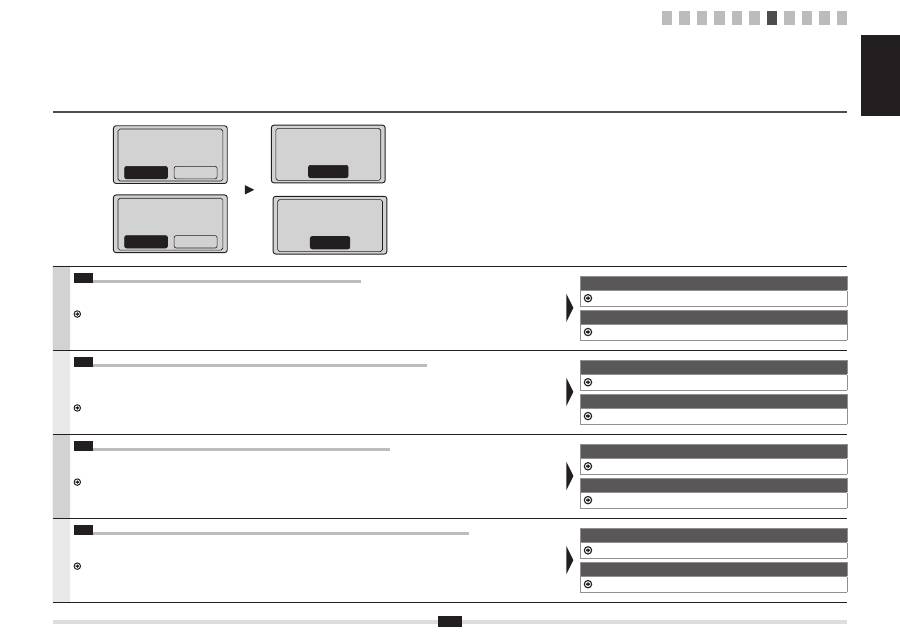
End Fax Setup Guide?
No
Yes
Terminer guide
d'installation fax ?
Non
Oui
Mettre la machine
hors/ss tension pour
appliquer réglages.
OK
Turn the main power
OFF and ON to apply
settings.
OK
1 2 3 4 5 6 7 8 9 10 11
