
Olympus STYLUS 1030 SW: Menus and settings
Menus and settings: Olympus STYLUS 1030 SW
Menus and settings
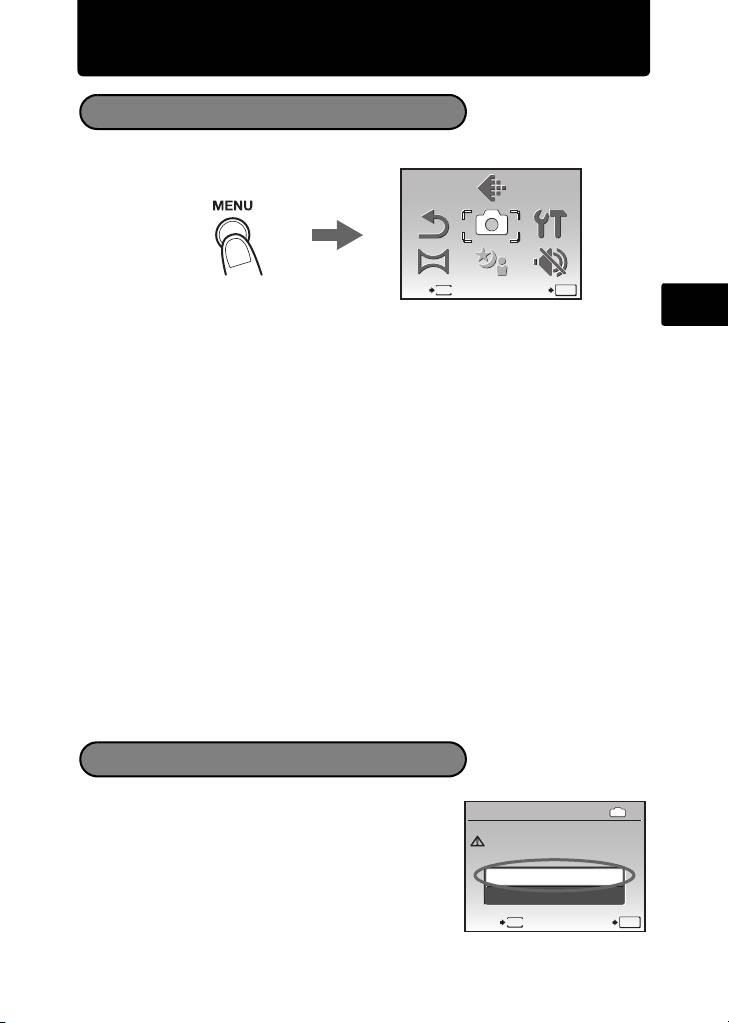
Top Menu
1 Press m to display the top menu.
En
2 Use the arrow pad (1243) to select menu items, and press o to set them.
IMAGE QUALITY
Set the image quality of the picture you will shoot according to its intended
purpose.
RESET
Return the changed shooting functions back to default settings.
CAMERA MENU
Adjust various shooting settings.
SETUP
Set the date, time, language, and operation sound, etc.
PANORAMA
Taking and combining panoramic pictures. An Olympus xD-Picture Card is
required for panorama shooting.
SCN (Scene)
Select the scene according to the subject and shooting condition when the
s mode is selected.
SILENT MODE
Mute operational sounds that occur during shooting and playback,warning
beeps, shutter sounds, etc.
1 From the top menu of playback mode, select
[ERASE] -> [ALL ERASE], and press o.
2 Select [YES] and press o.
All the pictures are erased.
15
SCN
SCN
RESET
RESET
PANORAMA
PANORAMA
CAMERA
MENU
CAMERA
MENU
SILENT
MODE
SILENT
MODE
EXIT SET
MENU
OK
IMAGE
QUALITY
IMAGE
QUALITY
SETUP
SETUP
Top menu in shooting mode
Erase All Pictures
IN
BACK
MENU
SET
OK
YES
CAUTION ERASING ALL
YES
NO
CAUTION ERASING ALL
ALL ERASE
ALL ERASE
d4354_basic_e_00.book Page 15 Tuesday, December 18, 2007 5:26 PM
Table of contents
- Table of Contents
- Gather these items (box contents)
- Prepare the camera
- Turn the camera on
- Set date and time
- Select a language
- Take a picture
- View pictures
- Basic operation
- Menus and settings
- Connecting the camera
- Transfer images
- OLYMPUS Master Software
- Specifications
- Safety precautions
- Table des matières
- Sélectionnez une langue
- Fonctionnement de base
- Menus et réglages
- Connexion de l’appareil photo
- Transférez des images
- Logiciel OLYMPUS Master
- Caractéristiques
- Précautions de sécurité
- Contenidos
- Seleccionar un idioma
- Ver fotografias
- Funcionamiento básico
- Menús y ajustes
- Conexión de la cámara
- Transferencia de imágenes
- Software OLYMPUS Master
- Especificaciones
- Precauciones de seguridad
- Inhaltsverzeichnis
- Überprüfen Sie, ob die folgenden Komponenten (Verpackungsinhalt) vorhanden sind
- Vorbereiten der Kamera
- Die Kamera einschalten
- Stellen Sie das Datum und die Zeit ein
- Eine Sprache auswählen
- Ein Bild aufnehmen
- Bilder anzeigen
- Grundlegende Bedienung
- Menüs und Einstellungen
- Die Kamera anschließen
- Bilder übertragen
- OLYMPUS Master-Software
- Technische Daten
- Sicherheitshinweise
- Содержание
- Выньте из коробки эти предметы
- Подготовьте фотокамеру
- Включите фотокамеру
- Установите дату и время
- Выберите язык
- Съемка
- Просмотр снимков
- Основные операции
- Меню и настройки
- Подсоединение фотокамеры
- Перенос изображений
- Программное обеспечение OLYMPUS Master
- Технические характеристики
- Меры предосторожности


