
Yamaha CD-S300: PLAYING BACK iPod/USB DEVICE Connecting iPod/USB devices Playing back iPod Playing back USB devices
PLAYING BACK iPod/USB DEVICE Connecting iPod/USB devices Playing back iPod Playing back USB devices: Yamaha CD-S300
Table of contents
- CAUTION: READ THIS BEFORE OPERATING YOUR UNIT.
- CONTROLS AND FUNCTIONS Front panel
- Rear panel connections
- Remote control
- Program playback
- PLAYING BACK iPod/USB DEVICE Connecting iPod/USB devices Playing back iPod Playing back USB devices
- Disconnecting iPod/USB devices Supported iPod/USB devices
- PLAYABLE DISC AND FILE FORMAT
- PLAYABLE DISC AND FILE FORMAT USING THE ADVANCED SETUP
- TROUBLESHOOTING Problems Possible Causes Solutions
- Problems Possible Causes Solutions SPECIFICATIONS
OPERATION
PLAYING BACK iPod/USB DEVICE
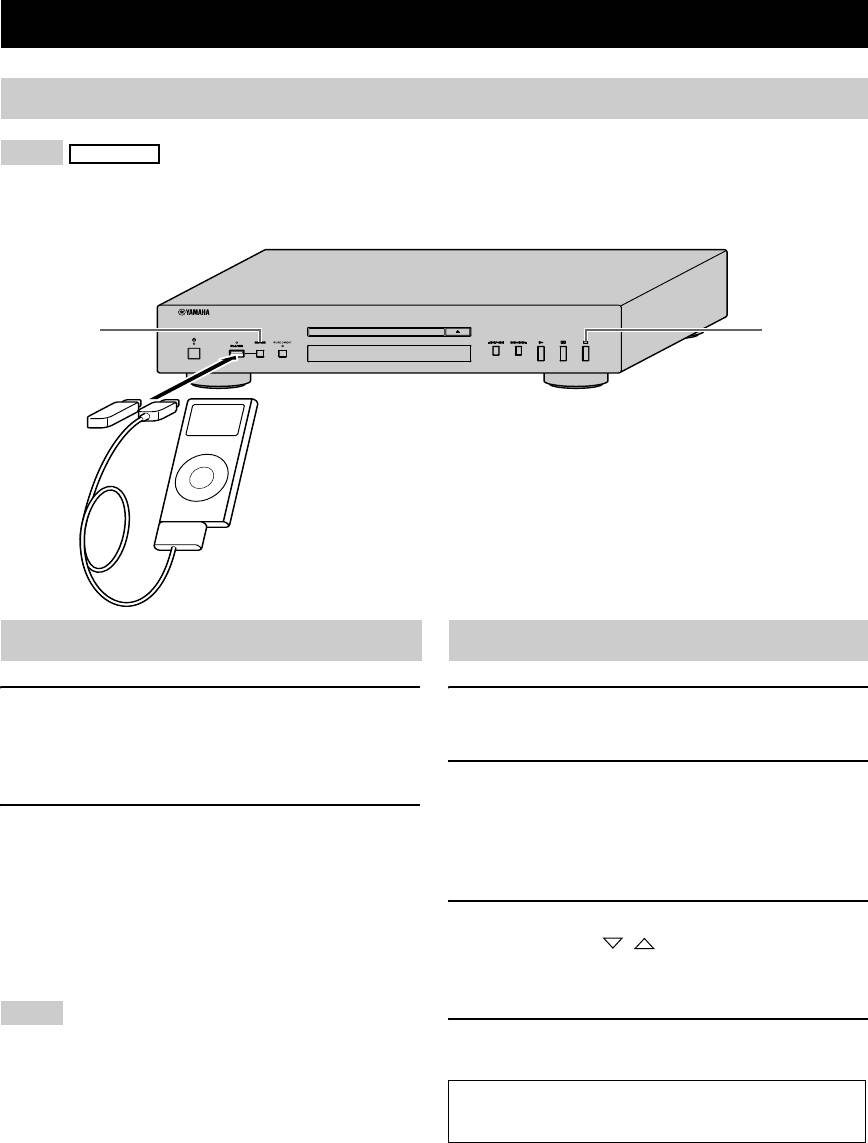
Connecting iPod/USB devices
Notes
iPod
• Use the USB cable supplied with your iPod. If no USB cable is supplied, purchase one from Apple Inc.
• Turn off your iPod.
• Do not use a USB hub.
1
4
Connect your USB device or iPod via USB cable
Playing back iPod
Playing back USB devices
1 Press CD/USB to select the iPod/USB mode.
1 Press CD/USB to select the iPod/USB mode.
The iPod/USB indicator on the front panel lights up
The iPod/USB indicator on the front panel lights up.
in orange, then changes to green when playback is
ready.
2 Start playback.
Filename is displayed in the front panel display and
2 Start playback.
playback starts automatically in order by date and
Operate your iPod to start playback, select a track,
time of creation if playable files are in the USB
pause, and stop playback.
device.
y
You can also use the following buttons: p (Playback), e
3 Select a track.
(Pause), s (Stop), b (Skip backward), a (Skip forward),
Press FOLDER / on the remote control to
w (Search backward), and f (Search forward) on this unit
select a folder, and then press b/a or numeric
or Remote Control.
buttons to select a track.
Note
4 Stop playback.
iPod may not function properly with this unit if software on iPod
is not updated. Be sure to use the latest version of iPod software.
Press s (Stop).
See pages 8 for more information on MP3/WMA
playback.
6 En
