
Acme F300: Basic Operation Installing F300 Switching on/off F300
Basic Operation Installing F300 Switching on/off F300: Acme F300
Table of contents
- Before using Overview Main Body Cigarette Adaptor
- Basic Operation Installing F300 Switching on/off F300
- Pairing the F300 with Bluetooth Devices
- Playing Music
- Operating the F300 The Status of Function Operation the F300 Basic function: The function of making call:
- The function of playing music: LED Indicators FAQ
- Specification
- Care and maintenance
GB
11 Line Out—3.5mm audio output
12 Connecting slot
13 Spring button
14 Connecting thimble
15 Cigarette adaptor
16 Power indicator light
17
button – Power switch
18 Flexible neck
19 Connecting buckle
Basic Operation
Installing F300
Connect Cigarette Adaptor to Car Cigarette Socket
• The output voltage of car cigarette socket provided
power for the F300 must be DC 12V, the maximum voltage
must not exceed DC 13.5 V.
• The product is not suitable for some cigarette sockets
whose output voltage is DC 24
Connect Cigarette Adaptor with Main Body
Press down spring button, connect connecting buckle to
the connecting slot of main body, and then release the
spring button, a successful connection has been achieved.
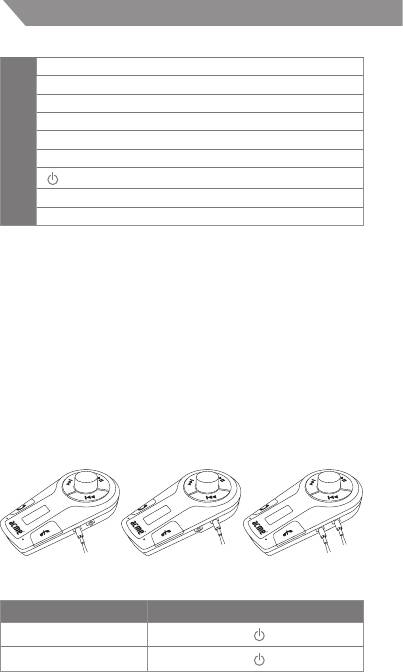
3.5mm Audio Cable Connection
Line in Line out Line in & Line out
Switching on/off F300
Function Operation
Switch on the F300
Briey press the
button
Switch o the F300
Briey press the
button
Note: The F300 will enter into pairing mode automatic call
every time it is switched on.
Adjusting Frequency
Before using the F300, you have to adjust the frequency of the
F300 to be same as the frequency on the car FM radio.
4


