
Acme F100-01: Pla y / Pause Start / Stop the music The FM Transmitter has 206 frequencies (87.5 – 108.0 MHz) to use.
Pla y / Pause Start / Stop the music The FM Transmitter has 206 frequencies (87.5 – 108.0 MHz) to use.: Acme F100-01
Table of contents
- Pla y / Pause Start / Stop the music The FM Transmitter has 206 frequencies (87.5 – 108.0 MHz) to use.
- Replacing the Remote Control Battery Technical Parameters Security and Disposal Hints for Batteries
- Hints for Environment Protection Cleaning
(#
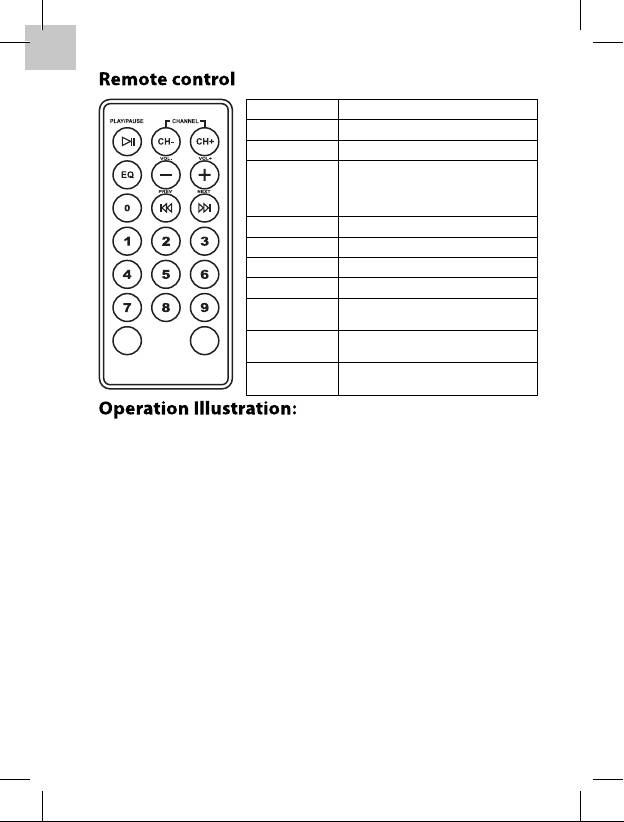
Pla
y / Pause Start / Stop the music
CH ( -- ) Frequency down
CH ( + ) Frequency up
Changes sound characteristic:
E0(NORM
AL) E2(ROCK)
→E1(POP)
→
→
EQ
E3(JAZZ)
→
E5(CLASSIC)
→
E5(COUNTRY)
Volume ( -- ) Volume down
Volume ( + ) Volume up
PREV Previous track
NEXT Next track
Number keys for setting the
0123456789
frequency and picking songs
PICK
CH SET
SONG
Con rms picking a song after
Pick Song
selection with the number keys
Con rms frequency setting after
CH Set
selection with the number keys
1.
The FM Transmitter has 206 frequencies (87.5 – 108.0 MHz) to use.
• Usage of the number keys (0 – 9) to select a frequency.
• Then press CH SET key to con rm and save the frequency.
2. Use number keys (0 – 9) to select the music track number.
• Then press PICK SONG key to con rm.
3. Every time EQ is pressed the sound characteristics are changed:
•
E0(NORM
AL)
→E1(POP)
→
E2(ROCK) E3(JAZZ) E4(CLASSIC)
→
→
→
E5(COUNTRY)
• Press EQ key for about 4 seconds and the system returns back to
E0(NORM
AL).
4. Last settings for volume, FM-transmission-frequency and music
track are stored when the device is turned o .
5. USB and SD-card can both be connected to the device. The rst
medium connected, either USB or SD-card, is played. To select the
other medium, the rst one must be disconnected.
6. When an external audio device is connected to the Line-In jack,
the playback from USB or SD-card stops automatically and cannot
be started or paused by pressing the PLAY/PAUSE button.
