
Nikon AF-S VR 28-300mm f-3.5-5.6GED: Vibration reduction mode (VRⅡ)
Vibration reduction mode (VRⅡ): Nikon AF-S VR 28-300mm f-3.5-5.6GED
Table of contents
- Notes on Safety Operations
- Nomenclature
- Major features Usable cameras and available functions
- Focusing, zooming, and depth of field Setting the aperture Variable maximum apertures Focusing
- Vibration reduction mode (VRⅡ)
- Setting the vibration reduction mode switch Notes on using vibration reduction
- Using the lens hood The built-in flash and vignetting
- Recommended focusing screens
- Lens care Standard accessories Optional accessories
- Specifications
Autofocus with manual override (M/A mode)
a
Set the lens focus mode switch to M/A.
b
Autofocus is enabled, but autofocus operation can be overridden by rotating
Jp
the separate focus ring while pressing the shutter-release button halfway, or
by pressing the AF-ON button on the camera body of cameras so equipped.
En
c
Press the shutter-release button halfway or the AF-ON button once again to
cancel manual focus and resume autofocus.
De
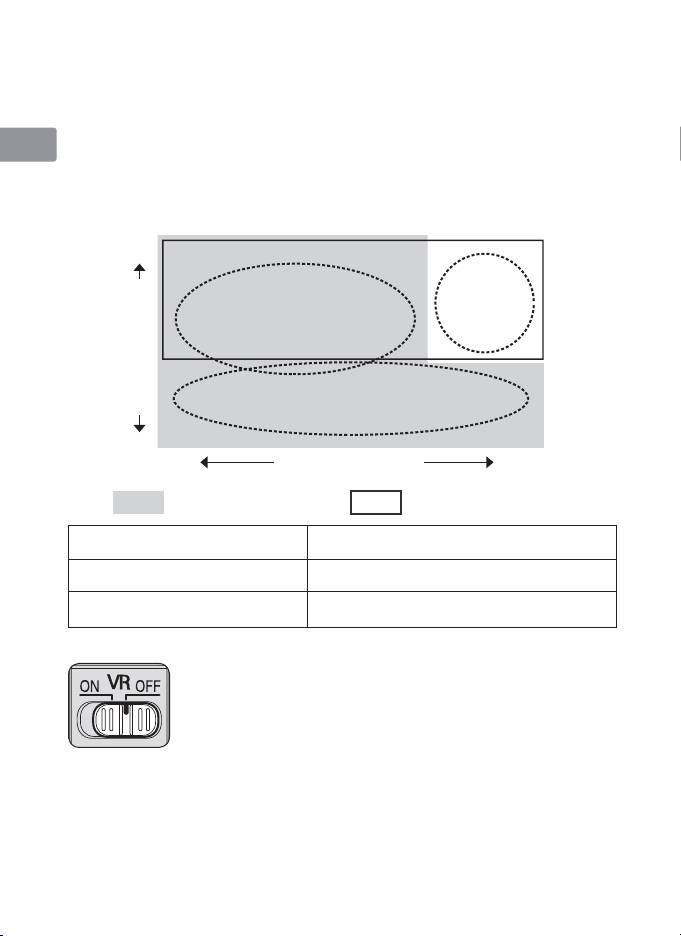
Vibration reduction mode (VRⅡ)
Basic concept of vibration reduction
Fr
High
Strong
Es
camera shake
when taking
pictures
Camera shake
Se
from a moving
vehicle
Ru
Panning shots
Nl
Number of vibrations
It
Low
Weak
Strength of vibrations
Strong
Ck
Set the vibration reduction
Set the vibration reduction
mode switch to NORMAL.
mode switch to ACTIVE.
Ch
Set the vibration reduction mode switch to
When taking pictures
either NORMAL or ACTIVE.
Set the vibration reduction mode switch
Kr
When taking panning shots
to NORMAL.
When taking pictures from
Set the vibration reduction mode switch
a moving vehicle
to ACTIVE.
Setting the vibration reduction ON/OFF switch
ON: The effects of camera shake are reduced while the
shutter-release button is pressed halfway and also at
the instant the shutter is released. Because vibration is
reduced in the viewfinder, auto/manual focusing and
exact framing of the subject are easier.
OFF: The effects of camera shake are not reduced.
16
