
Canon i-SENSYS MF5940dn: English Setting a Paper Size and Type
English Setting a Paper Size and Type: Canon i-SENSYS MF5940dn
Table of contents
- Starter Guide
- Check! Check!
- English
- English Contents
- English About the Supplied Manuals
- English Navigating the Menu and Text Input Method
- English Attach the Optional Drawer to the Main Unit English
- English Connecting the Power Cord and Turning ON the Power English Specifying the Initial Settings
- English Setting a Paper Size and Type
- English Connect a telephone cable. Specifying Initial Fax Settings and Connecting a Telephone Cable
- English
- Selecting the method for connecting to the machine English
- English Connecting to Wired LAN
- English Installing the Driver/Software
- Copy Perform Useful Tasks
English Français
Italiano Deutsch
6
English
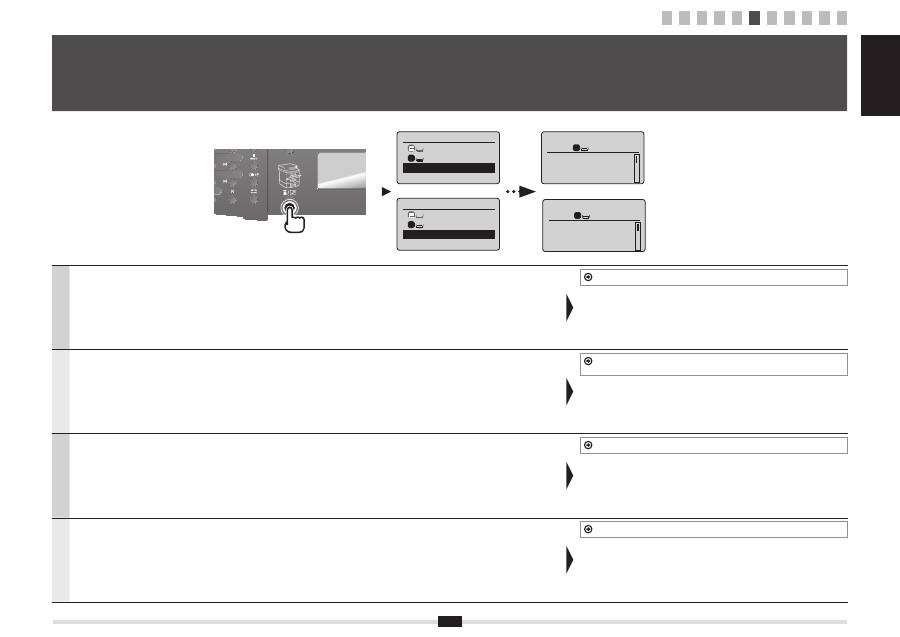
Follow the instructions on the screen, set the paper size and type.
After completing the setting, specify the following settings.
7 "Specifying Initial Fax Settings and Connecting a Telephone Cable" (P.7)
Français
Suivez les instructions à l'écran pour dé
fi
nir le format et le type de papier.
Une fois le paramétrage effectué, spéci
fi
ez les paramètres suivants.
7 "Spéci
fi
cation des paramètres de fax initiaux et connexion du câble téléphonique"
(P.7)
Italiano
Seguire le istruzioni visualizzate per impostare il formato e il tipo di carta.
Dopo aver completato l'impostazione, selezionare le impostazioni seguenti.
7 "Impostazioni iniziali del fax e collegamento di un cavo telefonico" (Pag.7)
Deutsch
Folgen Sie den Anweisungen auf dem Bildschirm, und stellen Sie das Papierformat und den Papiertyp ein.
Wenn Sie die Einstellung abgeschlossen haben, geben Sie die folgenden Einstellungen an.
7 "Angeben der Anfangsfaxeinstellungen und Anschließen eines Telefonkabels" (S.7)
6
Setting a Paper Size and Type
Réglage du format et du type de papier
Impostazione di un formato e di un tipo di carta
Einstellen eines Papierformats und Papiertyps
Select Paper
MP Tray
LTR:Plain
Paper Settings
1
Choisir le papier
Bac multifonct.
A4:Ordinaire
Réglages du papier
1
Copy: Press Start
100% A4
Density: 0
Original Type: Text
...
2-Sided: Off
1
+
-
1
1 2 3 4 5 6 7 8 9 10 11
Copie: tche Copie
100% A4
Densité: 0
Type d'original: Te
...
Recto verso: Non
1
+
-
