
Nikon PC-E Micro NIKKOR 85mm f-2.8D: 8. Focusing
8. Focusing: Nikon PC-E Micro NIKKOR 85mm f-2.8D
Table of contents
- Notes on Safety Operations
- 1. Nomenclature
- 2. Major features
- 3. Usable cameras and available functions
- Aperture stop-down button (one-touch preset aperture operation)
- Important! 4. Mounting lens
- 5. Using bayonet hood HB-22 6. Determining exposure
- When using other Nikon cameras Determining exposure (with an external exposure meter)
- 7. The shift/tilt function Important The shift function The tilt function
- Revolving
- 8. Focusing
- 9. Depth of field 10. Focusing at a predetermined reproduction ratio 11. Notes on close-up photography and duplication work
- 12. Taking flash pictures using cameras with a built-in flash
- 13. Recommended focusing screens
- 14. Lens care 15. Standard accessories 16. Optional accessories
- 17. Specifications
- Weight: Approx. 635 g (22.4 oz)
8. Focusing
En
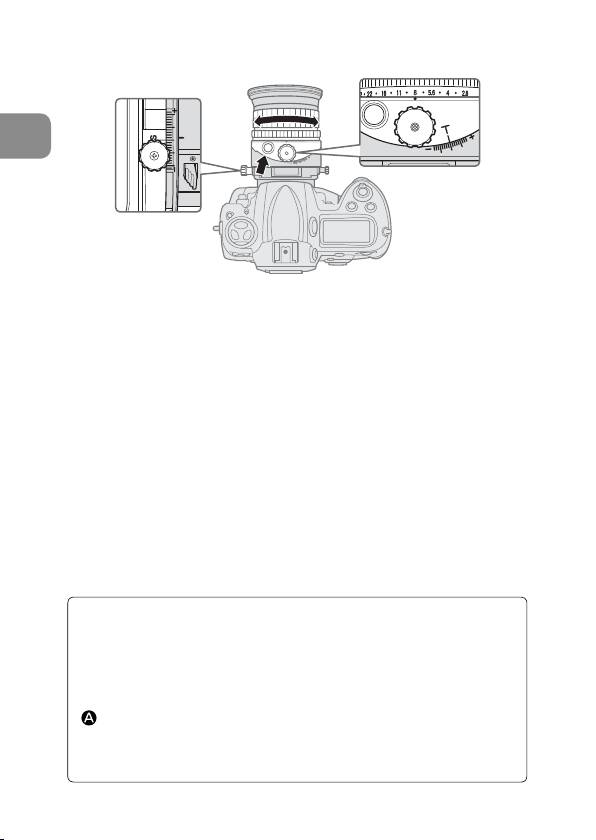
Fig. 10
a
Set the aperture to its maximum by pressing the aperture stop-
down button, and focus by rotating the focus ring.
b
Before shooting, press the aperture stop-down button again to
stop-down the aperture.
•
When using the Nikon D3, D700, D300 or D90 camera, you can take a
picture without operating the aperture stop-down button (the aperture
can be stopped down to a selected aperture automatically by pressing
the shutter release button without pressing the aperture stop-down
button). Alternatively, the aperture stop-down button can be used.
• While using tilting and/or shifting, the camera’s electronic range
finder cannot be used to confirm correct focusing. Focus should
be confirmed by checking the image in the camera's viewfinder.
•
When you change the degree of tilt and/or shift after focusing
the subject will become out of focus.
Infrared compensation
For photography using infrared film, attach a red (R60) filter to
the lens and compensate the focus manually.
First, focus on the subject manually. Rotate the focus ring to
realign the desired distance scale number (“2 m” in Fig. 11) to
(middle between “16” on the depth of field scale and the
distance index) to compensate the focus. Attach an R60 filter
for infrared photography.
28
