
Acme CR03: Contents Specifications Features Card reader installation
Contents Specifications Features Card reader installation: Acme CR03
Table of contents
- Safety Instructions
- Contents Specifications Features Card reader installation
- Warranty card www.acme.eu/warranty
GB
Contents
• Card reader
• User’s manual
• Warranty card
Specifications
• Supports USB 2.0
• Compatible with Windows 2000 / XP / Vista / 7
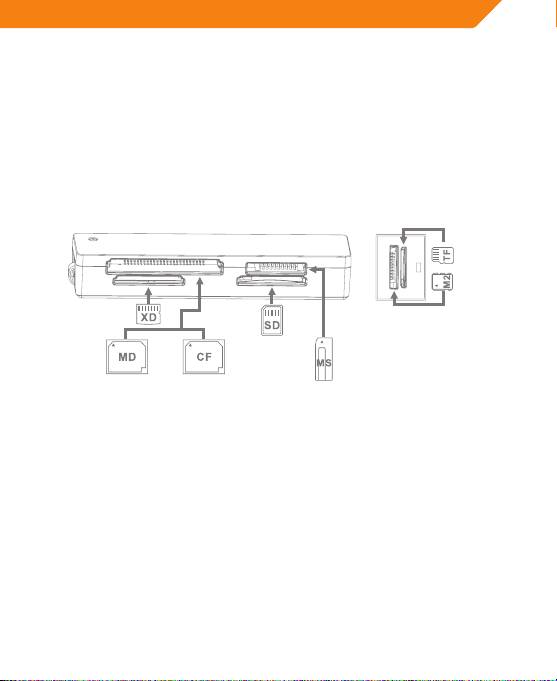
• Supports the following card types:
Features
• Low power consumption, plug & play
• Storable short USB cable
• Card reader access indicator
• Mini compact and portable design, ideal for notebook users.
• Up to 480 Mbps data transfer speed, 40x faster than USB 1.1
Card reader installation
• Connect the card reader to USB port of PC/notebook by the USB cable.
• Once the card reader is connected to the computer, system will
automatically detect it and will prepare it for full operation.
• Please insert memory card into respective card-slot as shown on the card
reader.
5
Top 10 manuals
100.00
NZXT HALE90 1000W99.99
Samsung SM-R38099.97
AEG BSB 18C99.97
Dell 2700W99.97
Smeg KSEC70X99.96
Beurer HDE 4099.96
Pyramida KH 50 v.299.96
MSI CSM-H81M-P3299.96
AEG HR 562799.95
Melissa 640-048