
Toshiba External SuperMulti Drive: Checking the components Safety Instructions
Checking the components Safety Instructions: Toshiba External SuperMulti Drive
Table of contents
- Conventions
- Checking the components Safety Instructions
- CAUTION CAUTION
- System Requirements You need to have a PC with the following specifications:
- The Grand Tour Front View Back View
- Features Versatile Multimedia Features DVD Recommended Disc Types
- CD Recommended Disc Types Buffer underrun free technology Reading / Recording Speed
- Installing Connecting to your computer
- Removing the USB Converter Cable Device Driver Checking for USB2.0 and Installing a USB Driver
- Confirming the Installation of the Device Driver Confirming Use [Device Manager] General Use How to Use the Drive How to Use a Horizontally Installed Drive
- How to Use DVD±R/RW and Other Discs
- Storing/Cleaning Storing the Disc Cleaning the Disc When the LED blinks
- Specification
- Description on Laser specification
- Troubleshooting
- Caution: Possible Error Problem Meaning / Solution
- The write speed for a disc can be restricted if: 1. The disc has bad properties data and/or there are other discs with different properties available under the same ID.
- TOSHIBA’s Standards for Write Speed Restriction. Copyright Statement Disclaimer Trademarks
- Regulatory Statements FCC information FCC notice “Declaration of Conformity Information” FCC Conditions Contact
- Industry Canada Requirement CE Compliance Working Environment
- Additional Environments not Related to EMC REACH Following information is only for EU-member states:
User’s Manual
EN-5
TOSHIBA External SuperMulti Drive
Checking the components Safety Instructions
Always read the safety instructions carefully:
Do not disassemble, modify, tamper with or repair your product
n
Do not attempt to disassemble, modify, tamper with or repair product
(including AC adaptor). Disassembly, modification, tampering or
repairing the product could cause fire or electric shock, possibly
resulting in serious injury.
Please contact an authorized Toshiba service provider for any repair
service.
Choking hazards
n
Never leave small parts such as covers, caps and screws within the
reach of infants or small children. Swallowing a small part may cause
choking and suffocation resulting in death or serious injury. If a part is
swallowed, immediately take appropriate emergency action and
consult a doctor.
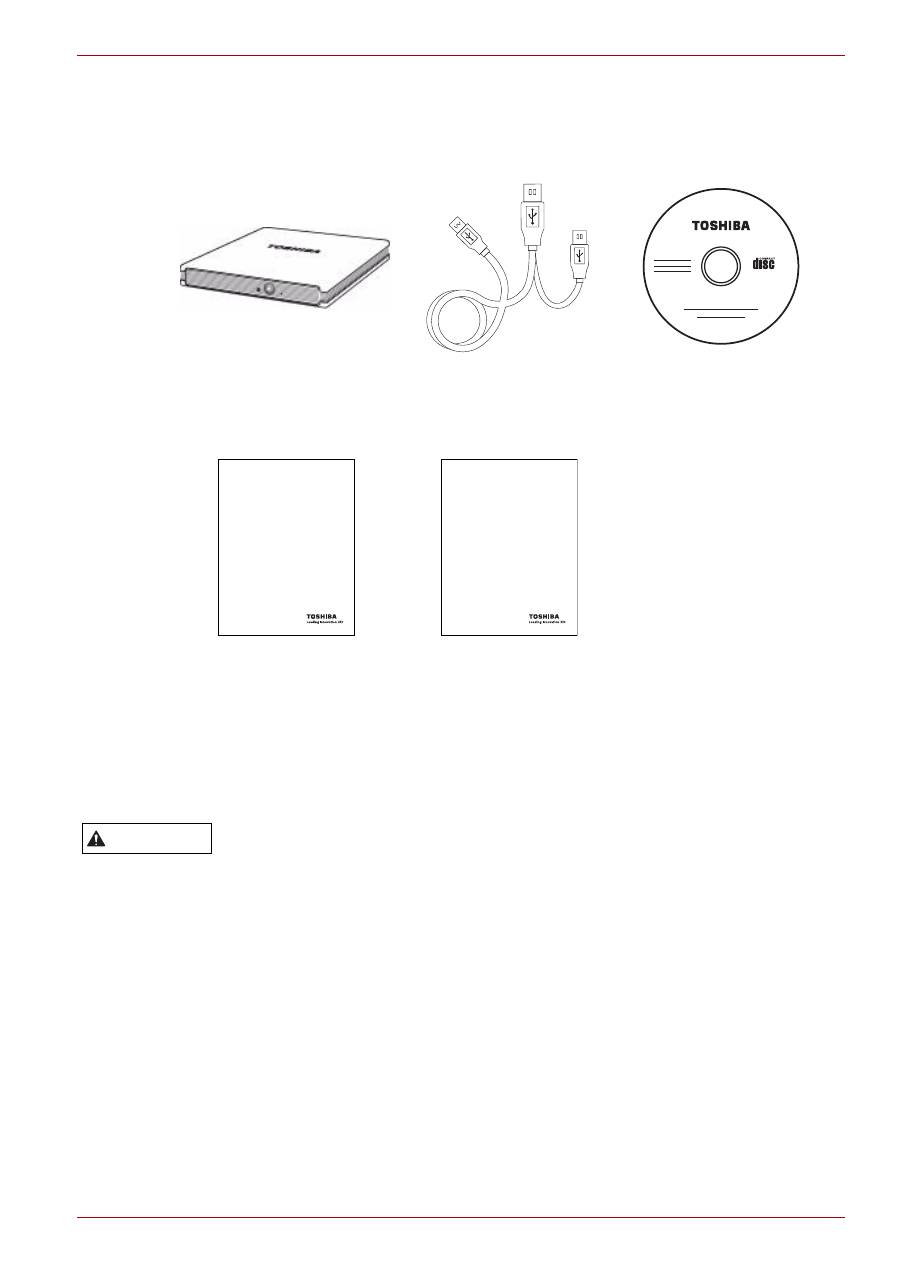
External SuperMulti
Drive
USB Y Cable
CD
Quick Start Guide
Warranty Leaflet
Quick Start Guide
TOSHIBA External SuperMulti Drive
CZ
DE
DK
ES
FI
FR
GR
HR
HU
IT
NL
NO
PL
PT
RS
RU
SE
SK
SL
TR
AR
Toshiba Warranty for
External Optical Disc Drives
CZ
DE
DK
ES
FI
FR
GR
HR
HU
IT
NL
NO
PL
PT
RS
RU
SE
SK
SL
TR
AR
WARNING
