
Nikon 18-105mm-f-35-56G-ED-AF-S-VR-DX: Focusing (Fig. A) Autofocus mode Detaching the hood Focusing, zooming, and depth of field Manual focus mode
Focusing (Fig. A) Autofocus mode Detaching the hood Focusing, zooming, and depth of field Manual focus mode: Nikon 18-105mm-f-35-56G-ED-AF-S-VR-DX
Table of contents
- Notes on Safety Operations
- Nomenclature
- Major features Mounting the lens Removing the lens Using the Lens Hood HB-32 1
- Focusing (Fig. A) Autofocus mode Detaching the hood Focusing, zooming, and depth of field Manual focus mode
- Getting good results with autofocus Vibration reduction mode (VR) Using vibration reduction Notes on using vibration reduction Setting the aperture
- Variable maximum apertures Lens care The built-in flash and vignetting
- Standard accessories Optional accessory Incompatible accessories Specifications
- Notes on using wide- or super wide-angle AF Nikkor lenses
with the lens facing away from you) until it clicks into
lenses, focal length at closer distances decreases
place (Fig. B).
slightly.
Be sure that the lens hood mounting index is aligned
Focusing (Fig. A)
with the lens hood setting index ( ) 3.
Autofocus mode
If the lens hood is not correctly attached, vignetting
Set the camera focus mode to AF-A, AF-S or AF-C and
may occur.
set the A-M mode switch a on the lens to A. Press the
To facilitate attachment or removal of the hood, hold it
shutter-release button halfway to focus and completely
by the base (near the lens hood attachment index)
to shoot.
rather than its outer edge.
Manual focusing is possible even when the lens A-M
Detaching the hood
mode switch is set to A.
Hold the lens hood by the base (near the lens hood
Set the camera’s focus mode to AF-S, and press the
attachment index) and turn clockwise, as viewed when
shutter-release button halfway to initiate autofocus. Next,
Jp
holding the camera with the lens facing away from you,
while pressing the shutter-release button halfway,
En
to detach.
manually rotate the lens focus ring 8 to fine-tune focus.
De
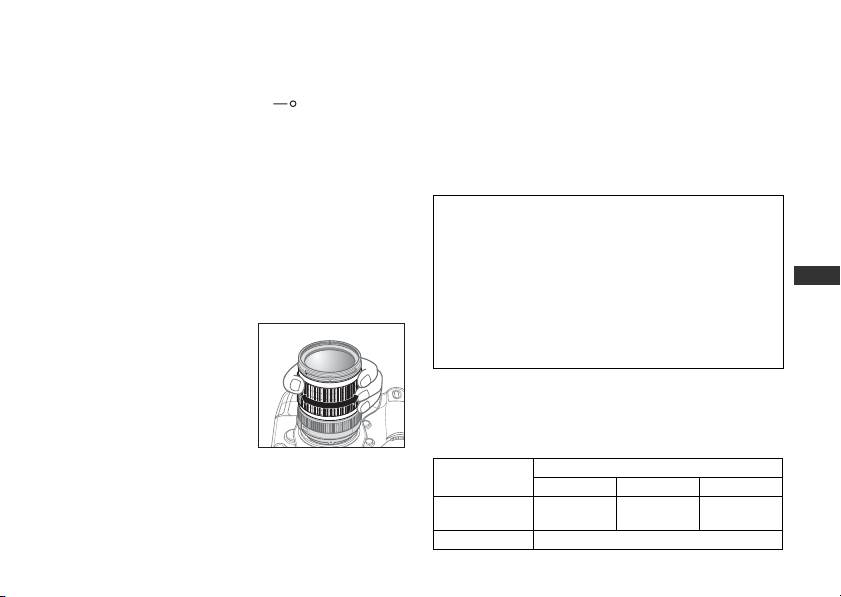
Focusing, zooming, and depth of field
Note: Do not attempt to rotate the focus ring while
Before focusing, rotate the
autofocus is operating. If autofocus stops
Fr
operating, release and press the shutter-release
zoom ring 5 to adjust the
Es
button halfway again.
focal length until the desired
Se
composition is framed.
Manual focus mode
Ru
If your camera has a depth-of-
Set the A-M mode switch
a
on the lens to
M
. Rotate
field preview (stop-down)
Nl
the focus ring
8
manually to focus. Shooting is possible
button or lever, depth of field
It
when camera focus mode is set to either AF or M.
can be previewed through
Ck
the camera viewfinder. For more information, refer to
Lens A-M
Camera focus mode
your camera's User's Manual.
mode switch
a
Ch
AF-A/AF-C AF-S M
• This lens is equipped with the Internal Focusing (IF)
Autofocus
Kr
system. As this focusing system differs from non-IF
AAutofocus
—
(manual focus)
M Manual focus (focus assist is available)
15
