
Sharp AR-M277: INTRODUCTION Third-party Applications
INTRODUCTION Third-party Applications: Sharp AR-M277
Table of contents
- Warranty Trademark Acknowledgments TABLE OF CONTENTS
- INTRODUCTION Third-party Applications
- METADATA ACTIVATION To activate the Application Integration Module: [For MX models:] [For AR models:] NETWORK SCANNER TOOL (NST) SETUP FTP DESTINATION SETUP
- METADATA SETUP Enabling Metadata Delivery [For MX models:] [For AR models:] Configure Metadata Prompts & Delivery Save and Load Settings
- ENTERING A METADATA SET AT THE MACHINE
- METADATA FIELD DESCRIPTIONS
ENGLISH
INTRODUCTION
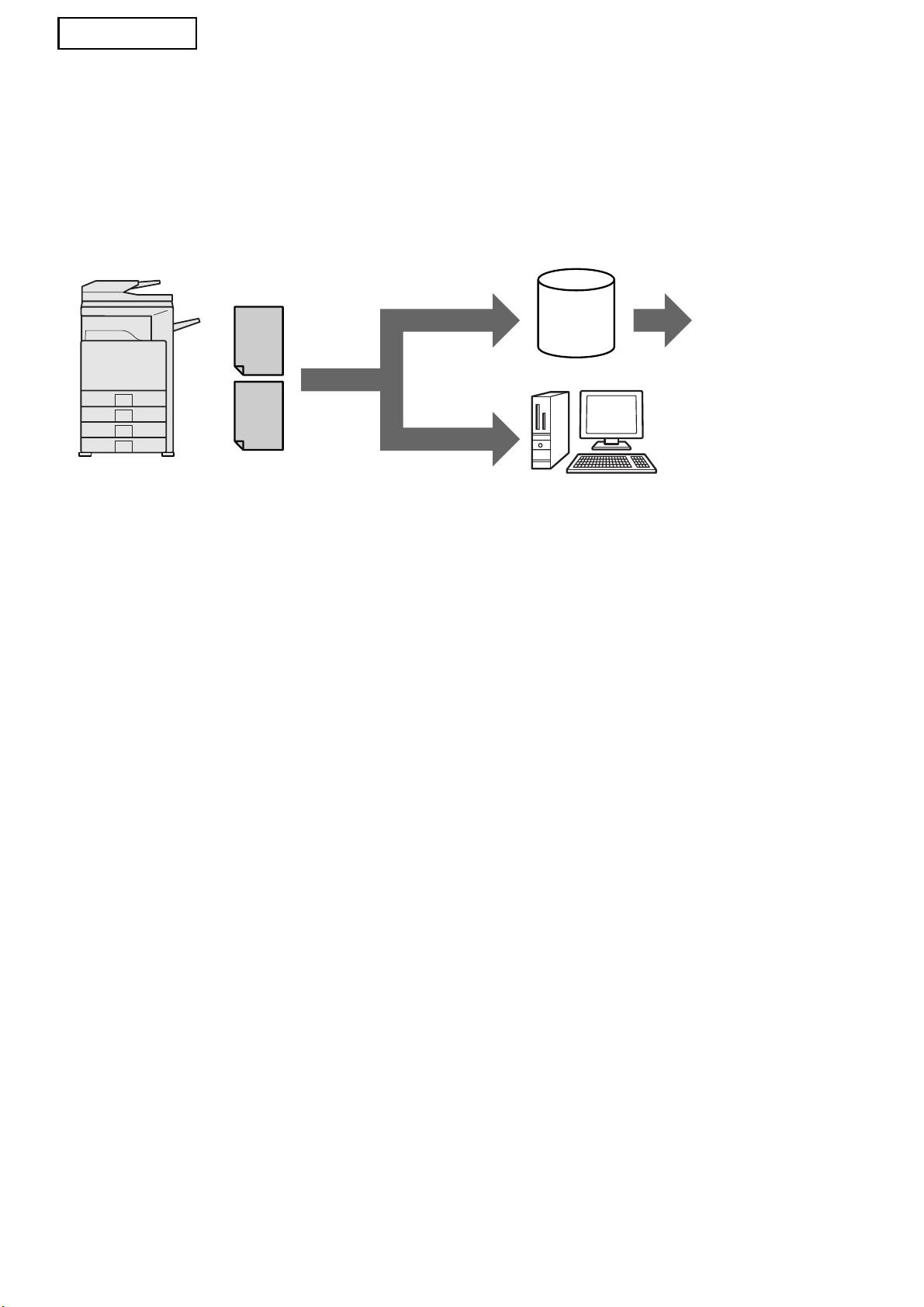
Thank you for purchasing the Application Integration Module Kit. This module is used in combination
with the network scanner function to generate and transmit image data and metadata (data indicating
the attributes and processing method of the image data) in a single scan (Metadata Delivery). Metadata
can be linked with application programs such as fax servers, document management applications,
workflow applications and encryption servers to create an advanced document solution environment.
Metadata
Fax server,
(XML File)
Scan to FTP*
document
Server
management
application,
workflow
application,
encryption
server, etc.
Image File
Scan to Desktop
Client PC using NST kit to
forward files to other applications
*
This also includes "Scan to E-mail"
and "Scan to Network Folder" on
MX models.
The Application Integration Module Kit allows data describing the image file to be entered at the
operation panel on the machine and sent along with the image as an XML file to FTP destinations and
Network Scanner Tool (NST). This document describes how to set up the machine and NST client
software so that images and the XML metadata can be sent through NST software and automatically
routed to a folder or integrated with a third-party application. The machine can also send directly to FTP
servers if no NST processing options are required. This operation manual describes the following
procedures:
• How to activate Metadata Delivery
• How to set up metadata
• How to edit metadata sets
Third-party Applications
Each third-party application is different and may or may not work with the auto-launch feature in NST.
When the launch application option is selected, NST runs the ".exe" file with the filename as a
parameter. In most cases, the application will be launched twice - once for the image file and once for
the XML file. If for example, NST has been set up to launch the application APP.EXE and it receives
"IMG.TIF" and "IMG.XML", the following commands will be applied:
Execute APP.EXE IMG.TIF
Execute APP.EXE IMG.XML
2
