
Nikon AF-S Nikkor 300mm f/2.8G ED VR II: Nomenclature
Nomenclature: Nikon AF-S Nikkor 300mm f/2.8G ED VR II
Table of contents
- Notes on Safety Operations
- Observe the following precautions when handling the camera and lens
- Nomenclature
- En
- Major features Usable cameras and available functions
- Focusing
- Focus operation selection switch and focus operation button (See p. 20 for compatible cameras.)
- Vibration reduction mode (VRⅡ)
- Setting the vibration reduction ON/OFF ring switch Setting the vibration reduction mode switch
- Depth of field Setting the aperture Using a built-in rotating tripod collar
- The built-in flash and vignetting Using the lens hood Slip-in filter holder
- Recommended focusing screens
- Lens care Standard accessories Optional accessories
- Specifications
Thank you for purchasing the AF-S NIKKOR 300mm f/2.8G ED VR
Ⅱ
lens. Before using this lens, please read these instructions and refer to
your camera's user's manual.
Jp
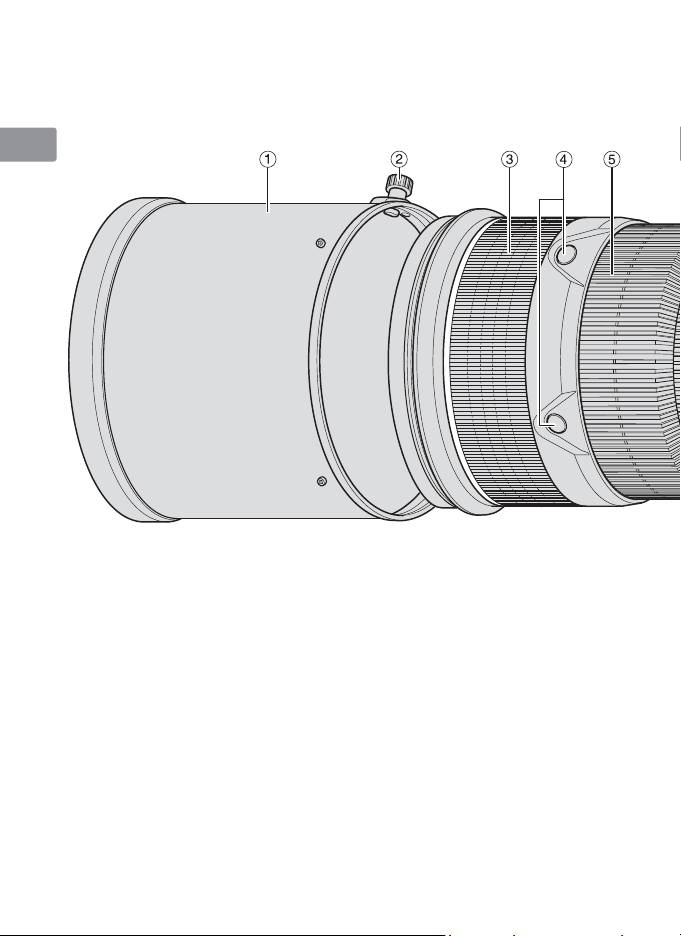
Nomenclature
En
De
Fr
Es
Se
Ru
Nl
It
Ck
Ch
1
Lens hood (P. 26)
$
Memory set button (P. 22)
2
%
Kr
Lens hood screw (P. 26)
Mounting index
3
Rubber grip
^
Lens mount rubber gasket (P. 28)
4
Focus operation button (Focus
&
CPU contacts (P. 28)
Lock/Memory recall/AF Start) (P. 22)
*
Built-in rotating tripod collar (P. 25)
5
Focus ring (P. 21)
(
Strap eyelet
6
Distance scale (P. 25)
)
Focus mode switch (P. 21)
7
Distance index line (P. 25)
q
Focusing limit switch (P. 21)
8
Depth-of-field indicators (P. 25)
w
Vibration reduction mode switch
9
Vibration reduction ON/OFF ring
(P. 24)
switch (P. 24)
e
Focus operation selection switch
0
Lens rotating position index (P. 25)
(AF-L/MEMORY RECALL/AF-ON)
!
Tripod collar lock screw (P. 25)
(P. 22)
@
r
Slip-in filter holder knob (P. 26)
Sound monitor switch (P. 22)
#
Slip-in filter holder (P. 26)
( ): reference page
18
