
Nikon AF-S Nikkor 24mm f/1.4G ED: Depth of field Using the lens hood Setting the aperture The built-in flash and vignetting
Depth of field Using the lens hood Setting the aperture The built-in flash and vignetting: Nikon AF-S Nikkor 24mm f/1.4G ED
Table of contents
- Notes on Safety Operations
- Nomenclature
- Major features Usable cameras and available functions
- Focusing (Fig. A)
- Depth of field Using the lens hood Setting the aperture The built-in flash and vignetting
- Recommended focusing screens Lens care
- Specifications Standard accessories Optional accessory
- Weight: Approx. 620 g (21.9 oz)
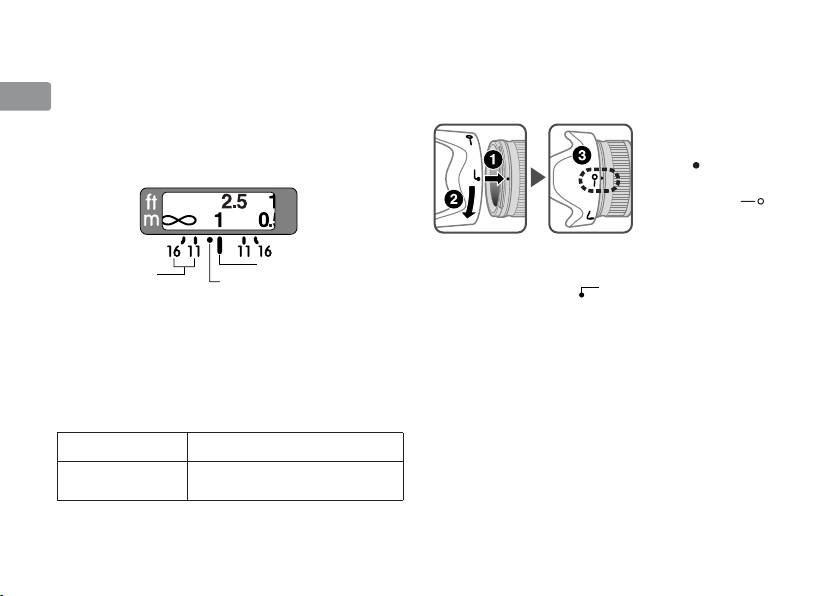
Depth of field
Using the lens hood
Jp
•
Approximate depth of field can be determined by
Lens hoods minimize stray light and protect the
checking the depth-of-field indicators.
lens.
En
• I
f your camera has a depth-of field preview (stop-
Attaching the hood
down) button or lever, depth of field can be
• Be sure that the lens
De
previewed through the camera viewfinder.
hood mounting
•
For more information, see p.116.
index ( ) is aligned
Fr
with the lens hood
setting index (
).
Es
Se
• To facilitate attachment or removal of the hood,
Depth-of-field
Distance index line
hold it by the base (near the lens hood
Ru
indicators
Infrared compensation scale
attachment index (
))
rather than its outer
edge.
Setting the aperture
Nl
• If the lens hood is not correctly attached,
Use the camera to adjust the aperture setting.
vignetting may occur.
It
The built-in flash and vignetting
• To store the lens hood, attach it in the reverse
• The built-in flash cannot be used over distances
position.
Cz
of less than 0.6 m (2.0 ft.).
•
To prevent vignetting, do not use the lens hood.
Sk
Cameras Supported shooting distance
Ck
D5000, D3000, D60,
1 m (3.3 ft.) or greater
D40-Series
Ch
Kr
14
