
Canon LEGRIA HF R38: Connecting to a Wi-Fi Network (Wi-Fi Protected Setup) General requirements POINTS TO CHECK About the camcorder's Wi-Fi standard
Connecting to a Wi-Fi Network (Wi-Fi Protected Setup) General requirements POINTS TO CHECK About the camcorder's Wi-Fi standard: Canon LEGRIA HF R38
Table of contents
- Table of Contents Trademark Acknowledgements
- Getting Started Introduction to Wi-Fi
- Wi-Fi connection Wi-Fi connection Wi-Fi connection
- Connecting to a Wi-Fi Network (Wi-Fi Protected Setup) General requirements POINTS TO CHECK About the camcorder's Wi-Fi standard
- Operating modes: 1 Press 2 Set up a new connection point.
- 3 WPS button setup: Press and hold the WPS button on your wireless router. 4 Within 2 minutes, touch [OK] on the camcorder's screen. 5 Touch [Automatic] to automatically obtain an IP address. 6 Select whether to test the settings. 7 Save the settings of the connection point.
- Requirements for Wi-Fi Functions Transferring Files to a Computer or FTP Server General requirements
- Uploading Recordings to YouTube and Facebook General requirements Uploading Videos Using an iOS Device
- Wireless Playback on a DLNA-Compatible Device General requirements
- Glossary
- Troubleshooting List of Messages
- Wi-Fi connection terminated Wireless communication is not working correctly
5
Connecting to a Wi-Fi Network (Wi-Fi Protected Setup)
Wirelessly connecting to a Wi-Fi network via an access point (wireless
router) is commonly referred to as
infrastructure mode
. If your wireless
router supports Wi-Fi Protected Setup (WPS), setup will be easy and
require minimal configuring. Perform the following procedure. If your
wireless router does not support WPS or you wish to manually config-
ure settings, refer to
Manual Setup
(
;
Connecting to a Wi-Fi Net-
work
).
Refer also to the instruction manual of your wireless router and other
devices you will use.
General requirements
• Correctly configured Wi-Fi network or hotspot
that uses the 802.11b/g/n protocol.
POINTS TO CHECK
• Using an unprotected Wi-Fi network can expose your files and data to
monitoring by unauthorized third parties. Be aware of the risks involved.
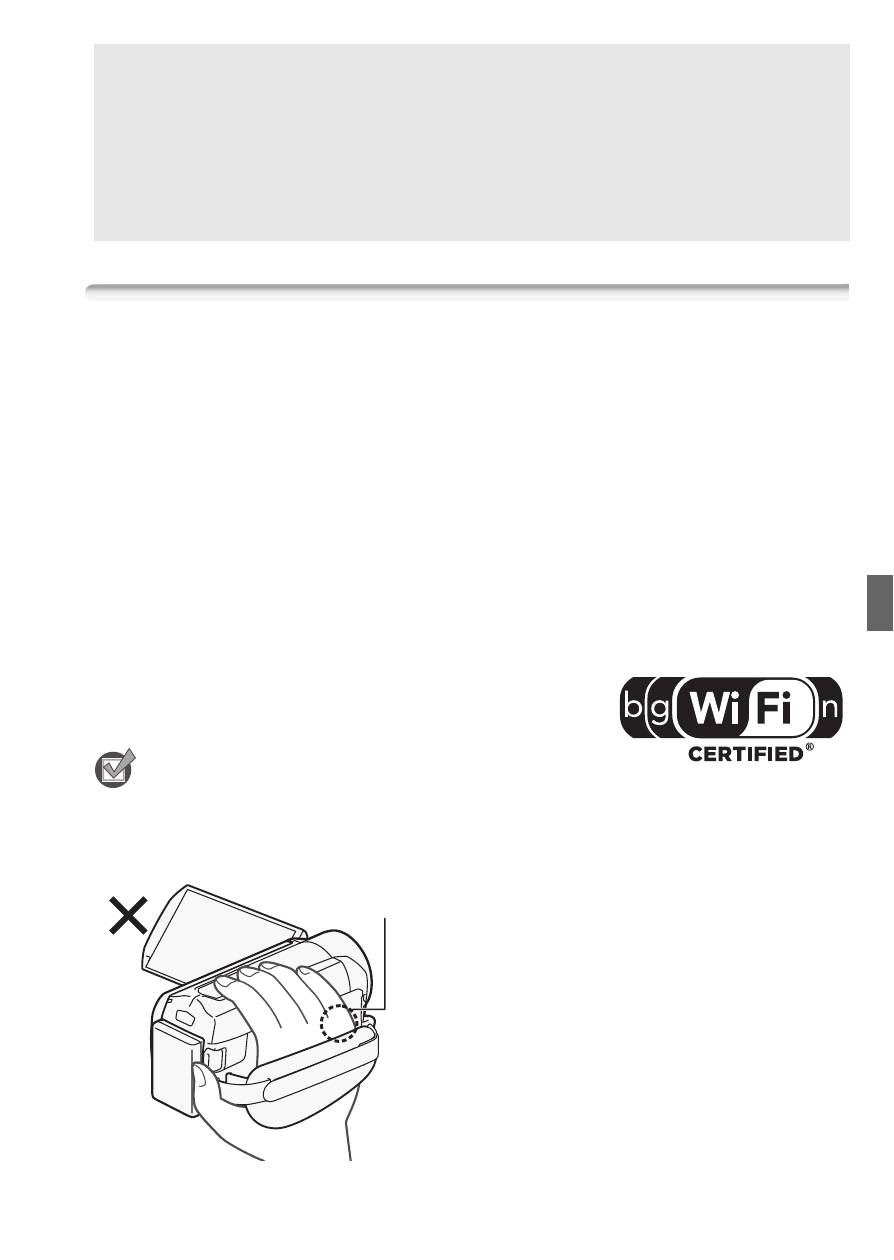
• When using the camcorder's Wi-Fi
functions, do not cover the right side
of the camcorder with your hand or
other object. The Wi-Fi antenna is
located on the right side and covering
it may interfere with wireless signals.
About the camcorder's Wi-Fi standard
The camcorder's Wi-Fi standard complies with the IEEE 802.11b/g/n
protocol and operates in the 2.4 GHz band. As such, the maximum
data transfer rate is 11 Mbps for IEEE 802.11b, 54 Mbps for IEEE
802.11g, and 150 Mbps for IEEE 802.11n. Note that these are theo-
retical values and actual data transfer rates may differ.
Wi-Fi antenna


