
Sharp MX-1810U: CAUTIONS Power notes Installation notes
CAUTIONS Power notes Installation notes: Sharp MX-1810U
Table of contents
- START GUIDE English - START GUIDE
- CAUTIONS Power notes Installation notes
- About consumables Handling precautions Laser information Noise emission values
- SPECIFICATIONS Basic Specifications / Copier specifications OPERATION MANUALS AND HOW TO USE THEM Automatic document feeder HOW TO USE THE OPERATION GUIDE (on the accessory CD-ROM) Tray Fax Specifications
- Information on Disposal for Business Users INFORMATION ON DISPOSAL For the users of the fax function Important safety instructions Trademark acknowledgments TO THE ADMINISTRATOR OF THE MACHINE System settings password Forwarding all transmitted and received data to the administrator (document administration function)
EN1
Caution!
For complete electrical disconnection, pull out the main plug.
The socket-outlet shall be installed near the equipment and shall be easily accessible.
Shielded interface cables must be used with this equipment to maintain compliance
with EMC regulations.
The equipment should be installed near an accessible socket outlet for easy
disconnection.
EMC (this machine and peripheral devices)
Warning:
This is a Class A product. In a domestic environment this product may cause radio
interference in which case the user may be required to take adequate measures.
This warning does not apply to the products for South Africa.
Peripheral devices are described in the [PERIPHERAL DEVICE] in the Operation
Guide.This machine contains the software having modules developed by Independent
JPEG Group.This product includes Adobe
®
Flash
®
technology of Adobe Systems
Incorporated.
Copyright© 1995-2007 Adobe Macromedia Software LLC. All rights reserved.
Notice for users in the UK
MAINS PLUG WIRING INSTRUCTIONS
The mains lead of this equipment is already fitted with a mains plug which is either a
non-rewireable (moulded) or a rewireable type. Should the fuse need to be replaced, a
BSI or ASTA approved fuse to BS1362 marked
or
and of the same rating as
the one removed from the plug must be used.
Always refit the fuse cover after replacing the fuse on the moulded plug. Never use the
plug without the fuse cover fitted.
In the unlikely event of the socket outlet in your home not being compatible with the
plug supplied either cut-off the moulded plug (if this type is fitted) or remove by undoing
the screws if a rewireable plug is fitted and fit an appropriate type observing the wiring
code below.
DANGER:
The fuse should be removed from the cut-off plug and the plug destroyed
immediately and disposed of in a safe manner. Under no circumstances should the
cut-off plug be inserted elsewhere into a 13A socket outlet as a serious electric shock
may occur.
To fit an appropriate plug to the mains lead, follow the instructions below:
IMPORTANT:
The wires in this mains lead are coloured in accordance with the following
code:
GREEN-AND-YELLOW: Earth
BLUE:
Neutral
BROWN:
Live
As the colours of the wires in this mains lead may not correspond with coloured
markings identifying the terminals in your plug, proceed as follows:
The wire which is coloured
GREEN-AND-YELLOW
must be connected to the terminal
in the plug which is marked with the letter
E
, or by the safety earth symbol
, or
coloured green or greenand-yellow.
The wire which is coloured
BLUE
must be connected to the terminal which is marked
with the letter
N
or coloured black.
The wire which is coloured
BROWN
must be connected to the terminal which is marked
with the letter
L
or coloured red.
If you have any doubt, consult a qualified electrician.
WARNING: THIS APPARATUS MUST BE EARTHED.
For the users of the fax function
FAX interface cable and Line cable:
These special accessories must be used with the device.
The declaration of conformity may be consulted at:
http://www.sharp.de/doc/MX-FX11.pdf
SOFTWARE LICENCE
The SOFTWARE LICENCE will appear when you install the software from the CD-ROM.
By using all or any portion of the software on the CD-ROM or in the machine, you are
agreeing to be bound by the terms of the SOFTWARE LICENCE.
•
The explanations in this manual assume that you have a working knowledge of
your Windows or Macintosh computer.
•
For information on your operating system, please refer to your operating system
manual or the online Help function.
•
The explanations of screens and procedures in this manual are primarily for
Windows Vista
®
in Windows
®
environments. The screens may vary depending
on the version of the operating system.
•
This manual contains references to the fax function. However, please note that
the fax function is not available in some countries and regions.
•
This manual contains explanations of the PC-Fax driver and PPD driver. However,
please note that the PC-Fax driver and PPD driver are not available and do not
appear on the software for installation in some countries and regions.
In this case, please install the English version if you want to use these drivers.
•
Considerable care has been taken in preparing this manual. If you have any
comments or concerns about the manual, please contact your dealer or nearest
authorised service representative.
•
This product has undergone strict quality control and inspection procedures. In
the unlikely event that a defect or other problem is discovered, please contact
your dealer or nearest authorised service representative.
•
Aside from instances provided for by law, SHARP is not responsible for
failures occurring during the use of the product or its options, or failures due to
incorrect operation of the product and its options, or other failures, or for any
damage that occurs due to use of the product.
Products that have earned the ENERGY STAR
®
are designed to
protect the environment through superior energy efficiency.
The products that meet the ENERGY STAR
®
guidelines carry the logo shown above.
The products without the logo may not meet the ENERGY STAR
®
guidelines.
Warranty
While every effort has been made to make this document as accurate and helpful as
possible, SHARP Corporation makes no warranty of any kind with regard to its content.
All information included herein is subject to change without notice. SHARP is not
responsible for any loss or damages, direct or indirect, arising from or related to the use
of this operation manual.
© Copyright SHARP Corporation 2011. All rights reserved. Reproduction, adaptation
or translation without prior written permission is prohibited, except as allowed under
copyright laws.
MATERIAL SAFETY DATA SHEET
The MSDS (Material Safety Data Sheet) can be viewed at the following URL address:
http://www.sharp-world.com/corporate/info/index.html
CAUTIONS
Symbols in this manual
To ensure safe use of the machine, this manual uses various safety symbols. The safety
symbols are classified as explained below. Be sure you understand the meaning of the
symbols when reading the manual.
WARNING
Indicates a risk of death or serious injury.
CAUTION
Indicates a risk of human injury or property
damage.
CAUTION
When removing the power plug from the outlet, do not pull on the cord.
Pulling on the cord may cause damage such as wire exposure and breakage, and
may result in fire or electrical shock.
If you will not use the machine for a long time, be sure to remove the power plug
from the outlet for safety.
When moving the machine, switch off the main power and remove the power plug
from the outlet before moving.
The cord may be damaged, creating a risk of fire or electrical shock.
Power notes
WARNING
Be sure to connect the power cord only to a power outlet that meets the specified
voltage and current requirements. Also make certain the outlet is properly
grounded. Do not use an extension cord or adapter to connect other devices to
the power outlet used by the machine.
Using an improper power supply may cause fire or electrical shock.
* For the power supply requirements, see the name plate in the lower left corner of the
left side of the machine.
Do not damage or modify the power cord.
Placing heavy objects on the power cord, pulling it, or forcibly
bending it will damage the cord, resulting in fire or electrical
shock.
Do not insert or remove the power plug with wet hands.
This may cause electrical shock.
Meaning of the symbols
CAUTION!
HOT
PINCH POINT
KEEP CLEAR
PROHIBITED
ACTIONS
DO NOT
DISASSEMBLE
MANDATORY
ACTIONS
Installation notes
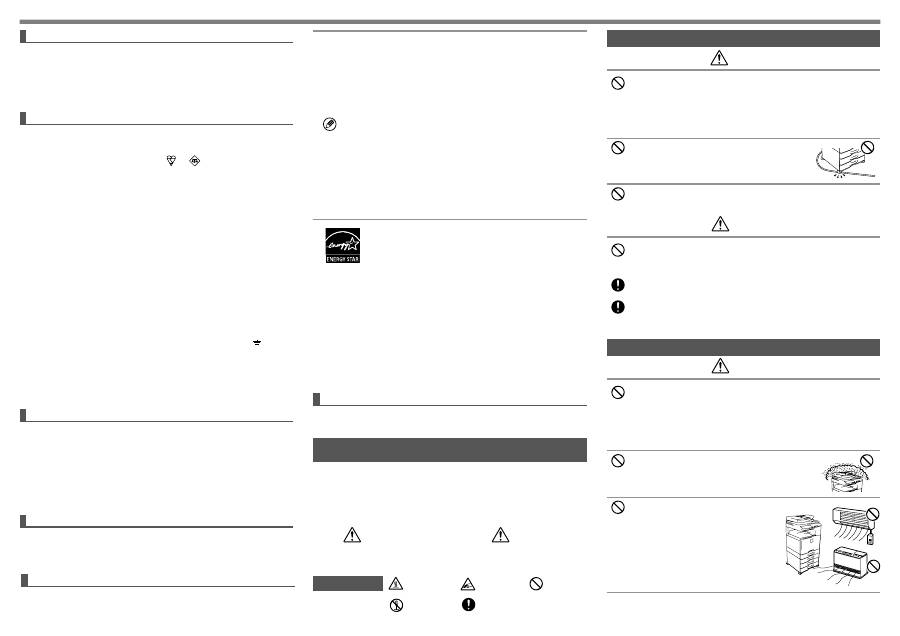
CAUTION
Do not install the machine on an unstable or slanted surface. Install the machine
on a surface that can withstand the weight of the machine.
Risk of injury due to the machine falling or toppling.
If peripheral devices are to be installed, do not install on an uneven floor, slanted
surface, or otherwise unstable surface. Danger of slippage, falling, and toppling.
Install the product on a flat, stable surface that can withstand the weight of the
product.
Do not install in a location with moisture or dust.
Risk of fire and electrical shock.
If dust enters the machine, dirty output and machine failure
may result.
Locations that are excessively hot, cold,
humid, or dry (near heaters, humidifiers, air
conditioners, etc.)
The paper will become damp and condensation
may form inside the machine, causing misfeeds
and dirty output.
If the location has an ultrasonic humidifier, use pure
water for humidifiers in the humidifier. If tap water is
used, minerals and other impurities will be emitted,
causing impurities to collect on the inside of the
machine and create dirty output.
