
Nikon AF-S 16-35mm f-4G ED VR: Using the lens hood Recommended focusing screens
Using the lens hood Recommended focusing screens: Nikon AF-S 16-35mm f-4G ED VR
Table of contents
- Notes on Safety Operations
- Nomenclature
- Major features Usable cameras and available functions
- Focusing (Fig. A)
- Vibration reduction mode (Fig. B)
- Focusing, zooming, and depth of The built-in flash and vignetting field Setting the aperture
- Using the lens hood Recommended focusing screens
- Lens care Standard accessories Optional accessory
- Specifications
- Notes on using wide- or super wide-angle AF NIKKOR lenses
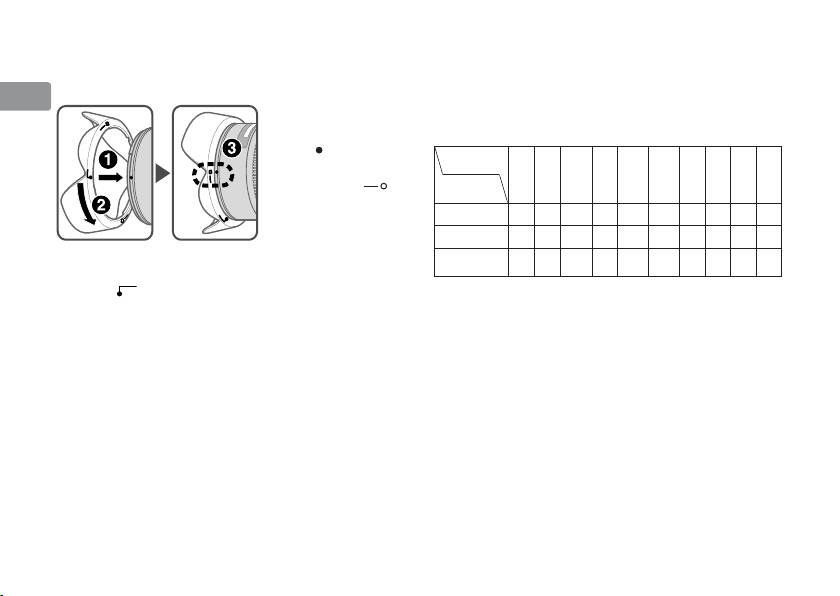
Using the lens hood
Recommended focusing screens
Jp
Lens hoods minimize stray light and protect the lens.
Various interchangeable focusing screens are
Attaching the hood
available for certain Nikon SLR cameras to suit any
En
• Be sure that the lens
picture-taking situation. The ones recommended
hood mounting
for use with this lens are:
De
index ( ) is aligned
G1
Screen
EC-B
with the lens hood
G2
Fr
AB C E
JLMU
G3
setting index ( )
EC-E
Camera
G4
(3).
Es
F6
◎◎ ◎ ◎◎
F5+DP-30
◎◎ ○ ◎ ◎ ◎◎
Se
• To facilitate attachment or removal of the hood,
○
F5+DA-30
◎◎
◎◎ ◎◎
(-0.5)
hold it by the base (near the lens hood attachment
Ru
index (
))
rather than its outer edge.
: Excellent focusing
Ⴟ
• If the lens hood is not correctly attached, vignetting
: Acceptable focusing
Nl
Ⴜ
may occur.
Slight vignetting or moiré patterns appear in
• To store the lens hood, attach it in the reverse
the viewfinder, but not on the film.
It
position.
—
: Not available
( ) : Indicates degree of exposure compensation
Cz
needed (center-weighted metering only). For
F6 cameras, compensate by selecting “Other
Sk
screen“ in Custom Setting “b6: Screen comp.“
and setting the EV level to -2.0 to +2.0 in 0.5
Ck
EV steps. When using screens other than type
B or E, “Other screen“ must be selected even
Ch
when the required compensation value is “0“
(no compensation required). For F5 cameras,
Kr
20
