
Yamaha KMA-500: NAMES OF PARTS AND THEIR FUNCTIONS
NAMES OF PARTS AND THEIR FUNCTIONS: Yamaha KMA-500
Table of contents
- IMPORTANT SAFETY INSTRUCTIONS
- FCC INFORMATION (for US customers)
- Caution: Read this before operating your unit
- CONTENTS
- HANDLING PRECAUTIONS BEFORE CONNECTING
- NAMES OF PARTS AND THEIR FUNCTIONS Front panel
- NAMES OF PARTS AND THEIR FUNCTIONS Rear panel
- NAMES OF PARTS AND THEIR FUNCTIONS
- SYSTEM CONNECTIONS
- CONNECTIONS
- CONNECTIONS
- CONNECTIONS
- CONFIGURATION DIAGRAM
- REMOTE CONTROL
- REMOTE CONTROL
- GENERAL OPERATION
- SETUP MODE ■ Menus in Setup mode
- ■ Setup mode table
- TROUBLESHOOTING Problems Possible causes Solutions MAINTENANCE
- AFTER-SALES SERVICING KARAOKE ETIQUETTE
- SPECIFICATIONS
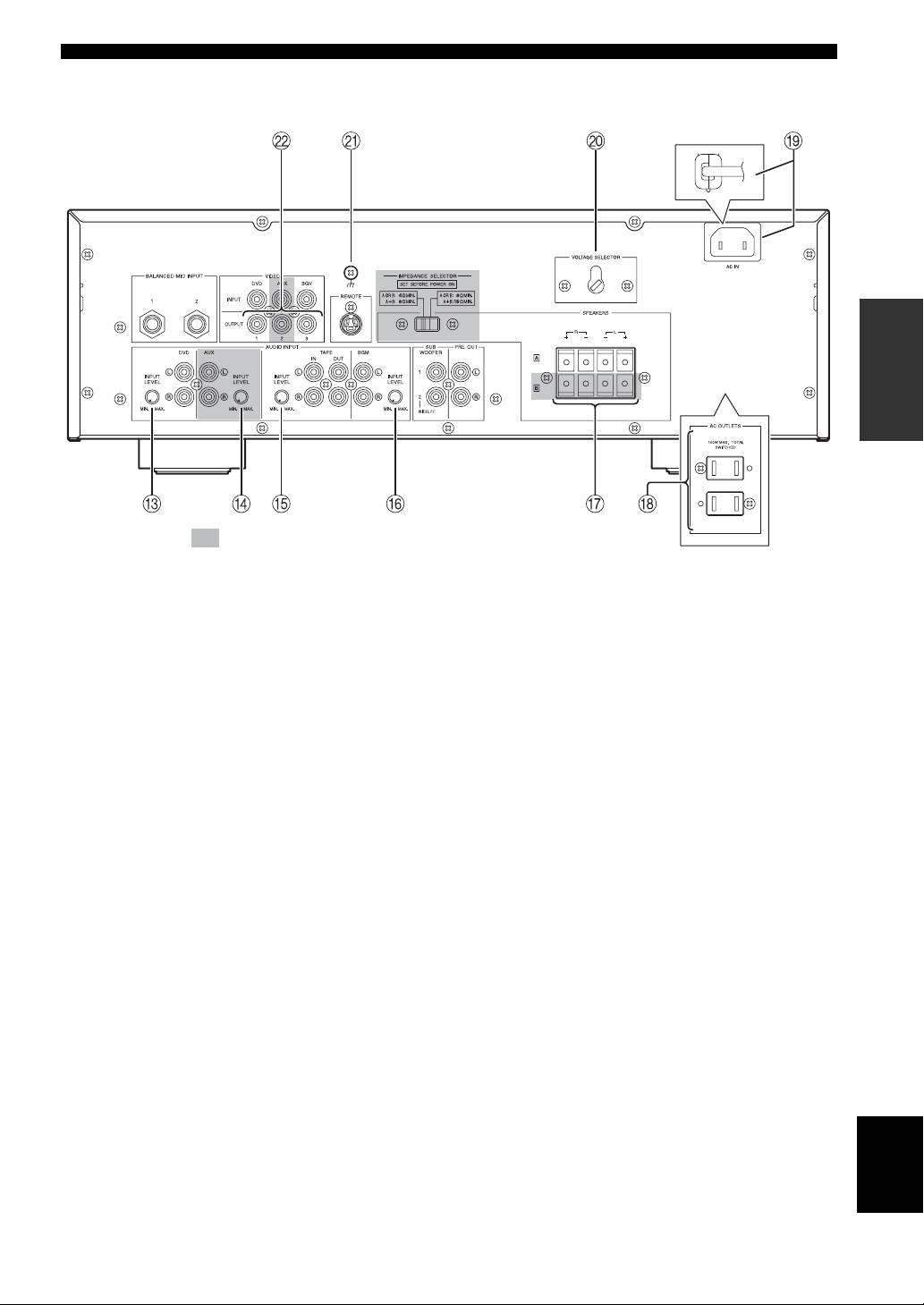
NAMES OF PARTS AND THEIR FUNCTIONS
(Asia model)
PREPARATION
The shaded part ( ) is provided for KMA-700 only.
C DVD INPUT LEVEL
K Signal ground terminal
Adjust the balance of the DVD input level with respect to
Connect this terminal if a humming noise is emitted when
other inputs (AUX*, TAPE, BGM).
connecting this amplifier.
D AUX INPUT LEVEL*
L VIDEO OUTPUT jacks
Adjust the balance of the AUX input level with respect to
Connect to the video input of the monitor.
other inputs (DVD, TAPE, BGM).
E TAPE INPUT LEVEL
Adjust the balance of the TAPE input level with respect to
other inputs (DVD, AUX*, BGM).
* KMA-700 only
F BGM INPUT LEVEL
Adjust the balance of the BGM input level with respect to
other inputs (DVD, AUX*, TAPE).
G SPEAKERS (Speaker system terminal(s))
Connect to the speaker system(s).
For KMA-500, only one speaker system is available.
H AC OUTLETS (Max. total power consumption:
100 W. U.S.A. model only)
Refer to “AC OUTLETS” on page 9.
I AC IN (Except U.S.A. model)
Refer to “AC IN” on page 9.
Power cable (U.S.A. model only)
Plug this cable into an AC wall outlet.
English
J VOLTAGE SELECTOR (Except U.S.A. model)
Refer to “VOLTAGE SELECTOR” on page 9.
5 En
