
Nikon Andere-Fernsteuerung: Timed Photography (5/7) 3. Start the Timer
Timed Photography (5/7) 3. Start the Timer: Nikon Andere-Fernsteuerung
Table of contents
- For Your Safety (1/2)
- For Your Safety (2/2) Notices (1/2)
- Body
- When the MC-36 Is Not in Use
- Parts of the MC-36 (3/3) Connecting the MC-36
- Using the MC-36 Timed Photography (1/7)
- Timed Photography (2/7)
- Timed Photography (3/7)
- Timed Photography (4/7)
- Timed Photography (5/7) 3. Start the Timer
- 4. End Shooting
- Timed Photography (7/7)
- Manual Release
- Precautions for Use Caring for the MC-36
- Speci cations
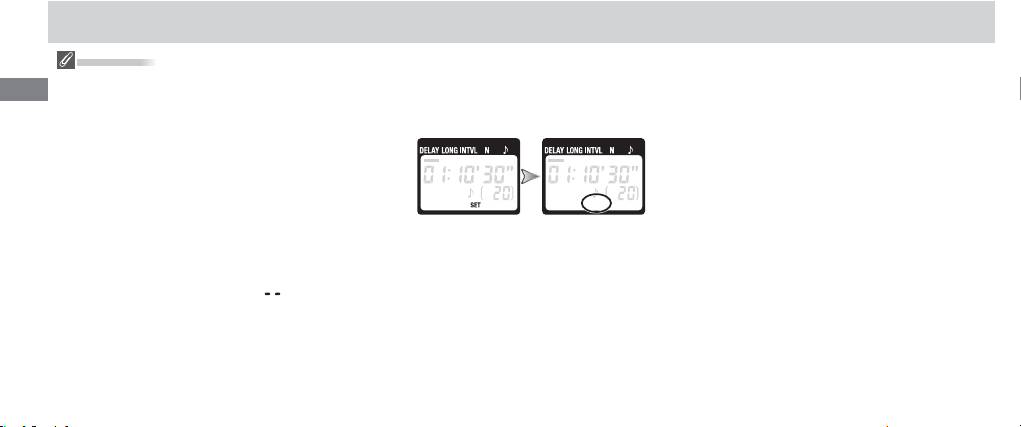
Timed Photography (5/7)
Setting the Timer
2.3 After adjusting all settings as desired, press
3. Start the Timer
To ensure correct operation, choose an interval at
the SET button () to put the new settings
Press the TIMER START/STOP button (). The
En
least one second longer than the exposure time.
into eff ect. A beep will sound (if the speak-
timer will start and “TIMER ACTIVE” () will fl ash
When using autofocus, set the delay to two sec-
er is on) and the “SET” indicator will go out.
in the control panel. Between shots, the con-
onds or more and choose an interval at least two
trol panel will show the time remaining until
seconds longer than the exposure time to ensure
the next photograph is taken. If the speaker is
that the camera has time to focus. When using
on, a beep will sound three times at one-sec-
long exposure noise reduction (available with
ond intervals before the shutter opens.
some digital cameras), the interval should be at
While the shutter is open, the control
least twice the exposure time.
The new settings will remain in eff ect until
panel will show the time remaining until the
Intervals of 00:00:00 will automatically be re-
changed or until the batteries are removed
shutter closes, and the release lamp and “RE
set to 00:00:01 when the SET button () is pressed
to put settings into eff ect.
or exhausted.
LEASE” indicator () will fl ash at one-second
To set the number of shots to
(unlimited),
intervals. The number of shots remaining will
select 1 and press the arrow button () down or
be updated each time a photograph is taken.
select 399 and press the arrow button up.
12
